

DarrenFMc17167703
Known Participant
April 18, 2020
Answered

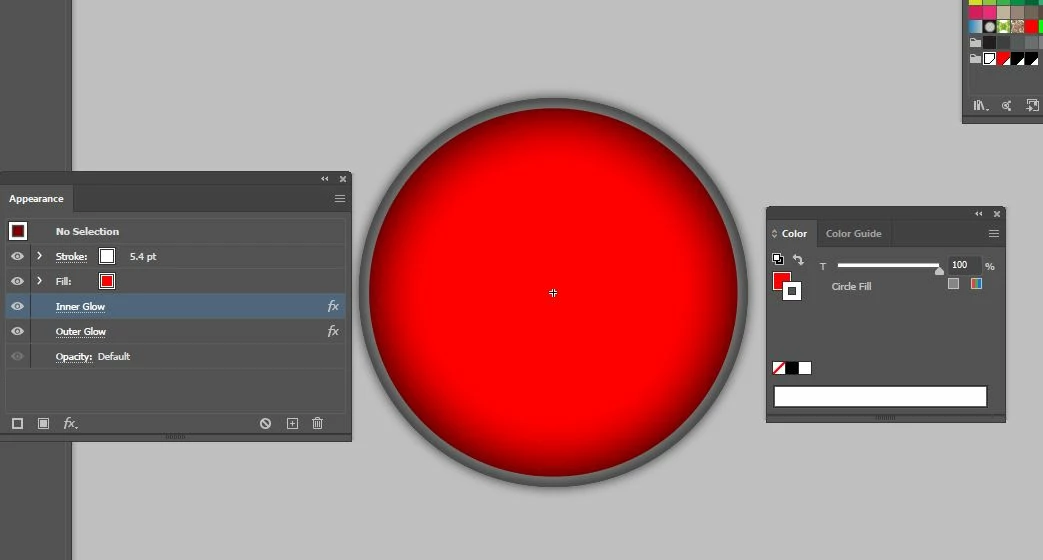
Inner Glow shows above Stroke and effects it

  • April 18, 2020
  • 2 replies
  • 1822 views

Hi,


If I add an inner glow of color black with blend as Normal on a shape and then add a white Stroke to the shape, the inner glow turns the stroke grey as if it is above the stroke color. In the appearance Panel the Stroke shows as being above the fill and the fill has the inner glow applied.


How do I change it so that the stroke stays white?
This topic has been closed for replies.
Correct answer Jeff Witchel, ACI

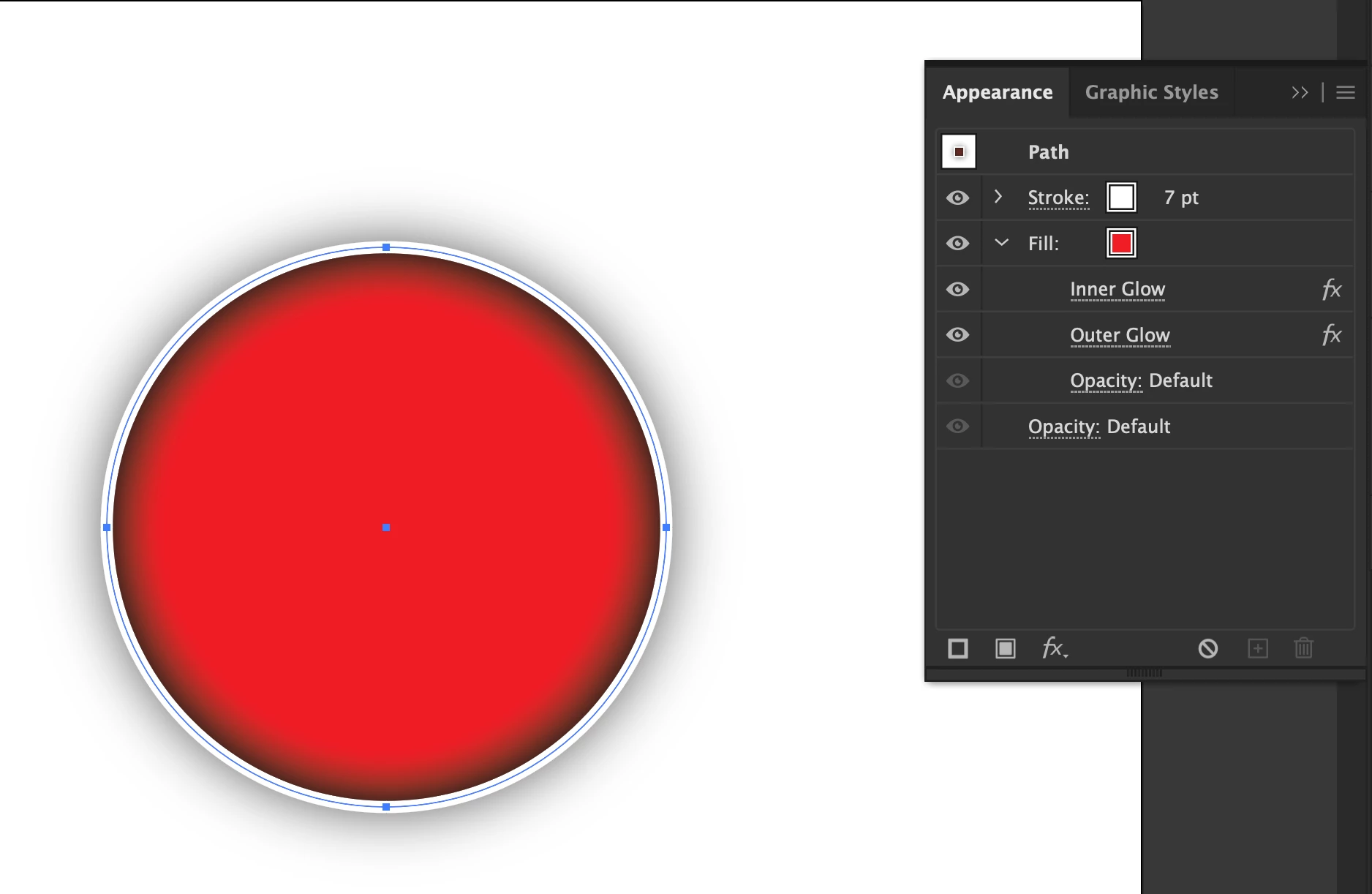
Here's a screenshot of how the Appearance panel should look with the Effects being applied to just the Fill.

2 replies

Jeff Witchel, ACI
Community Expert
Jeff Witchel, ACICommunity ExpertCorrect answer
Community Expert
April 18, 2020

Here's a screenshot of how the Appearance panel should look with the Effects being applied to just the Fill.

Jeff Witchel, ACI
Community Expert
Community Expert
April 18, 2020

Right now, your Effects are applied to the entire Object. 

Drag each Effect over the top of the Fill until the Fill listing gets highligted. This should fix the issue.