
Copy link to clipboard
Copied
Hello,
I have an icon that looks like this:
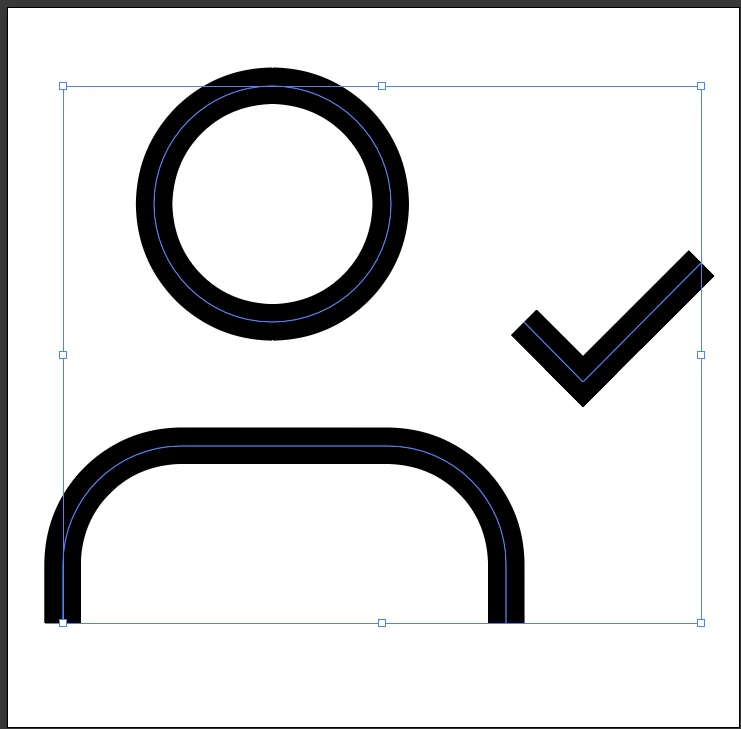
I get this shape only if the fill is set to blank and stroke to black 1pt:

This is a problem since my App makes auto fill so that the icon looks like this

The question is: how do I revert the path or something, so that I get the exact same original shape by using Fill instead of stroke?
I attached the SVG icon file bellow.
Thank you!
I am not quite sure what you mean by "my App makes auto fill". What application are you referring to?
Anyway, what happens if you select the stroked paths in Illustrator and then go to the Object menu > Path > Outline Stroke command in order to convert the stroked paths to filled paths?
Copy link to clipboard
Copied
I am not quite sure what you mean by "my App makes auto fill". What application are you referring to?
Anyway, what happens if you select the stroked paths in Illustrator and then go to the Object menu > Path > Outline Stroke command in order to convert the stroked paths to filled paths?
Copy link to clipboard
Copied
Thanks for replying. I meant the App I'm currently developing. It uses Flutter icons https://www.fluttericon.com/ and there this icon is being auto filled
Copy link to clipboard
Copied
And the solution worked. Thank you very much!
Get ready! An upgraded Adobe Community experience is coming in January.
Learn more