
Answered
Is it possible to stroke a corner of an object
Dear members,
I have a problem.
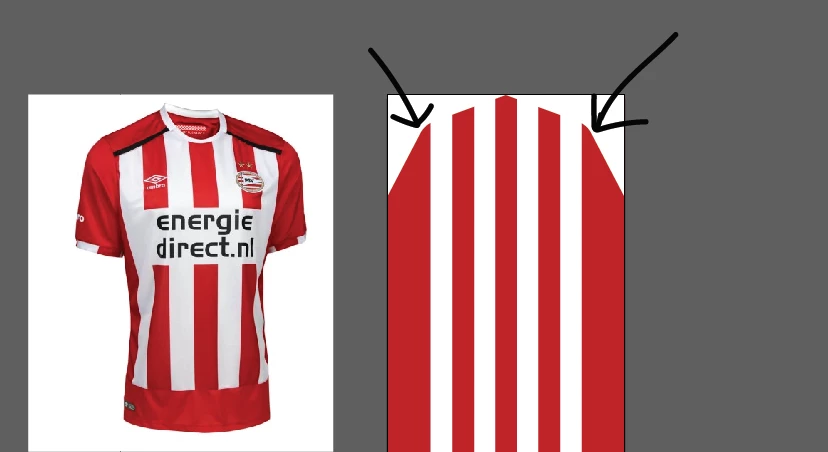
If you look at the picture, I want to create the black colors only on one side of my object.
Is this possible? How can I create this effect easily?

Dear members,
I have a problem.
If you look at the picture, I want to create the black colors only on one side of my object.
Is this possible? How can I create this effect easily?
Hi Ultra
You cannot stroke just part of a path but you can copy just the part of the path that you need and stroke that. Using the direct select tool (white arrow) select the individual points along the path that correspond with the art you want to stroke with black. Copy the selected art and past in front (CMD-F/Cntrl-F) turn off any fill and then apply your black stroke.
Hope that helps
Michael
Already have an account? Login
Enter your E-mail address. We'll send you an e-mail with instructions to reset your password.
 AdChoices