
Participating Frequently
May 25, 2017
Question

Issue when exporting to an Image in Illustrator

  • May 25, 2017
  • 1 reply
  • 939 views

I got an odd issue that I never faced before

I'm using Illustrator CS4 ME on Windows 7

When I export to JPG or TIFF with 72 or 150 DPI resolution (Medium or Screen resolution), some arabic fonts don't appear properly, like that pic below :
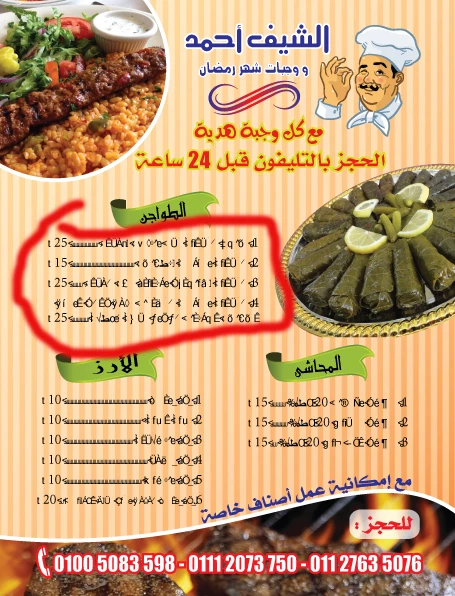
But when I export to JPG or TIFF with 300 DPI resolution (High resolution), the same font appears properly, like the following pic :
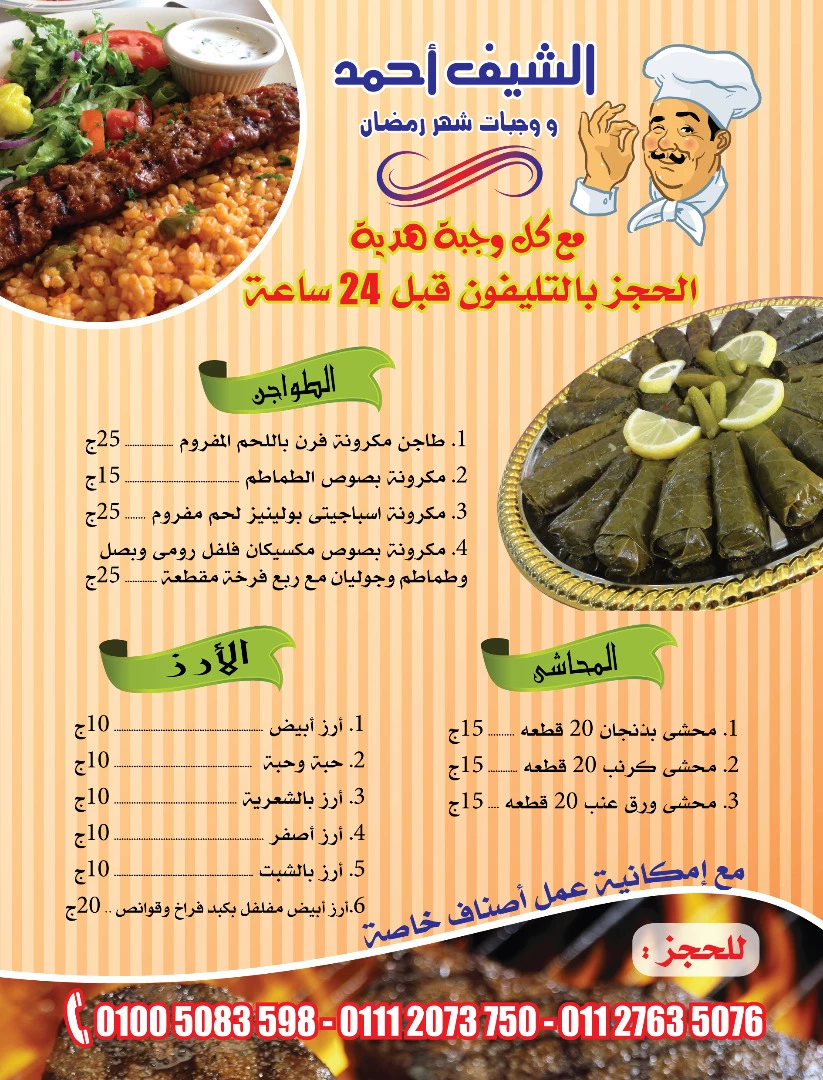
It's very odd, that I'm saving to raster format, not an editable format like PDF. How could that happen !!

    This topic has been closed for replies.

    1 reply

    Zaid Al Hilali
    Community Expert
    Community Expert
    May 25, 2017

    What is the font name or type, is it AXT font? Have you tried with an Arabic OpenType font?

    SoftICEAuthor
    Participating Frequently
    May 25, 2017

    Hi, Zaid. Thanks for your reply

    I'm not sure what is AXT font, but the font name is "Fanan regular" and it's a True Type Font.

    Zaid Al Hilali
    Community Expert
    Community Expert
    May 28, 2017

    I checked the Apperance & Graphic Style panels, but there is nothing special.

    Here is the file if that can help :

    https://www.mediafire.com/?q2tfrmodm840tx1

    (I removed the pics to reduce file size)


    Thank you for sharing the file for testing, well you missed including Fanan font so I had to swap it with another Arabic font of my own "GE Alma".

    I exported to JPG and TIFF at a screen and medium resolution, but both resulted images displayed text correctly! I couldn't replicate the problem on my machine so far.