dzgnr89
Inspiring
January 1, 2020
Question

Issue with times new roman font on pdf import

  • January 1, 2020
  • 4 replies
  • 15841 views

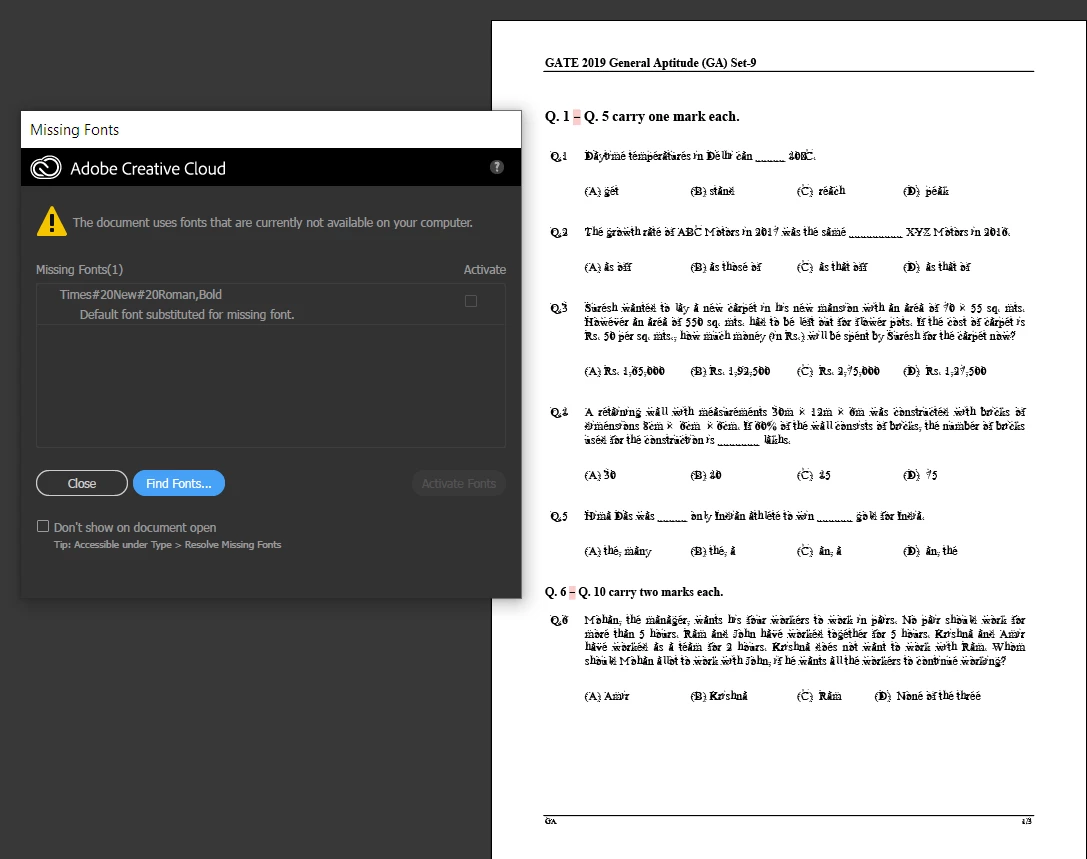
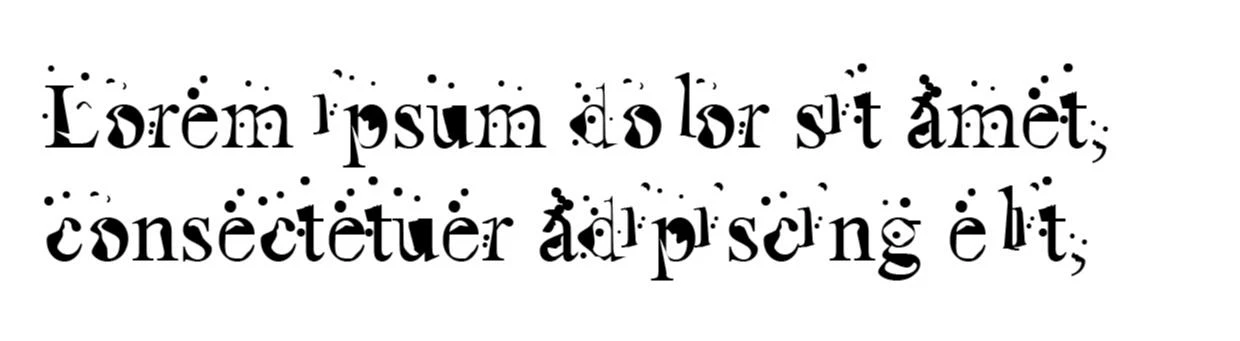
This font has taken over times new roman (regular) in my Adobe Illustrator when I choose times new roman.


However, in Microsoft word, times new roman functions totally fine. 


I am attaching the pdf document that I downloaded from the internet. Times new roman gets messed up when I import it in Illustrator. I want the pdf to have editable text instead of outline. 


Here's the pdf file. 

https://www.dropbox.com/s/isq9lwjsxus7xsg/ce2019%20_%20forums.pdf?dl=0


This topic has been closed for replies.

4 replies

Legend
January 2, 2020

I haven't tested your file, just read your message. This all seems normal. You import the PDF, and then you fix the font if needed. The Find Fonts button may help since you surely have a Times font of some kind.


I also refer you to a message you did not acknowledge, and emphasise this point: "Illustrator is not a general purpose PDF editor and PDF was never meant for editing."

dzgnr89
dzgnr89Author
Inspiring
January 2, 2020

Okay

Participant
October 27, 2020

Hello, well this is the exact same problem I am facing now. I have a PDF document with heavy text, tables, and formulas. No way in this world can I manually choose the missing Times Font and replace it! I still haven't got the answer to this. In case you have, will be grateful if you can post!

Legend
January 1, 2020

The message seems to say the opposite of what you suggest. It says you haven't got Times#20New#20Roman,Bold. This is not surprising, this mangled name exists only inside a PDF, it is no real font. The message says your default font will be used. So the problem surely is that your default font is this weird thing. So, nobody else is going to see this problem!

dzgnr89
dzgnr89Author
Inspiring
January 2, 2020

Which default font is your machine using for Times#20New#20Roman,Bold when you import the pdf ?   Please share a screenshot. 


How can I change the default font that Illustrator uses automatically for replacement? Of course, I can manually do it by going to the type menu, then finding the replacement. Is there a default setting that I can change?

Monika Gause
Community Expert
Community Expert
January 2, 2020
Ton Frederiks
Community Expert
Community Expert
January 1, 2020

You can try Type > Find Font... and replace the substituted fonts by Times Roman

dzgnr89
dzgnr89Author
Inspiring
January 1, 2020

That's what I immediately did after I posted. Forgot to update in the original post. Can you please test the pdf in your system ?

I'd know whether it's my laptop that's troubling or the document is bad. 

Monika Gause
Community Expert
Community Expert
January 1, 2020

I can open that PDF without issues in CC 2017 as well as in version 2020. Have tested just the 1st page.


Text is separated in a gazillion of text objects of course.

Monika Gause
Community Expert
Community Expert
January 1, 2020

Illustrator is not a general purpose PDF editor and PDF was never meant for editing.