
Inspiring
February 17, 2024
Answered

It is not possible to use a brush & the color palette is also turned off

  • February 17, 2024
  • 3 replies
  • 696 views

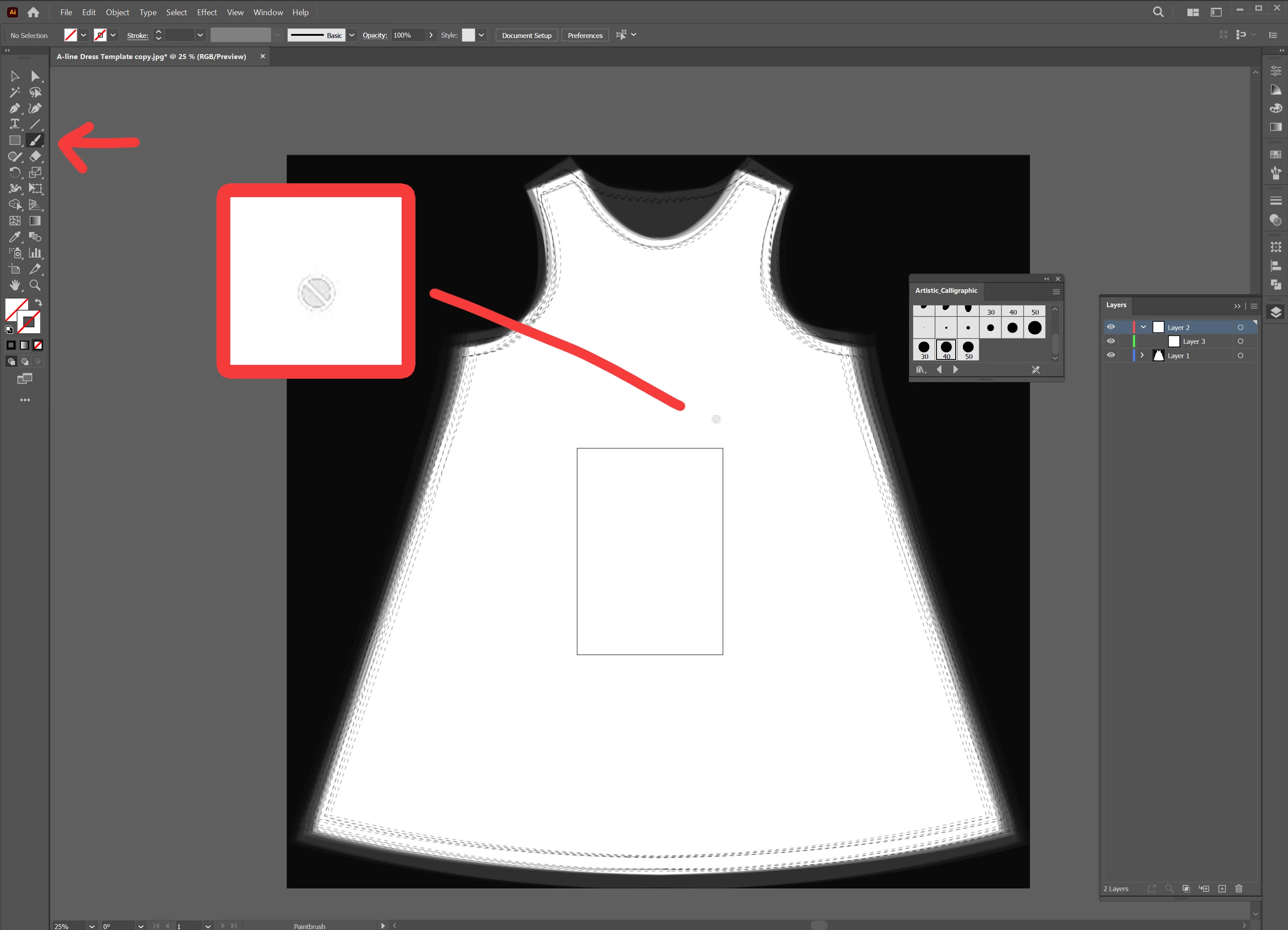
I import an image with format jpeg into the Illustrator , this problem occurred to me:
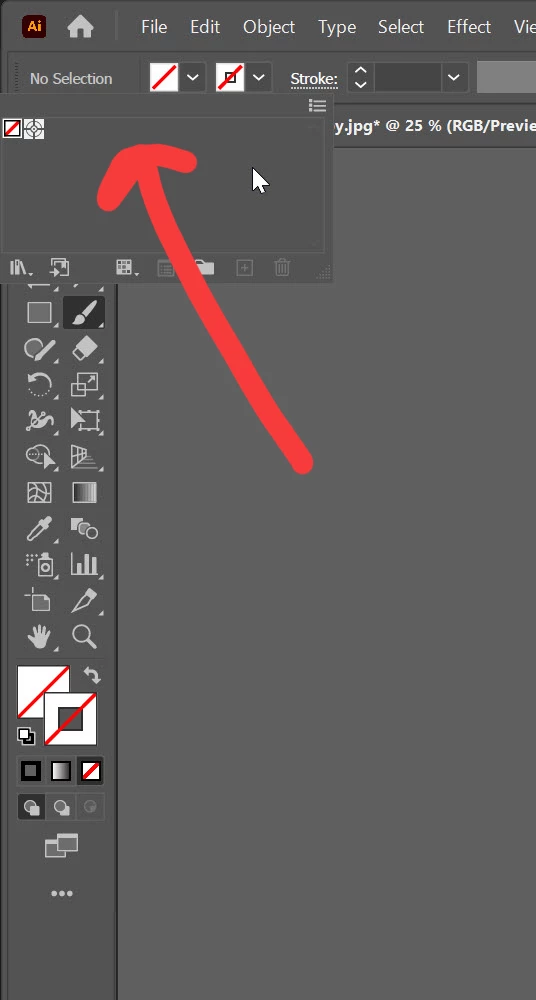
It is not possible to use a brush (even on the top layer), the color palette is also turned off.
What is the problem?

Thank you.


This topic has been closed for replies.
Correct answer reza34963173n4uo

Thank you very much, my problem is solved, I learned. 

3 replies

Community Expert
February 18, 2024

Looking more closely at your screenshot, you seem to have a different problem. You could just start your document over and place your jpg into your .ai file as suggested below, but if you have already done work to this and don't want to start over, here is another suggestion. Although yes you have opened a jpg directly into Illustrator and yes your brushes and swatches are missing, I can see that you have opened your Brush library and are trying to use a prebuilt brush on an empty, unlocked layer. This should work - I just replicated your scenario myself and it works fine. Illustrator allowed me to select a Library brush, and created a black fill for me even though I have no swatches. If you don't want to start your whole document over, you could try resetting your Ai preferences and then opening the file again. Go to Edit > Preferences > General and select Reset Preferences. You'll need to quit Illustrator for this to take effect.


You can then restore your missing Swatches by going to the Swatches panel and opening the Library icon, then choosing Default Swatches > Art and Illustration. 

Monika Gause
Community Expert
Community Expert
February 18, 2024


I would not without need reset the preferences.


In this case brushes as well as swatches can be loaded or newly created. But a preferences reset is a step that will force you to set up everything new. In this case the issue is most likely caused by opening the JPEG not by ruined preferences.

Ton Frederiks
Community Expert
Community Expert
February 18, 2024

You opened an image. An image has no color swatches or brushes.

Try to create a new document and use File > Place to place the image in Illustrator.

reza34963173n4uoAuthorCorrect answer
Inspiring
February 21, 2024

Thank you very much, my problem is solved, I learned. 

Monika Gause
Community Expert
Community Expert
February 17, 2024

You opened a JPG in Illustrator. So there are no brushes and no swatches in the file. And thereofre you cannot use the brush tool and the swatches panel.

Better way is to create a new file and then place the JPG.

But you can also just create swatches and brushes in your file. Make yure that you save it as an AI file when you are done with it (even just for the day)

Inspiring
February 21, 2024

Thank you very much, my problem is solved, I learned. 

Monika Gause
Community Expert
Community Expert
February 21, 2024

You're welcome!