
Wouter24668973swhn
Participating Frequently
September 18, 2023
Answered

Jagged lines in Illustrator. And lines become thin and disappear when zoomed out.

  • September 18, 2023
  • 2 replies
  • 1717 views

Hi everyone, 

I have a strange display of lines in Illustrator, but also After Effects. Especially in diagonal lines / corners you can see stepped / jagged lines. Not sure what is the issue. 

I tried: Various versions of my GPU driver, different display, turning off and on GPU. 

Maybe it is normal, but on my macbook I don't have this issue.

Hope someone can help me, it doesn't look nice and is therefore not great to work with.
This topic has been closed for replies.
Correct answer Lukas Engqvist

Hi Lukas, I actually was wondering about this as well. So thank you for fixing that issue. But the issue I was talking about is the diagonal lines on the house, they are jagged (even when I zoom in). I work on a windows, but when I open the same file on my Macbook I seem to not have the jagged lines. 

My resolution of the screen is 1920x1080


1920x1080 pixels are visible if the pixels are on a big monitor. (My iMac is 5120x2880) (Just to make sure you don't have pixel preview on, do you?) Vector lines will be as sharp as possible on the printer you have.

If you share the file I can open it on my computer to see if it is and issue with the stroke. I see you are working in RGB but there is no information on the stroke telling the thickness or style of stroke. 

Are you using any transparency or effects? If so Document Raster Effects Settings sets the resolution for blur/feather etc. 
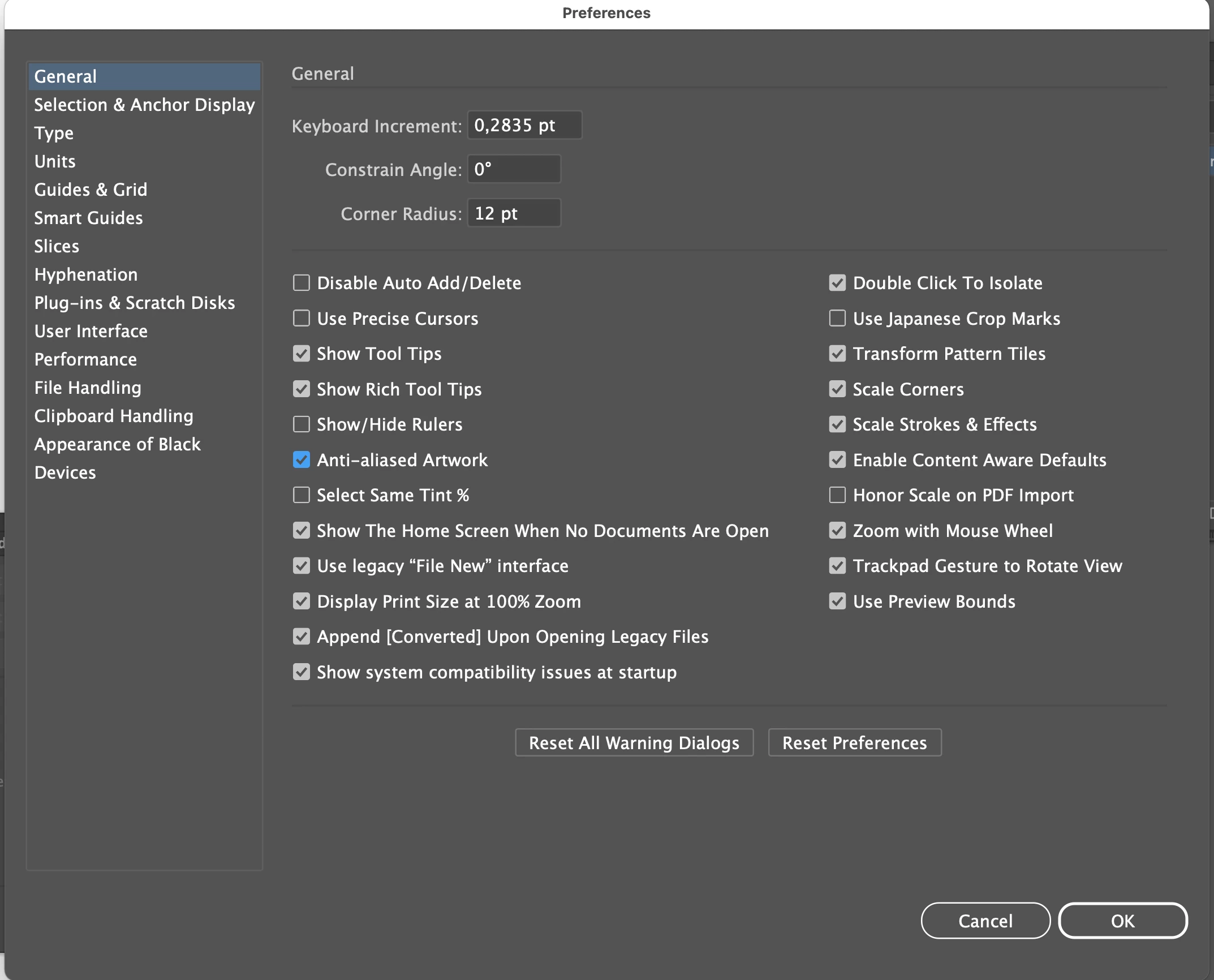
Make sure you have antialias artwork if you want lines as smooth as possible (On a retina monitor you can turn it off)


2 replies

Lukas Engqvist
Community Expert
Community Expert
September 18, 2023

Do you mean that the corners "Shoot over" like at the top of the chimney? This is something that happens because of the rules of mathematics. when you have a stroke sharp corners will extend depending on the sharpness of the corner. Use rounded corners and/or buts on strokes to avoid this. Strokes exaggerated for clarity. (you may need to set Stroke Panel to Show Options so that you see these settings)

Lukas Engqvist
Community Expert
Community Expert
September 18, 2023

The alternative is to make the contour as a seperate shape so that you get less sharp corners. 

Wouter24668973swhn
Participating Frequently
September 18, 2023

Hi Lukas, I actually was wondering about this as well. So thank you for fixing that issue. But the issue I was talking about is the diagonal lines on the house, they are jagged (even when I zoom in). I work on a windows, but when I open the same file on my Macbook I seem to not have the jagged lines. 

My resolution of the screen is 1920x1080

Doug A Roberts
Community Expert
Community Expert
September 18, 2023

Just looks like monitor pixels to me. What's the resolution of your screen? What's the resolution of your MacBook screen? Perhaps the Mac has a Retina display.

Wouter24668973swhn
Participating Frequently
September 18, 2023

Hi Doug, Thank you for your quick response. This is really bothering me. So actually I experimented on two computers and the issue exists on the Windows PC (I have a Nvidia RTX 3070, but still somehow I feel it could be the GPU). On my macbook I don't see any jagged lines. Just to be more specific I refer to the lines on the house, the diagonal ones. 

Also in other software like After Effects, or when zoomed out in Illustrator the lines become a bit strange and faded. 

Wouter24668973swhn
Participating Frequently
September 18, 2023

My resolution of the screen is 1920x1080 and it is a Benq gl240