Participant
January 30, 2019
Answered

JPG to Vector, how to make glow light

  • January 30, 2019
  • 3 replies
  • 643 views

Hello everyone,

Since Image Trace didn't work for me, i've been trying to make a jpg company logo into vector logo, and i'm almost done.

The issue that 've been struggling with it, is that glow light on the ring, I just don't know how to do it, there is no tutorial in youtube.
I've tried Extrude & Bevel, but either i don't know how to do it, or using 3d bevel didn't work.

Any advice?

This topic has been closed for replies.
Correct answer Ton Frederiks

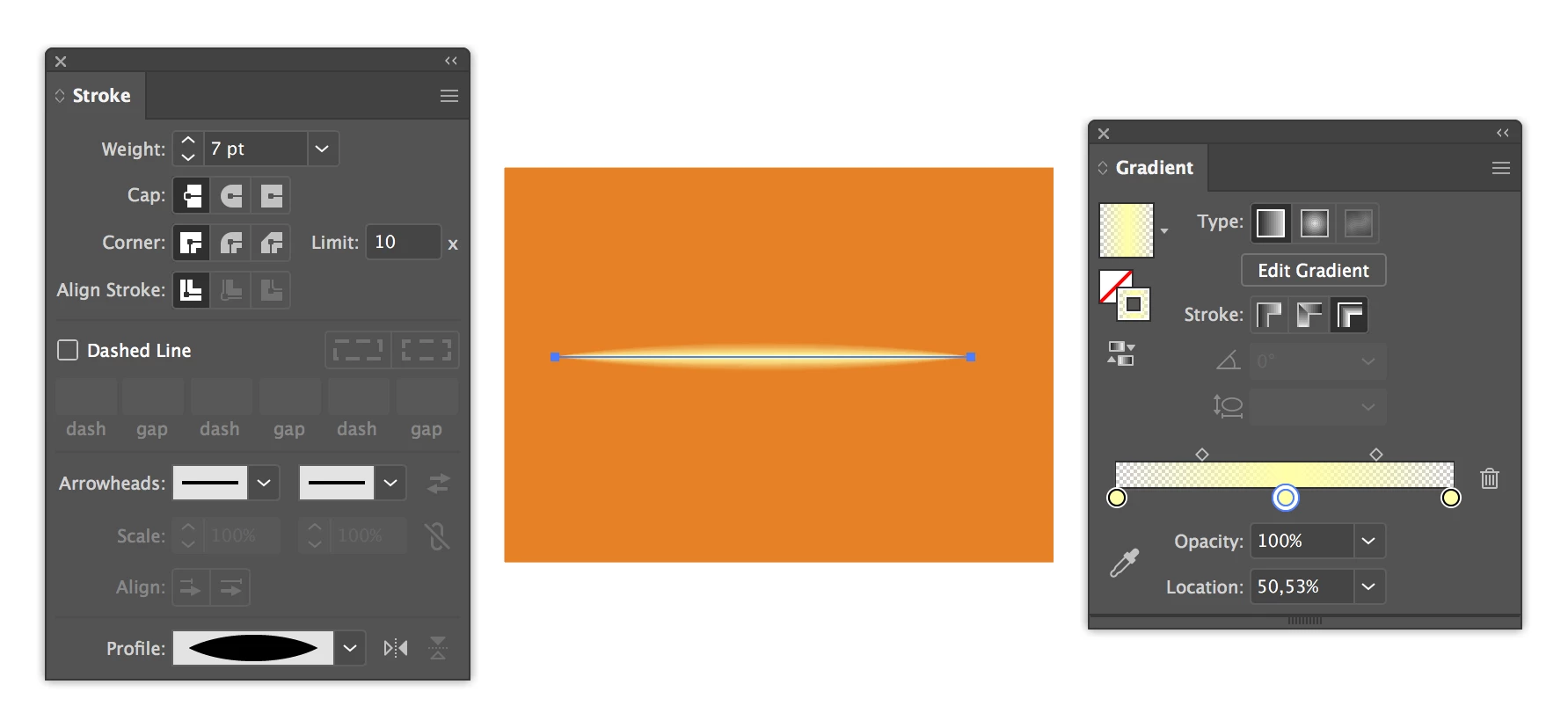
You could try to use a variable stroked line with a partially transparent gradient across the stroke.

3 replies

Ton Frederiks
Community Expert
Ton FrederiksCommunity ExpertCorrect answer
Community Expert
January 30, 2019

You could try to use a variable stroked line with a partially transparent gradient across the stroke.

Participant
January 30, 2019

so that' how close i can get

Ton Frederiks
Community Expert
Community Expert
January 30, 2019

Good to hear that helped.

Doug A Roberts
Community Expert
Community Expert
January 30, 2019

I would use a few little blends where you want highlights. Obviously neater than these:

Participant
January 30, 2019

but the ring is grey and the orange on top of it is the one that needs the highlight, even messing with bevel i could'nt find the highlight.

Nothing happen exactly:

Doug A Roberts
Community Expert
Community Expert
January 30, 2019

Did you try and use a blend?

How to blend objects in Illustrator

You can blend between a solid colour and transparency by specifying steps in the blend options, which might be necessary to go on top of your gradient.

Participating Frequently
January 30, 2019

Use the “gradient fill” features to create effect on ring.