

brian_p_dts
Community Expert
Community Expert
July 7, 2023
Answered

JSX - my added ellipse is coming in bigger than I set it at

  • July 7, 2023
  • 1 reply
  • 237 views

Illustrator stumps me again! Consider the following function. It adds a yellow ellipse 13.5 points down from the center top of the artboard. I expect the ellipse to come in at 10.8pt H and 10.8pt W, but it's coming in at 15.2735 pt X 15.2735 pt. What am I missing? 

var drawBullet = function(layer, doc, yellowSwatch) {
    var abr = doc.artboards[0].artboardRect;
    var top = abr[1] - 13.5;
    var left = abr[0] + ((abr[2] - abr[0])/2) - (10.8/2); 
    var dot = layer.pathItems.ellipse(top, left, 10.8, 10.8, false, false);
    dot.stroked = false;
    dot.filled = true;
    dot.fillColor = yellowSwatch.color; 
};
 

This topic has been closed for replies.
Correct answer m1b

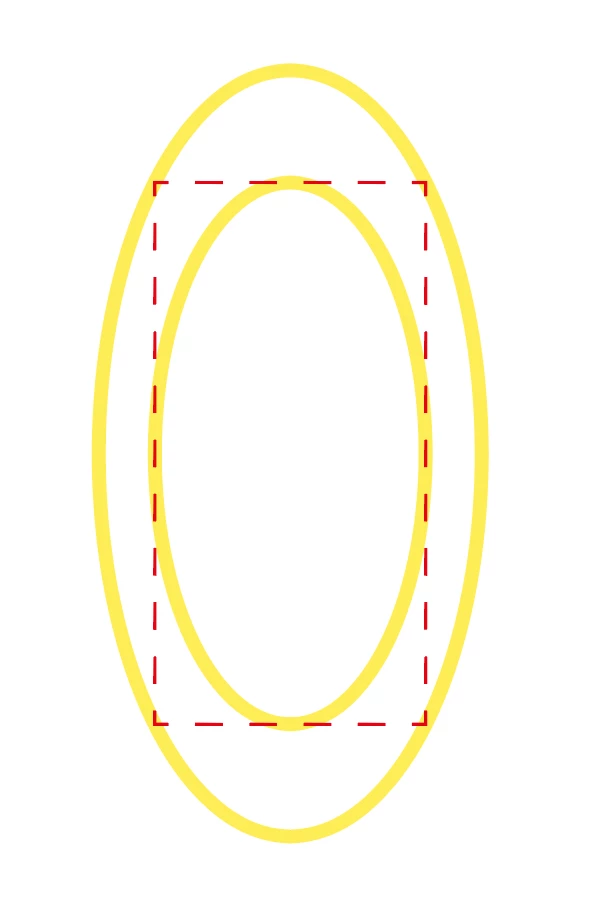
Hi @brian_p_dts, it is because you are asking for an inscribed ellipse by passing false as the last argument. Just leave it off or pass true. The defaults are sensible.

var dot = layer.pathItems.ellipse(top, left, 10.8, 10.8);

An inscribed ellipse means that the rectangle you describe with the 4 arguments fits inside the created ellipse.

1 reply

m1b
Community Expert
m1bCommunity ExpertCorrect answer
Community Expert
July 7, 2023

Hi @brian_p_dts, it is because you are asking for an inscribed ellipse by passing false as the last argument. Just leave it off or pass true. The defaults are sensible.

var dot = layer.pathItems.ellipse(top, left, 10.8, 10.8);

An inscribed ellipse means that the rectangle you describe with the 4 arguments fits inside the created ellipse.

brian_p_dts
Community Expert
Community Expert
July 8, 2023

Thanks @m1b Helps if I study the API more closely.