
Inspiring
June 15, 2017
Answered

Jump / Move Multiple sub-layers onto a New Layer

  • June 15, 2017
  • 2 replies
  • 2494 views

Hi

When I make a selection with the black arrow over multiple objects (all of which as sub-layers), is there anyway of making this selection of sublayers a new layer? At the moment I'm moving them individually to a new layer - I'm thinking there must be a more efficient way of doing this?

Here is an example - I'll like all of the sublayers (highlighted with the red arrow) which are marked yellow in the layers panel to be moved or jumped to their own layer.
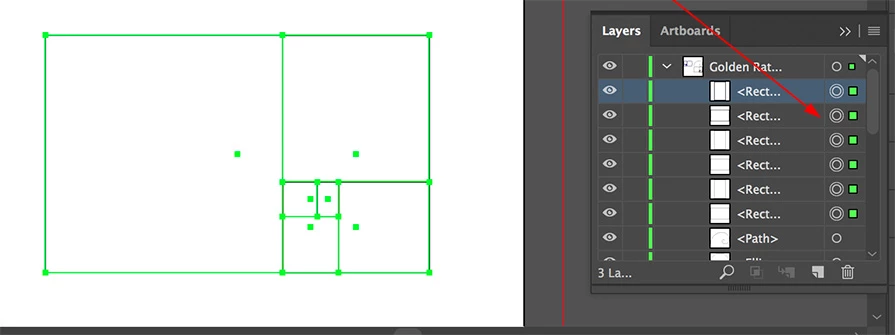
Thanks in advance for any help / ideas.

Paul.

This topic has been closed for replies.
Correct answer Monika Gause

And to add to my answer: move this little selection indicator from the current layer to a new layer.

2 replies

Kurt Gold
Community Expert
Community Expert
June 15, 2017

Another recommendable way:

Make sure that "Paste Remembers Layers" is turned off in the Layers palette menu. Then select the objects on the scratch area, hit Cmd-X (Cut), hit Cmd-L (New Layer), hit Cmd-F (Paste in Front).

Doug A Roberts
Community Expert
Community Expert
June 15, 2017

sure.

Monika Gause
Community Expert
Community Expert
June 15, 2017

Collect in new layer won't work as expected.

Maybe first group these items and then move the group into a new layer.

Monika Gause
Community Expert
Monika GauseCommunity ExpertCorrect answer
Community Expert
June 15, 2017

And to add to my answer: move this little selection indicator from the current layer to a new layer.