

Keep elements grouped when cropping?
I need help to keep my vector patterns organized in Illustrator. I'm creating patterns in illustrator and I need to crop them in perfect squares for export to clients and Shutterstock etc.
My process: Add square with no fill or stroke on top of design > Pathfinder > Crop (I was recommended not to use a clipping mask).
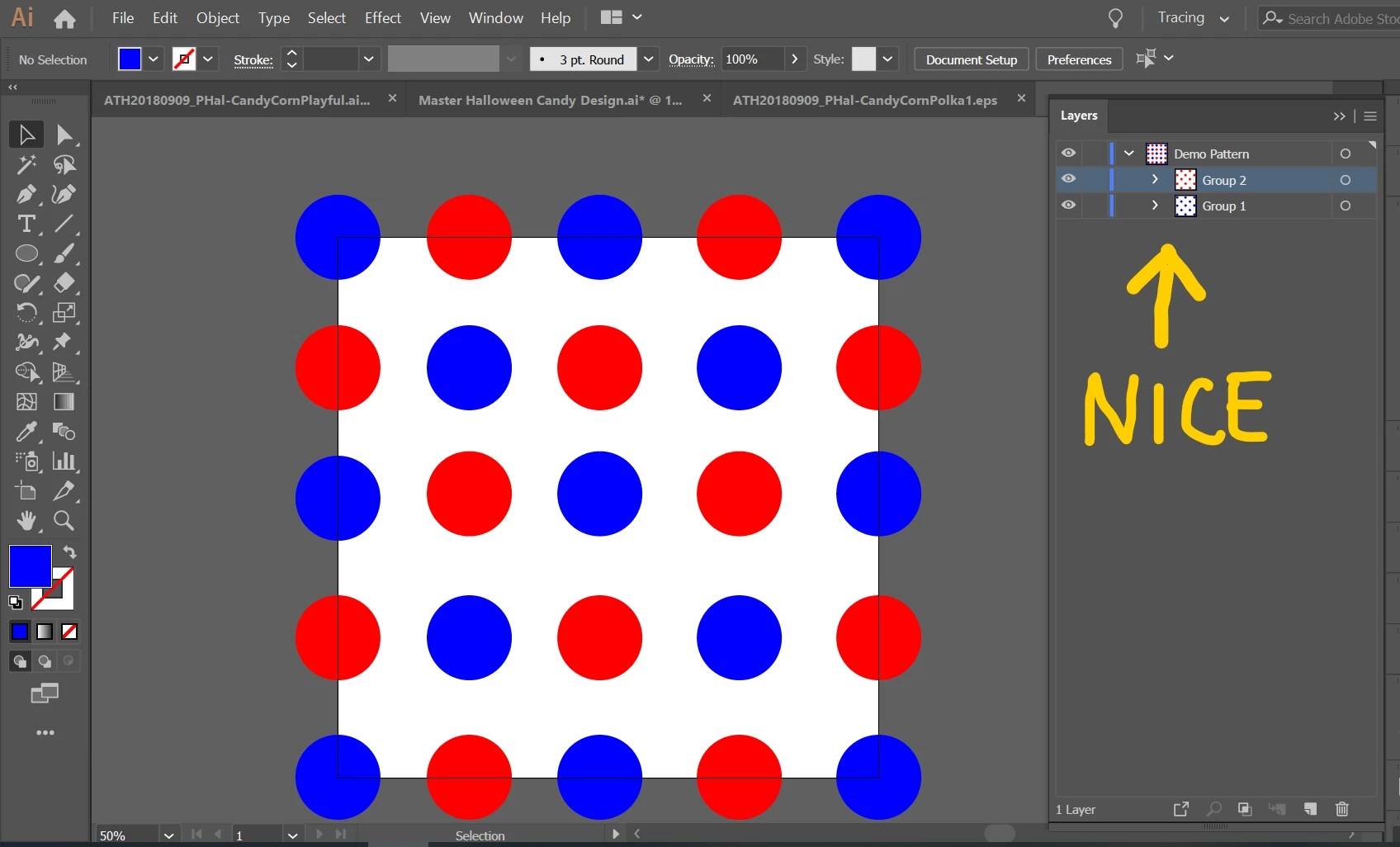
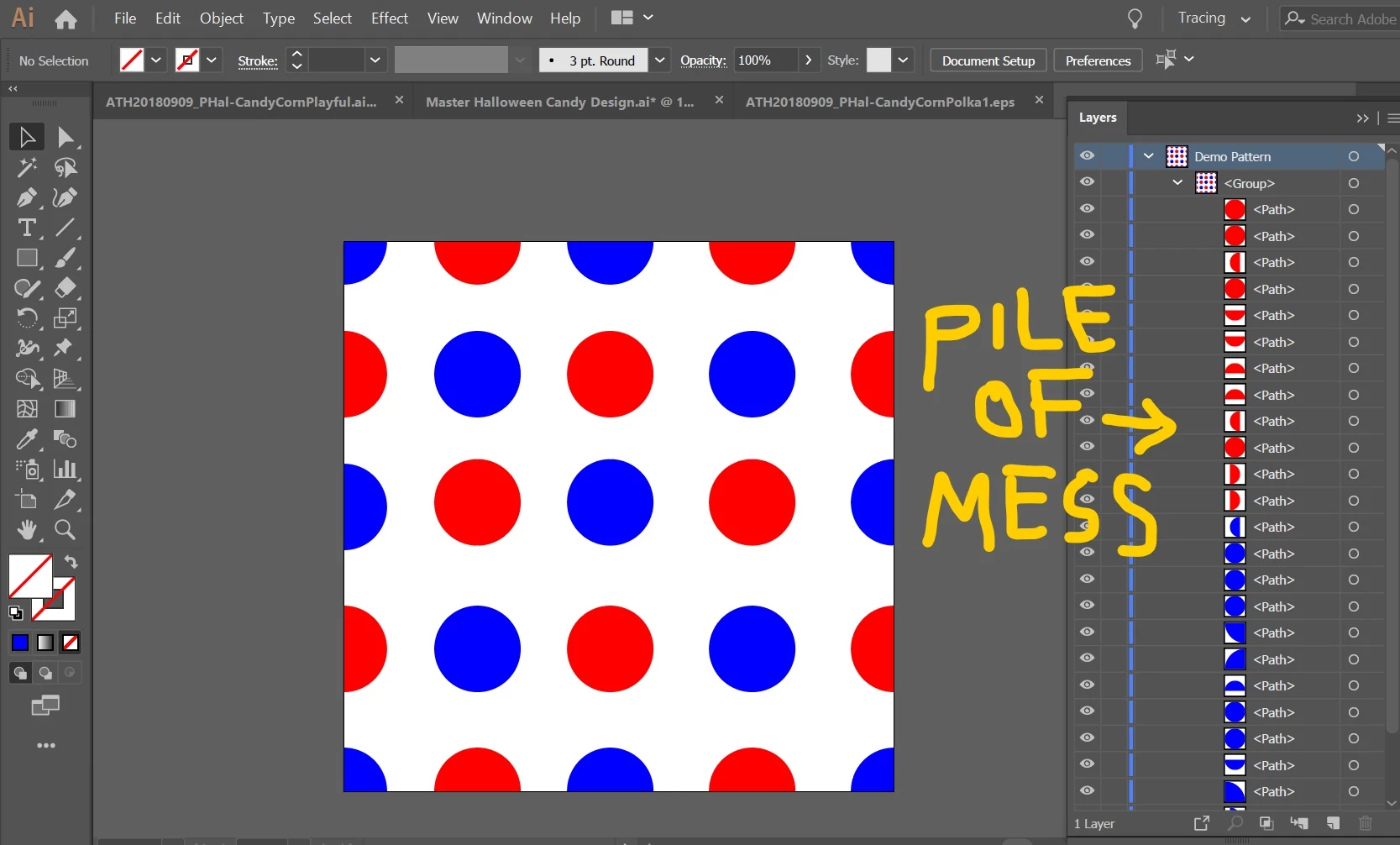
Problem: When I do this all my grouped elements are ungrouped and I have a pile of new elements in one big mess. (See attached before and after images at the bottom.)
With a few elements (like the demo below), it's easy to group them again, but my designs have lots of elements, so it becomes a nightmare to organize them from scratch.
Question:
Is there a way to keep elements grouped when cropping them?
Or is there a better process for making patterns and keep elements organized in the file for upload, so the pattern can be modified easily by the user?
Below you see the groups before cropping.
And below you see what happens after cropping.
Help appreciated.
Thanks,
Annette
 AdChoices