
Beantwortet
Keyboard shortcut options disappeared
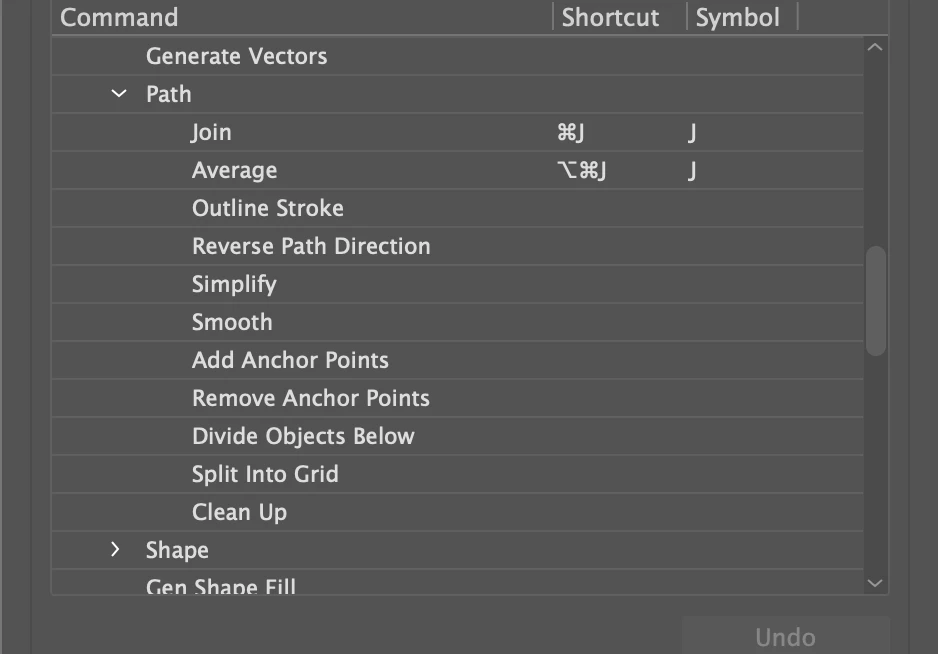
I am on the latest version of Illustrator on a Mac Studio. One of my most used custom shortcuts has suddenly disappeared (offset path), when I have gone into edit -> keyboard shortcuts the menu command offset path doesn't exist anymore, I can only set a shortcut for 'effect -> offset path', not 'object -> path -> offset path'. Strangely, offset path still exists in the menu commads under object -> path, it just doesn't appear in the keyboard shortcuts window. Screenshot attached.
I've checked for updates and there are none and I've tried resetting so I'm assuming this is a bug. If so, it needs fixing as manually going through the menus everytime is tedious and time consuming.
 AdChoices