
Participant
October 5, 2022
Answered

Layer missing when exporting as *.svg

  • October 5, 2022
  • 3 replies
  • 2870 views

Hi team,


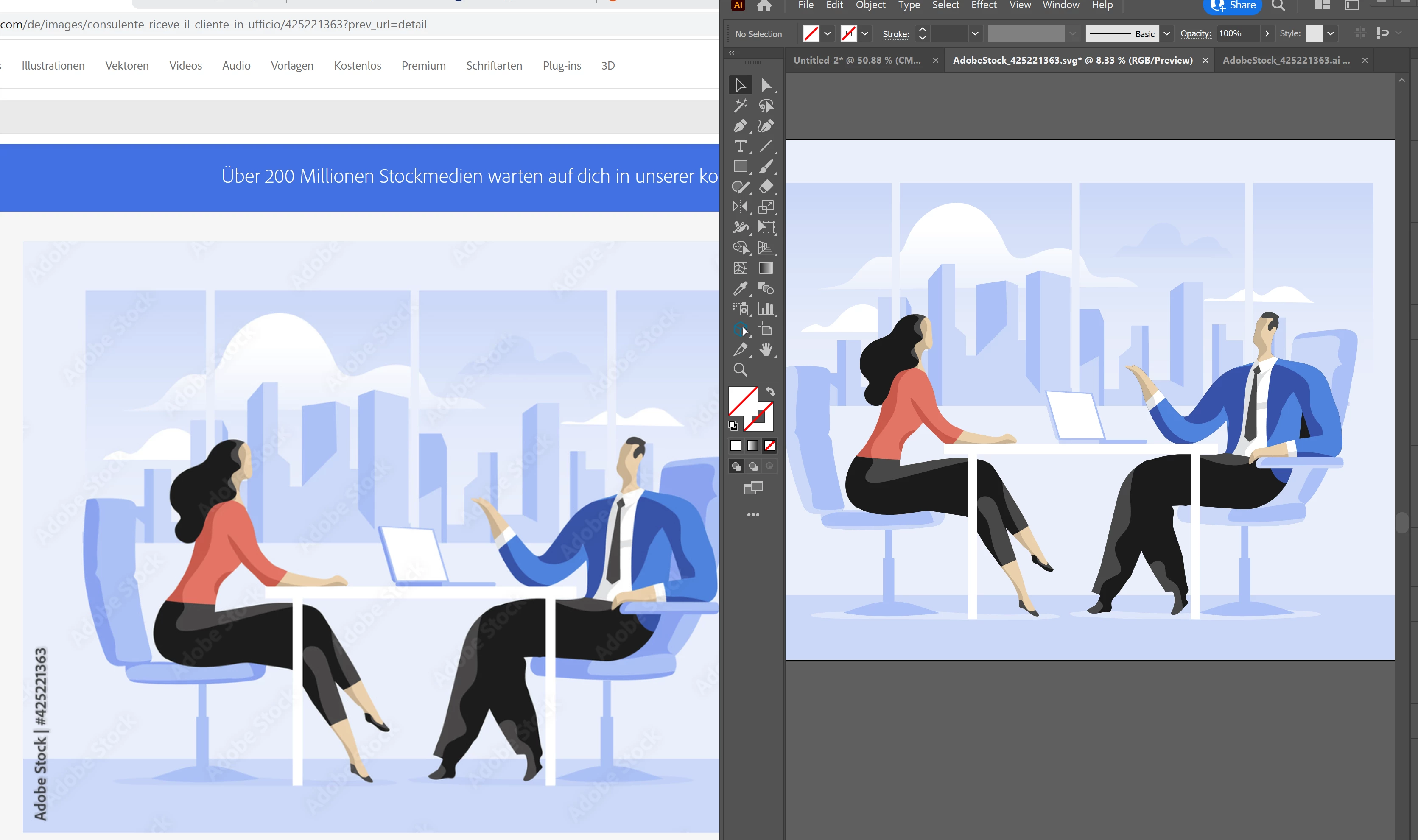
I use the AI file from Adobe stock: 425221363 and try to either save as SVG or export it as *.svg:

Some layer(s) are missing (the blue man).


To fix it, I tried already:

Change the SVG export settings as per other posts - same issue

Deinstall, reinstall AI 26.5 - same issue

Downgrade a few times down to 26.3.1 - same issue.


Please advise. 

Thank you, 

Simone
This topic has been closed for replies.
Correct answer Simone25562887hdxe

I don't know about the table but I see some other unexpected changes:

Anyway here's the AI file, corrected:

https://drive.google.com/file/d/1QweDQh8Ou2UOKYJWF2DWhdC599f4iIJV/view?usp=sharing


Thank you all! Such a quick response. @Doug A Roberts. In your svg I could not change the colours of the tie or the jacket for some reason. It works now, thank you so much. 

@Monika Gause Thank you as well. 

@Anubhav M You might look into the issue from a technical standpoint, for me as a casual user of AI the case is closed. I can now use it on my website. 


Wish you all a wonderful day. 

Simone

3 replies

Doug A Roberts
Community Expert
Community Expert
October 5, 2022

The part that goes missing is a compound clipping path used to create the man. I don't know if perhaps SVG doesn't support this type of construction.

The file is constructed in a maddeningly complex way using many clipping masks, whether by accident or design. I have tried to simplify the construction of the man so that he exports correctly here:


https://drive.google.com/file/d/1peI3zYz51XS7S8H3uXfjKHJMNLahKHvT/view?usp=sharing

Participant
October 6, 2022

Thank you @Doug A Roberts


This is really helpful. As I am not an AI expert: Can you also please share your *.ai file so that I can revise the colour, background etc?


Thank you so much. 

@Anubhav M The link to the stock file: https://stock.adobe.com/de/images/consulente-riceve-il-cliente-in-ufficio/425221363?prev_url=detail

Screenshots: Attached


Kind regards, 

Simone

Doug A Roberts
Community Expert
Community Expert
October 6, 2022

There's nothing preventing you editing the SVG. Open the SVG in Illustrator. 

Anubhav M
Community Manager
Community Manager
October 5, 2022

Hello @Simone25562887hdxe,


Sorry to hear about this experience. As suggested by Monika, it would help if you could share a few screenshots, including one for the Layers panel and the link to the Stock file, so that we can check this further.


Looking forward to your response.


Thanks,

Anubhav

Monika Gause
Community Expert
Community Expert
October 5, 2022

Please show screenshots that include the Layer panel.


Most people in this forum cannot just download that Stock image to test out.