Known Participant
August 12, 2019
Answered

Layer panel: Is there a shortcut to go/move to the selected object / highlighted layers in the layer panel?

  • August 12, 2019
  • 3 replies
  • 1401 views

I spend hours searching for these blue babies.
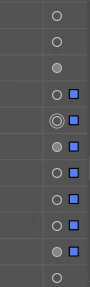
Is there a solution?

    Correct answer maxwithdax

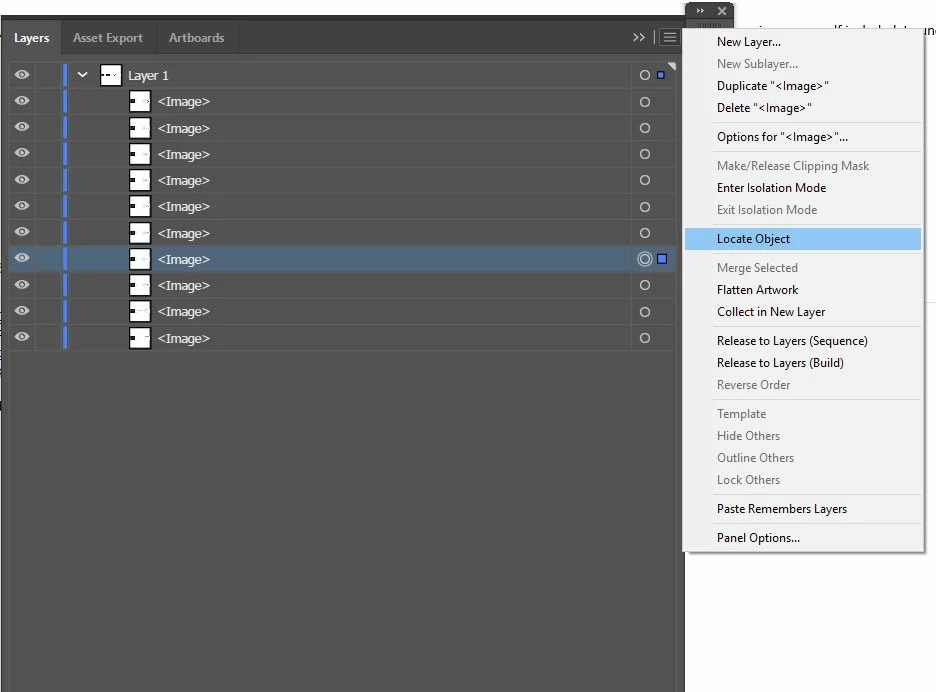
    This is the easiest way I know of. Unfortunately you cannot setup a shortcut key for it though.

    -Dax
    3 replies

    Inspiring
    June 11, 2025

    Select the object then in the layers panel at the bottom, select the magnifying glass and it will highlight the layer. I learned this in the Adobe Illustrator Advanced Course by Dan Scott on Udemy. I highly recommend (especially if you get it on significant discount. They frequently run sales.)

    maxwithdax
    Community Expert
    maxwithdaxCommunity ExpertCorrect answer
    Community Expert
    August 12, 2019

    This is the easiest way I know of. Unfortunately you cannot setup a shortcut key for it though.

    -Dax

    CarlosCanto
    Community Expert
    Community Expert
    August 12, 2019

    maxwithdax  wrote

    This is the easiest way I know of. Unfortunately you cannot setup a shortcut key for it though.

    -Dax

    you can't? I've been using F12, but couldn't remember if it was default or not

    CarlosCanto
    Community Expert
    Community Expert
    August 12, 2019

    oh, I see what happened. I recorded an Action and assigned F12 to it maaaaaany years ago.

    Ton Frederiks
    Community Expert
    Community Expert
    August 12, 2019

    Did you try the magnifying glass in the Layers panel?