
Melarose8
Participant
December 6, 2016
Answered

Layers appearing out of order

  • December 6, 2016
  • 1 reply
  • 622 views

Good morning,

Before I joined my company, they had a design firm create a logo for them. The logo is a chevron composed of two grey bars at the bottom with red and black overlay, pictured below.
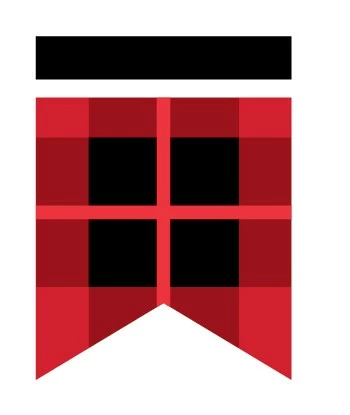
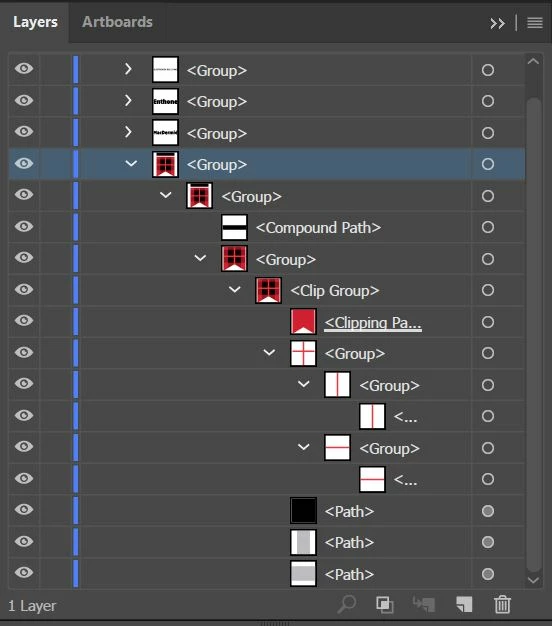
However, we are having issues when sending to printers that the layers seem to appear out of order. The printers are given the .ai file and the .eps files created by the design firm. It particularly appears wrong in Firefox, but I cannot imagine someone is printing our logo via web browser for building signage. I had no hand in the creation process, and have never encountered this problem in Illustrator, so I am at a loss. Below are the layers and an example of a butchered building sign. Any help would be appreciated.
This topic has been closed for replies.
Correct answer Monika Gause

There are some transparent overlays in this, correct?

Not all applications can handle transparency correctly. Even when opening an AI file in a lower Illustrator version than it has been created in, there might be issues. The clipping groups are pointing to it.

Since this is a simple construction I don't see any need for transparencies or clipping masks at all. As a logo it should be built from the most simple parts possible and that would be some shapes. The transparent overlaid look could easily be achieved with a darker red color.

1 reply

Monika Gause
Community Expert
Monika GauseCommunity ExpertCorrect answer
Community Expert
December 6, 2016

There are some transparent overlays in this, correct?

Not all applications can handle transparency correctly. Even when opening an AI file in a lower Illustrator version than it has been created in, there might be issues. The clipping groups are pointing to it.

Since this is a simple construction I don't see any need for transparencies or clipping masks at all. As a logo it should be built from the most simple parts possible and that would be some shapes. The transparent overlaid look could easily be achieved with a darker red color.

Melarose8
Melarose8Author
Participant
December 6, 2016

Thank you for your reply. I'm not sure why they used a clipping mask and transparency, and wanted to be sure it was as unnecessary as it seemed before I rebuild it with the darker red.