
Line Graph Help: Connecting Missing Values & More
Hi all, I am struggling with Illustrator's Graph Tool, hope you could help me with the questions below. Appreciate very much in advance.
I have excel data that needs to be converted into graphs via Illustrator before placing inside an InDesign document. My questions are:
1) How do I set up the graph's category value in excel sheet to appear correctly in Illustrator when copy/paste the date over? Here's what I have on Excel at the moment:
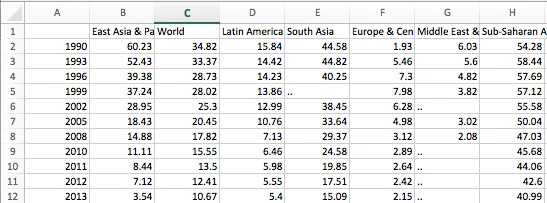
I however did not copy the first column as Illustrator doesn't understand that I want the first column to appear as category value along the x-axis. So I just copy over everything except first column like this:
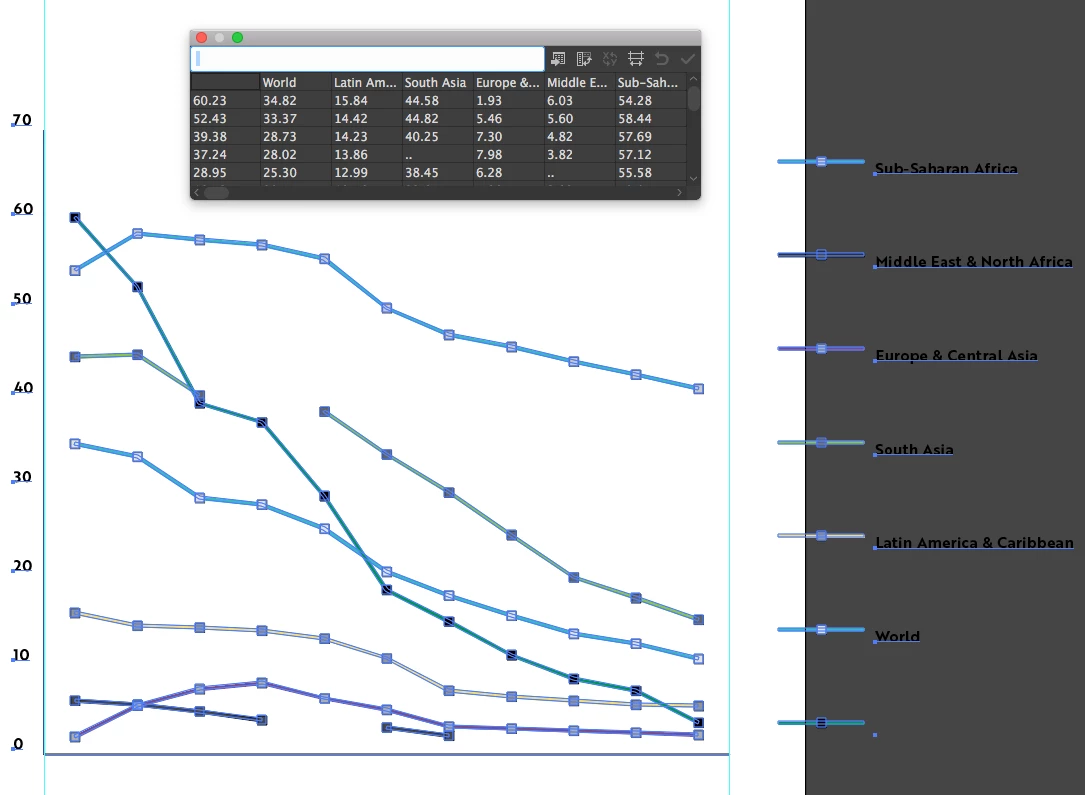
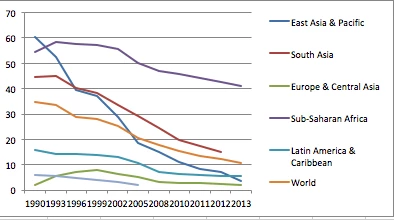
In summary, my question is how do I rearrange the information on Excel sheet so when I paste data over the years would appear along the x-axis like this (below is generated within Excel):
2) How to make the lines connect automatically when there are missing values? As you can see, the original data has some missing values:
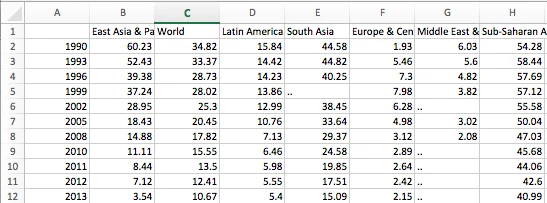
When data is placed in Illustrator, the graph looks choppy like below. You can see that the light green and black lines do not connect because of the missing values.
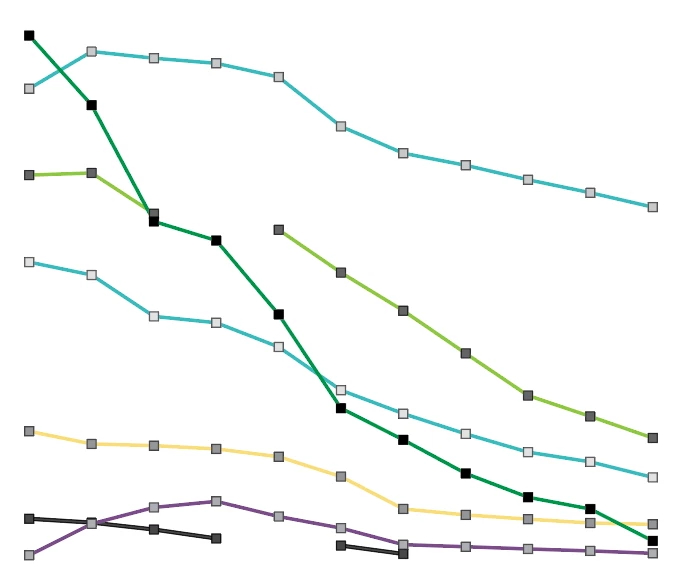
How do I generate lines that smoothen out the missing values like Excel could?
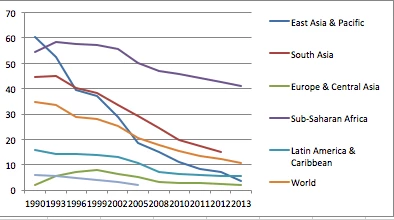
Pardon me if the questions are confusing. English is not my native language.
 AdChoices