

Line Work & Having Issues Coloring In ILLUSTATOR
so i am making artwork for a song for myself & Bizarre of D12. We have a song coming out on my Album in one month, I need to do this art for youtube, Im on a deadline, I just got illustrator. My line work is amazing, but coloring has been a huge headache for me...
I am new to ILLUSTRATOR, but i have always been a great artist & i will attach a picture of my Line Work.
First of all, I AM SET TO RGB. I AM NOT IN GREY SCALE.
I did do something dumb and i merged all my lines, saved, then closed out. Now i cannot undo the merge or ungroup my lines. My ungroup option in OBJECT is greyed out. So because i did this, all my lines are merged as one and i can no longer select them individually to delete or redo them. If i select a line/stroke then it selects the whole thing.
It will not let me create a colored brush. Everytime i select a color and go to draw my line always returns to the color black. like i said before, I AM IN RGB in my color options. I have tried clicking all the arrows and boxes on the bottom left of the tool bars where it shows your loaded color.
When i go to color a specific part of the picture with the fill option it colors more than what i want it to.
I dont feel i should only have to color in fill, which doesnt work anyways.
my brush wont color in anything but black & i dont feel like coloring should be this complicated. photoshop never gave me a problem coloring. my problem in photoshop is the line work using the pen tool is terrible. but the coloring part was amazingly awesome. if i wanted to put one dot of color in an area in photoshop it let me. I do not understand why Illustrators coloring process isnt the same.
Is there a way i can color (MANUALLY) like a stroke for stroke thing. like coloring book style????
IM LOST AND I DO NOT WANT TO START OVER. CAN ANYONE PLEASE GIVE ME SOME ADVICE????
THANK YOU SO MUCH.
Ps - I AM DRAWING ON A WACOM PRO TABLET
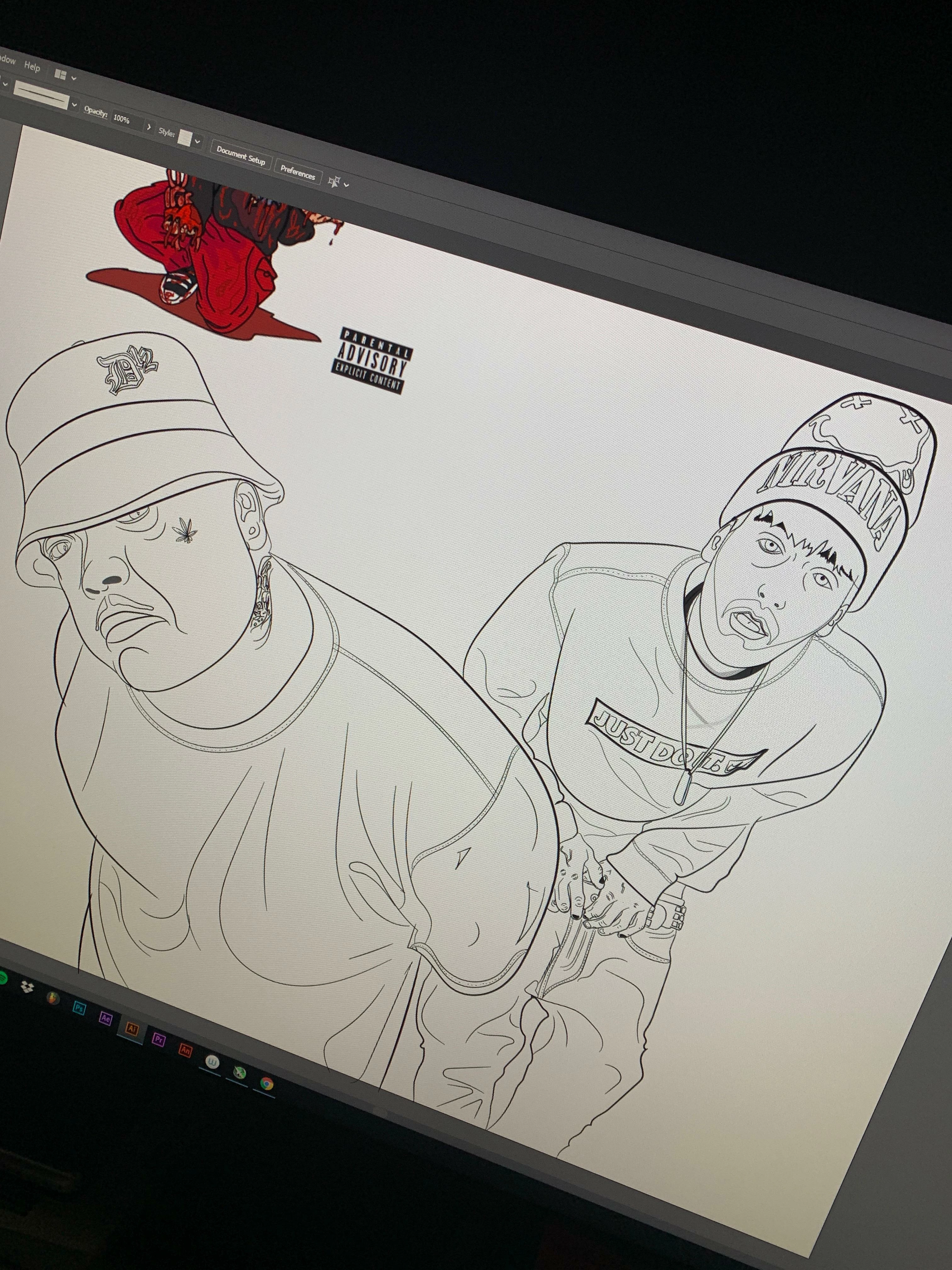
this is the drawing of Bizaree & Myself. WHY CANT I COLOR THIS IN AN EASY FASHION????? lol, im in a pinch.
YOU GUYS ARE AWESOME, THANK YOU!
 AdChoices