Answered
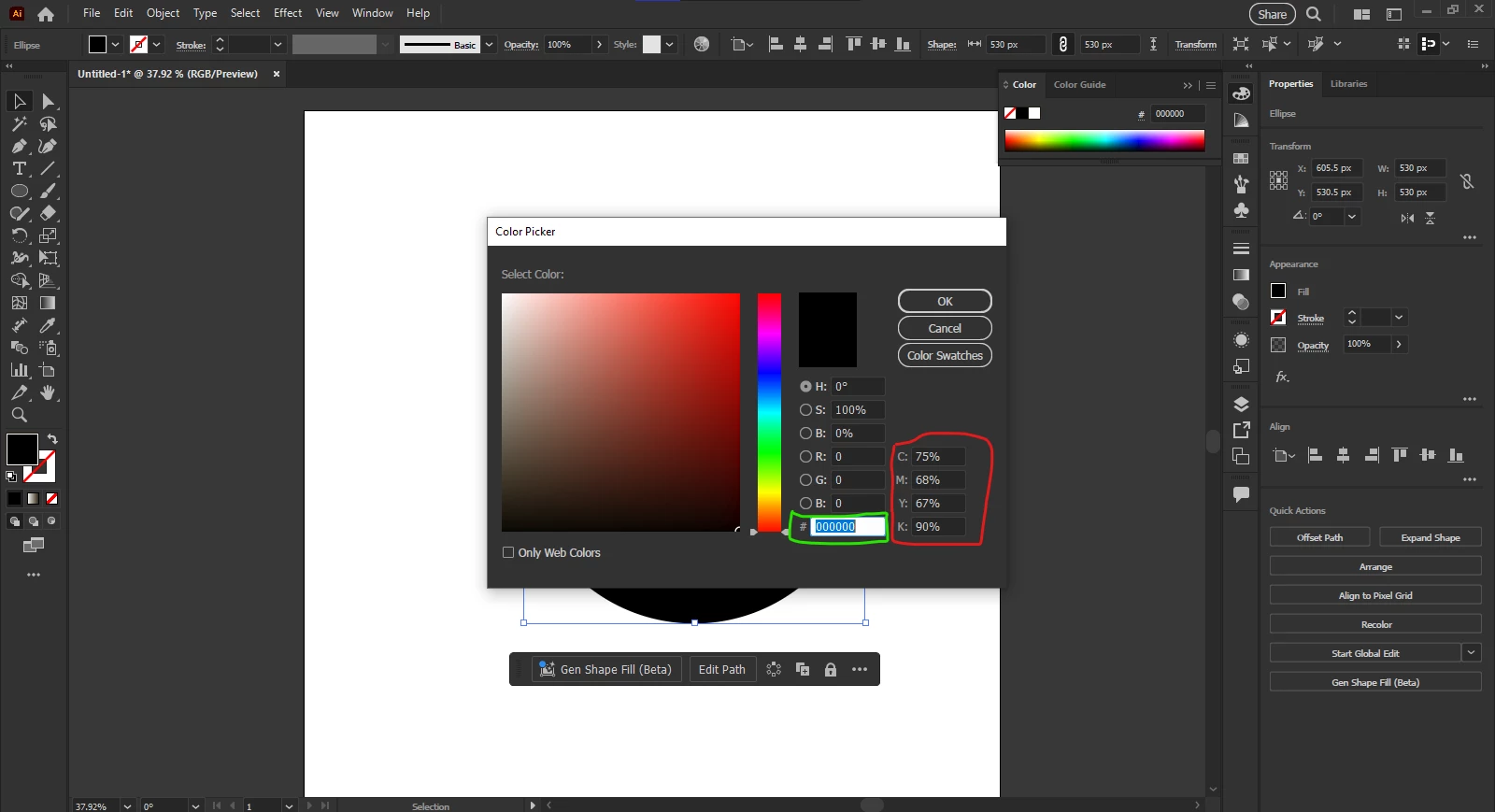
When I select A3 size from Print template and create a document in RGB mode, stroke color is not pure black #000000 but its default value is #231F20 default black. What is that I'm not understanding? when I manually put #000000 value the color picker widget dont go to all the to down right. As shown in image
This topic has been closed for replies.


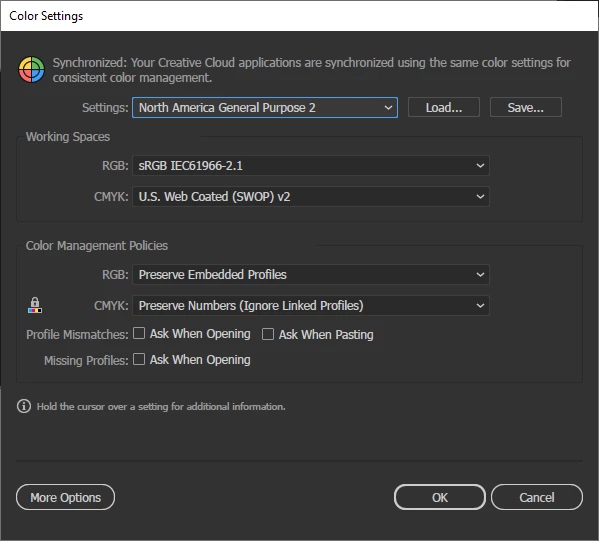
I did what you tell me but need more clarification. Color setting is default. I reinstalled illustratrator and prefrences is reset.
If the hex value of black is #000000 but why CMYK values different black values should be C = 0 M = 0 Y = 0 K =100. why its different?
If you have an RGB document, the RGB or HEX Values (which are another way of specifying RGB) will always show their CMYK converted equivalent. CYMK values in an RGB document will always be converted to RGB.
Use only RGB values in an RGB document and use only CMYK values in a CMYK document.
Sign up
Already have an account? Login
To post, reply, or follow discussions, please sign in with your Adobe ID.
Sign inSign in to Adobe Community
To post, reply, or follow discussions, please sign in with your Adobe ID.
Sign inEnter your E-mail address. We'll send you an e-mail with instructions to reset your password.