Participating Frequently
September 10, 2021
Question

Locked layers are behaving as if unlocked

  • September 10, 2021
  • 2 replies
  • 1309 views

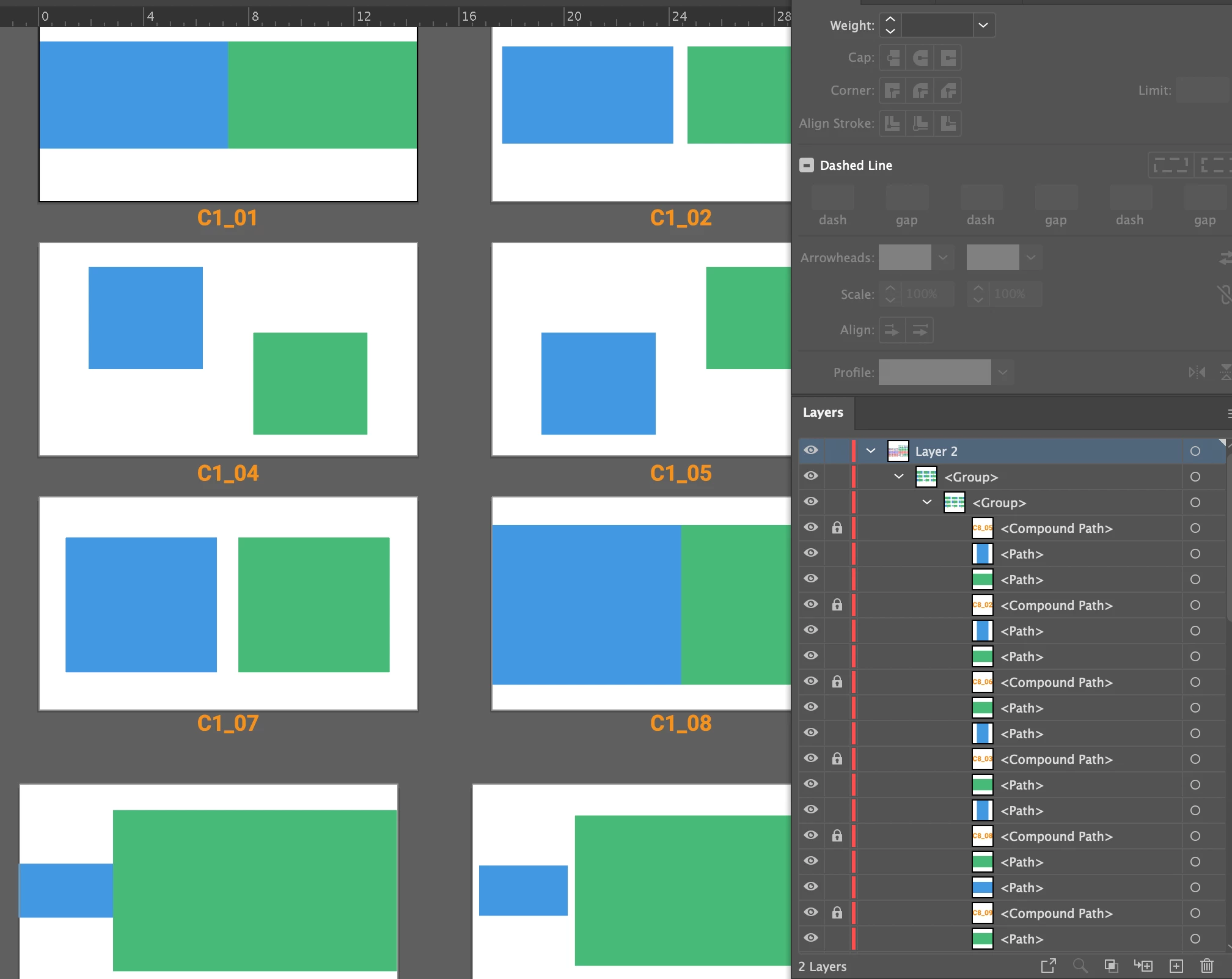
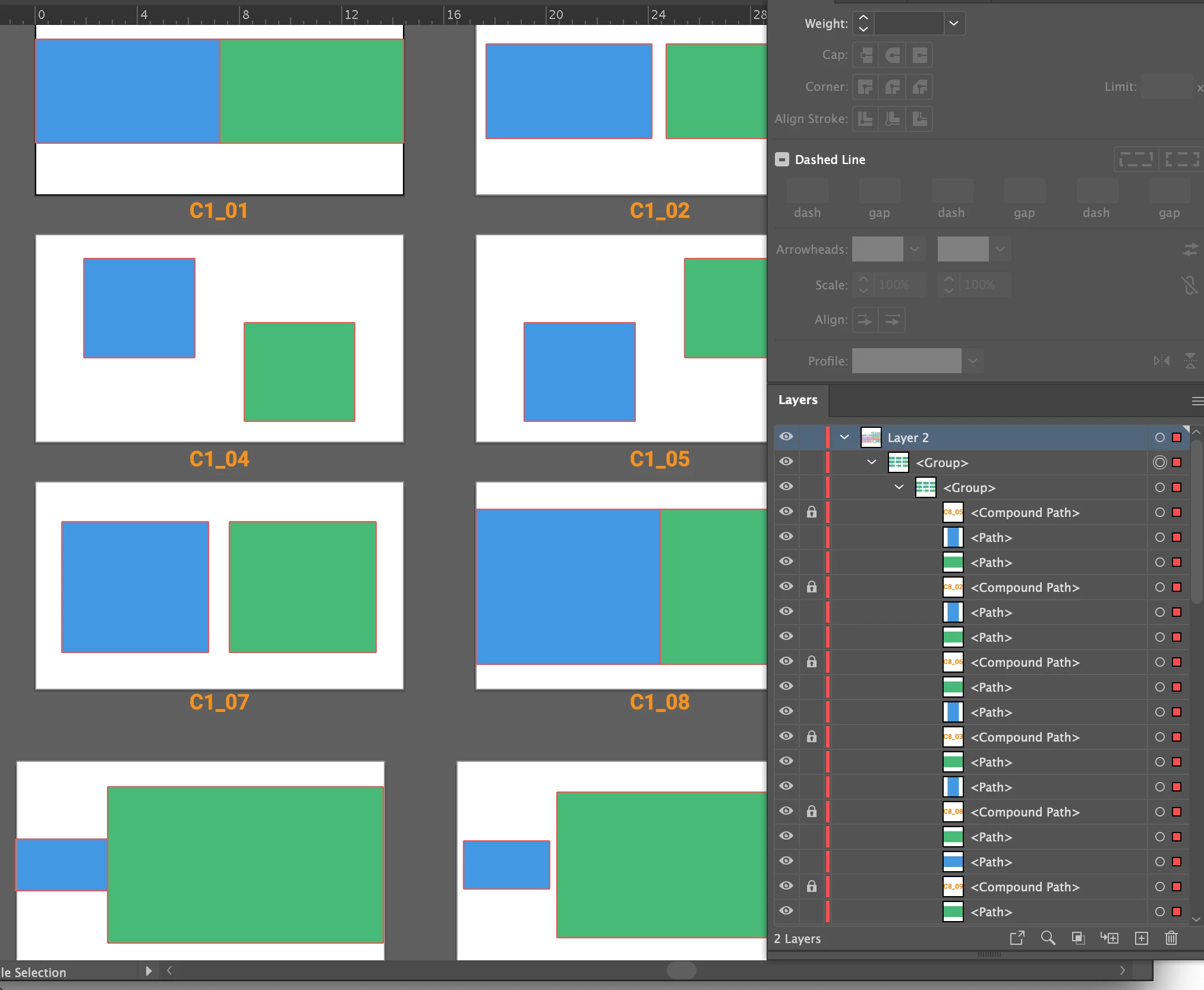
Illustrator CC2021 — locked layers within groups are remaining editable when select all is chosen. I need these locked layers to not change.
This topic has been closed for replies.

2 replies

Anshul_Saini
Community Manager
Community Manager
September 10, 2021

Hi there,


Sorry to hear about your experience. This is not usual behavior by the application. In addition to the question asked by @pixxxelschubser, I would request you to share a few more details like:

  • OS and version of Illustrator
  • Is this issue happening with some specific files or all?
  • Could you please share a sample AI document with us? You can upload it to the Creative Cloud (https://helpx.adobe.com/in/creative-cloud/help/share.html) and share the download link or via DM. We will check it at our end.
  • When did this start happening? Are there any recent changes made to your system? For example, any antivirus, system updates, or web extensions installed recently.
  • If you select a locked rectangle, are you able to move it or edit its color?
  • Does resetting Illustrator Preferences ( https://helpx.adobe.com/illustrator/using/setting-preferences.html) help to resolve the issue?
    Disclaimer: Please note that resetting preferences will remove all the custom settings, and Illustrator will launch with default settings. You can also take a backup of the folders in case you want to. Location is mentioned in the article.


We will be looking forward to your response.


Regards,

Anshul Saini

michemuraAuthor
Participating Frequently
September 10, 2021

Big Sur 11.5.2 
My CC Adobe Illustrator is up to date as of today.

No unusual system changes nor web extensions recently.

I'm not able to recreate the issue with a new document.
This just started happening today. I had imported several pages from this (attached) document.

Anshul_Saini
Community Manager
Community Manager
September 17, 2021

Thank you for sharing the document. We were unable to replicate this issue when we imported the PDF pages to Illustrator. The locked layer stayed locked. Could you please the .Ai file in which you are facing this issue. So, we can check it at our end as it is not reproducible in new documents at your end and ours. 


Regards,

Anshul Saini

pixxxelschubser
Community Expert
Community Expert
September 10, 2021

How do you select the elements? Directly in the Layers Panel?


What happens when you select Menu: Selection --> Select all [Ctrl/Strg]+[A]

michemuraAuthor
Participating Frequently
September 10, 2021

I used Command-A to select all. (there are too many items on these artboards to select individually - much more than shown in my example photos - and too many items to have to deselect those locked layers).
What I ended up doing was to select the locked layers (by color select) cut them and paste them on a separate layer and locked that whole layer. This should not have to be done this way as each of the locked layers should have been able to stay with their groups.