Exit
  • Global community
    • Language:
      • Deutsch
      • English
      • Español
      • Français
      • Português
  • 日本語コミュニティ
  • 한국 커뮤니티
0

Long superscripts and subscripts one above each other

New Here ,
Mar 19, 2020 Mar 19, 2020

Hi all, 


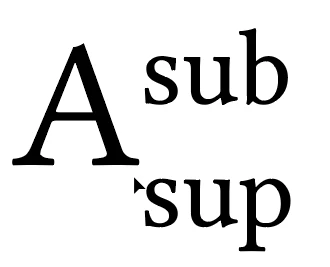
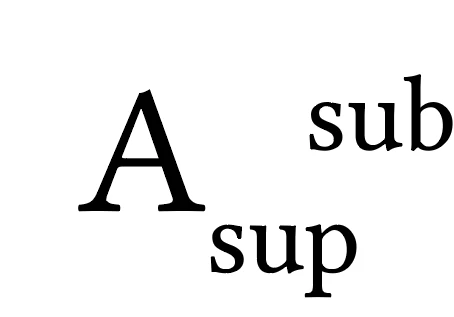
I'm trying to create a mathematical symbol in some of my illustrations where I would like the superscript and subscript to be left-aligned. I attached some photos, I hope they're visible. I set the track (or kern) I don't know the difference to -1000, so the minimum value possible but it's still not aligned to the left with the subscript (1st photo). Does anyone know a trick how to make this possible? I have already managed to do this by converting the text to outlines and then aligning the outlines (2nd photo), but I would prefer not to do this as I might want to change font in the future and I'd like to avoid making a bunch of symbols again.


Thanks!
 sub_sup.png

sub_sup_aligned.png

TOPICS
Draw and design , Type
1.3K
Translate
Report
Community guidelines
Be kind and respectful, give credit to the original source of content, and search for duplicates before posting. Learn more
community guidelines
Adobe
Enthusiast ,
Mar 19, 2020 Mar 19, 2020
LATEST

I would suggest using either the built-in superscript or subscript, then create another text object for the second one, position it manually and group the two together.

Translate
Report
Community guidelines
Be kind and respectful, give credit to the original source of content, and search for duplicates before posting. Learn more
community guidelines