Participant
February 23, 2023
Answered

Make a clipping mask 'permanent': actually crop, not just conceal

  • February 23, 2023
  • 4 replies
  • 13770 views

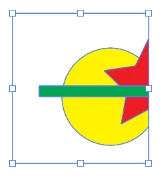
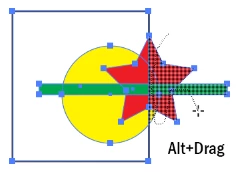
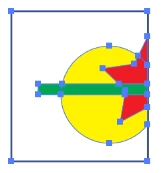
I've got a group of paths which make up a logo.  I've got an image I made where this logo is part of the background, but it hangs off the edge of the artboard (only half of it is meant to be visible).  In order for exports to actually be sized to the artboard, and because I couldn't find a way to crop the group of paths to fit the artboard, I've had to add a clipping mask.


Is there a way I can use the clipping mask to make the crop "permanent", and actually remove the parts of the paths that are outside the artboard, so that I can just remove the mask from the layers?  Or is there some other method to actually crop this object to the artboard?
 

Correct answer John Mensinger

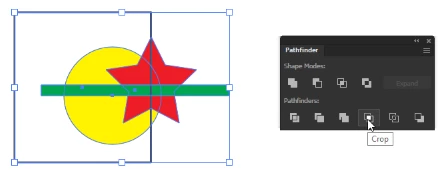
I'm not certain I know everything about your needs, but it sounds like you simply want to eliminate "paths" that are outside another path, so maybe it's as simple as Pathfinder > Crop...

Or, there's the Shape Bulder tool...


4 replies

Participant
February 28, 2024

Depending how complex the object is the solution that always works for me is rasterizing the vector image then tracing the image at 300 dpi so keep the clipping mask on rasterize, expand and enjoy

Monika Gause
Community Expert
Community Expert
February 28, 2024

@Ryan220179380iqd  schrieb:

Depending how complex the object is the solution that always works for me is rasterizing the vector image then tracing the image at 300 dpi so keep the clipping mask on rasterize, expand and enjoy


... and then lose all precision.

John Mensinger
Community Expert
John MensingerCommunity ExpertCorrect answer
Community Expert
February 23, 2023

I'm not certain I know everything about your needs, but it sounds like you simply want to eliminate "paths" that are outside another path, so maybe it's as simple as Pathfinder > Crop...

Or, there's the Shape Bulder tool...


Participant
October 22, 2024

OK so after nearly two decades of using Illustrator, Pathfinder > Crop has just answered a question I'd never bothered to look up the answer for until now. Thank you!

Kurt Gold
Community Expert
Community Expert
February 23, 2023

Can you share at least one sample Illustrator file? Also, please tell about what export formats you are talking.


More often than not a combination of different approaches is required to get clean results, possibly retaining the original attributes of the trimmed objects.


Monika Gause
Community Expert
Community Expert
February 23, 2023

Just vector artwork? No pixels included?

Then you can try and expand all effects.

Expand all strokes.

Apply the pathfinder Crop to your clipping mask.


You might want to do some cleaning up, like searching for invisible elements and deleting them.