soundbox3
Participant
March 27, 2018
Answered

Make an outline increase outwardly.

  • March 27, 2018
  • 4 replies
  • 1577 views

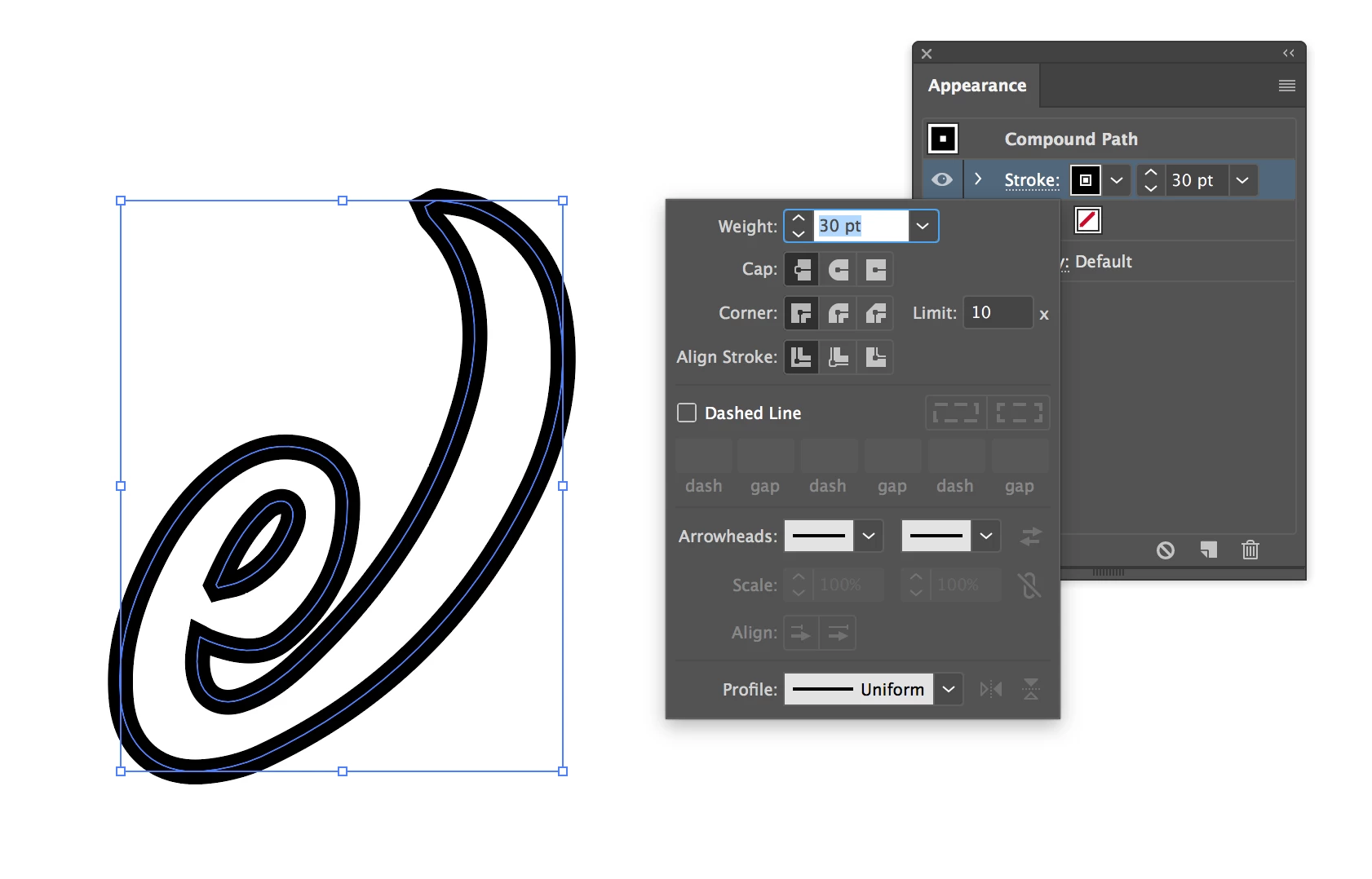
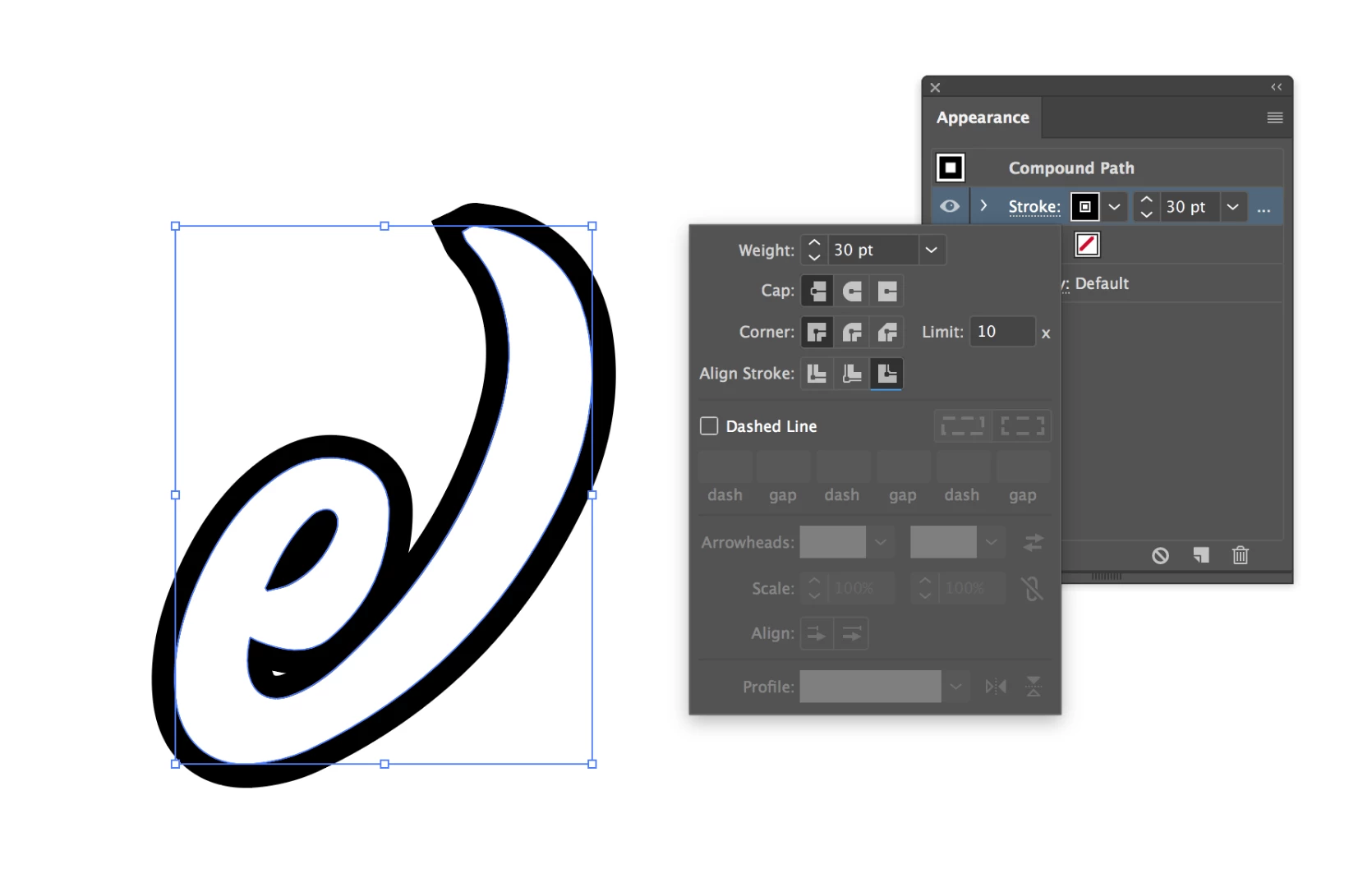
I want to increase the thickness of a letters outline, usually this would bring the outline inwards, how could I make it grow outwardly.. as seen in the pictures below.

Any input much appreciated, sorry if this has been discussed before, but had no luck finding an answer!


    This topic has been closed for replies.
    Correct answer dannyg34842029

    If you select your object and open the Appearance panel (Window > Appearance) you will see that the default stroke alignment centers the stroke equally on the outside and inside of the vector line.

    The leftmost option aligns the stroke to the outside of the line.

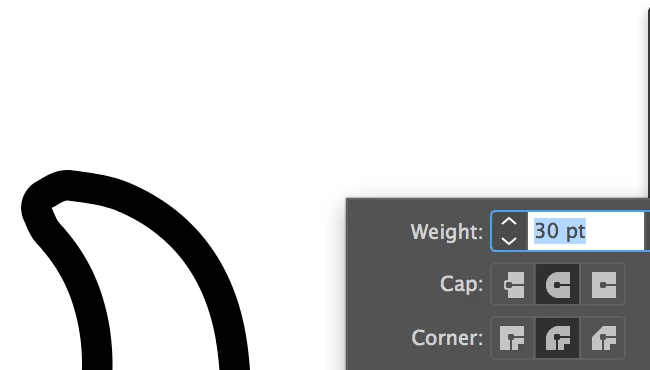
    You may need to use Cap styles and Corner styles are to define how the stroke looks:


    4 replies

    dannyg34842029Correct answer
    Inspiring
    March 27, 2018

    If you select your object and open the Appearance panel (Window > Appearance) you will see that the default stroke alignment centers the stroke equally on the outside and inside of the vector line.

    The leftmost option aligns the stroke to the outside of the line.

    You may need to use Cap styles and Corner styles are to define how the stroke looks:


    Ton Frederiks
    Community Expert
    Community Expert
    March 27, 2018

    But unfortunately, you have to convert your text to outlines with this solution.

    Kris Hunt
    Legend
    March 27, 2018

    Or you could create a new, black fill and apply the Offset Path effect to it.

    Ton Frederiks
    Community Expert
    Community Expert
    March 27, 2018

    Ton Frederiks
    Community Expert
    Community Expert
    March 27, 2018

    You can add a stroke in the Appearance Panel and drag the stroke below the fill.