

schroef
Inspiring
January 17, 2024
Answered

Make artboards ranges depending on dynamic set lengths

  • January 17, 2024
  • 1 reply
  • 562 views

Hi all,


im trying to get artboards number ranges depending on length of a dynamic set length. 
Im using different logo types (max 4 in length) to get all the artboard numbers of that set.
Each set starts with the logo type as name and has more data in the artboardname.


for example i use 3 logo types; logo, logotype, logomark. Each set has 6 artboards with a total of 8.

I can of course make 4 different function according to the logotype and then make the ranges.

But is it possible to do this all dynamic in a short function?

So in this example the artboards are like this
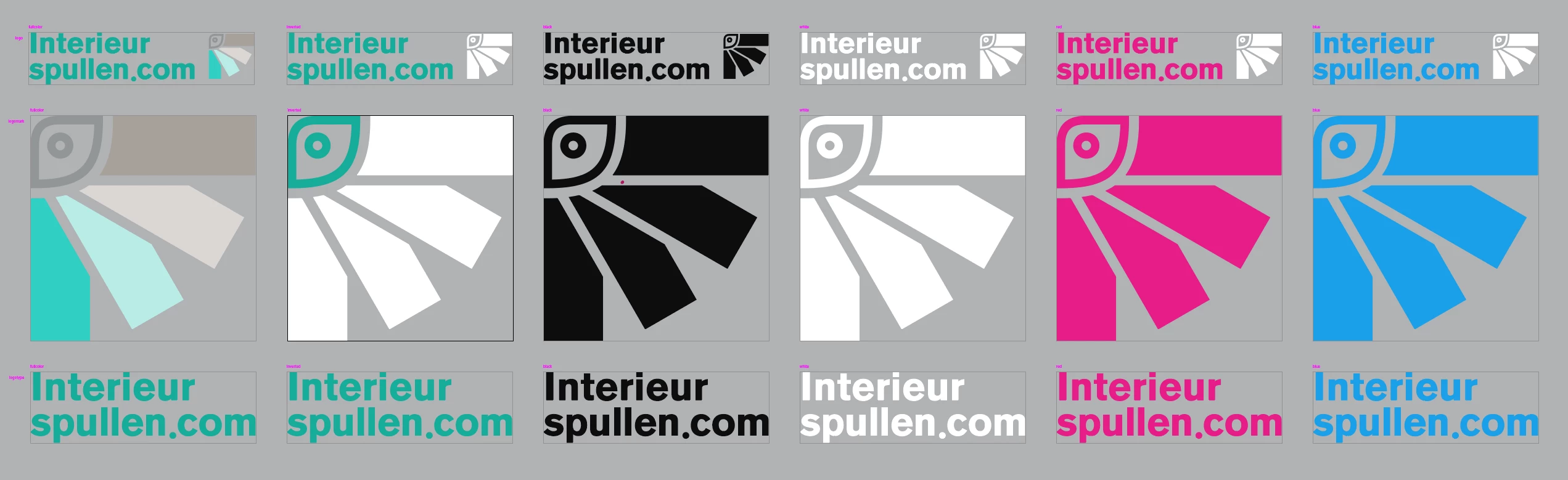

Ive found a piece of code on stackexchange to divide that into 3 ranges. Which is like this, changed it to work in illustrator


var logtypesLen = logotypes.length;
    // https://math.stackexchange.com/questions/385514/algorithm-to-separate-an-array-of-numbers-into-low-medium-and-high-ranges
    // list.sort();
    // part1 = list[0 : n/3];
    // part2 = list[n/3 : 2*n/3];
    // part3 = list[2*n/3 : n];
    var abs = docRef.artboards;
    var n = abs.length;
    // var part1 = abs[0] +" "+abs[n/3-1];
    // var part2 = abs[n/3] +" "+abs[2*n/3-1];
    // var part3 = abs[2*n/3] +" "+abs[n-1];
    var part1 = (0) +" "+(n/3-1);
    var part2 = (n/3)+" "+(2*n/3-1);
    var part3 = (2*n/3) +" "+(n-1);


I could make this so it would work in logo types set of 4, but i feel that uses more code than needed. Since i also need to have function for a set of 1 and a set of 2.

Here is example of how it now works. I made this logo packer CEP panel. When i change the margins and have logotypes set to all, all work nice. The small logo info imprint gets placed neatly around all artboards. But when i use a single artboard, it gets misplaced. This is because im not getting the proper range of artboards.
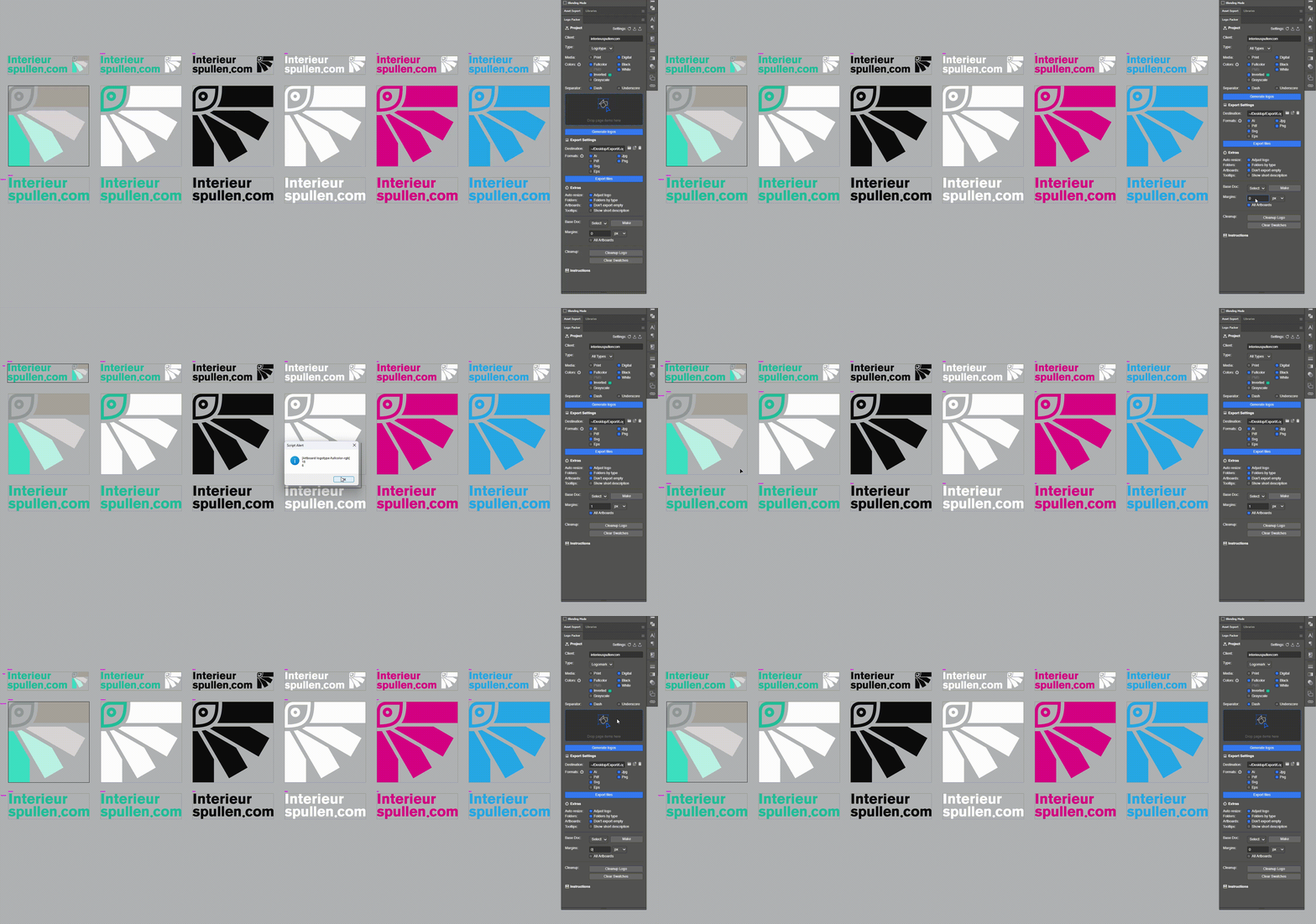
The imprint basically says per row logotype and then per each row has either; full color, inverted, black, white & possible extra colors. This info is placed as the small imprint in fuchia.

If i can get the correct artboard range. Than when i edit a single artboard, i only need address that row of imprint data.


I was also thinking of just updating everything no matter what. Perhaps that is a better choice without making it to complicated.


Im trying to explain my need as best as possible. Hope you understand

This topic has been closed for replies.
Correct answer femkeblanco

I don't understand what you are trying to do (probably my fault), but from the stackexchange question and answer, I presume you're trying to divide an array of length "l" into sets of a number "n".  If so, I think this function should do what you want

var l = 6;  // length of array
var n = 3;  // number of sets

// sets is an array of sets, 
// each set being an array of two indices, 
// a start and an end
var sets = divideArray(l, n);
alert(sets);

function divideArray(l, n) {
    if (n > l) {
        alert("n cannot be >l.");
        return;
    }
    var sets = [];
    for (var i = 0; i < n; i++) {
        var start = Math.floor((i * l) / n);
        var end = Math.floor(((i + 1) * l) / n) - 1;
        sets.push([start, end]);
    }
    return sets;
}


1 reply

femkeblanco
femkeblancoCorrect answer
Legend
January 17, 2024

I don't understand what you are trying to do (probably my fault), but from the stackexchange question and answer, I presume you're trying to divide an array of length "l" into sets of a number "n".  If so, I think this function should do what you want

var l = 6;  // length of array
var n = 3;  // number of sets

// sets is an array of sets, 
// each set being an array of two indices, 
// a start and an end
var sets = divideArray(l, n);
alert(sets);

function divideArray(l, n) {
    if (n > l) {
        alert("n cannot be >l.");
        return;
    }
    var sets = [];
    for (var i = 0; i < n; i++) {
        var start = Math.floor((i * l) / n);
        var end = Math.floor(((i + 1) * l) / n) - 1;
        sets.push([start, end]);
    }
    return sets;
}


schroef
schroefAuthor
Inspiring
January 18, 2024

Intried my best to explain, that's why I added an image and a video. Indeed l is an array as well and n represents the number of artboards. Var l is added as a prefix to each artboard. So each can have number of artboards, mostly they should be the same amount per set.

Though the number of o can change, it can b1 to t can be 2,3 or 4.


Currently I made a decision to bypass this. I now simply add the info imprint again no matter what. The imprint updates when I adjust the margins per artboard. The issue was that it would not get the Pröpper set depending on which logotype was used, which is var l.

Does that make sense?


Edit

Well I flipped the n and l, so lnis total of artboards and n are the logotypes. This is a variable array with min 1 and max 4 items.