
October 4, 2018
Question

make raster image edge blend with background color

  • October 4, 2018
  • 4 replies
  • 1314 views

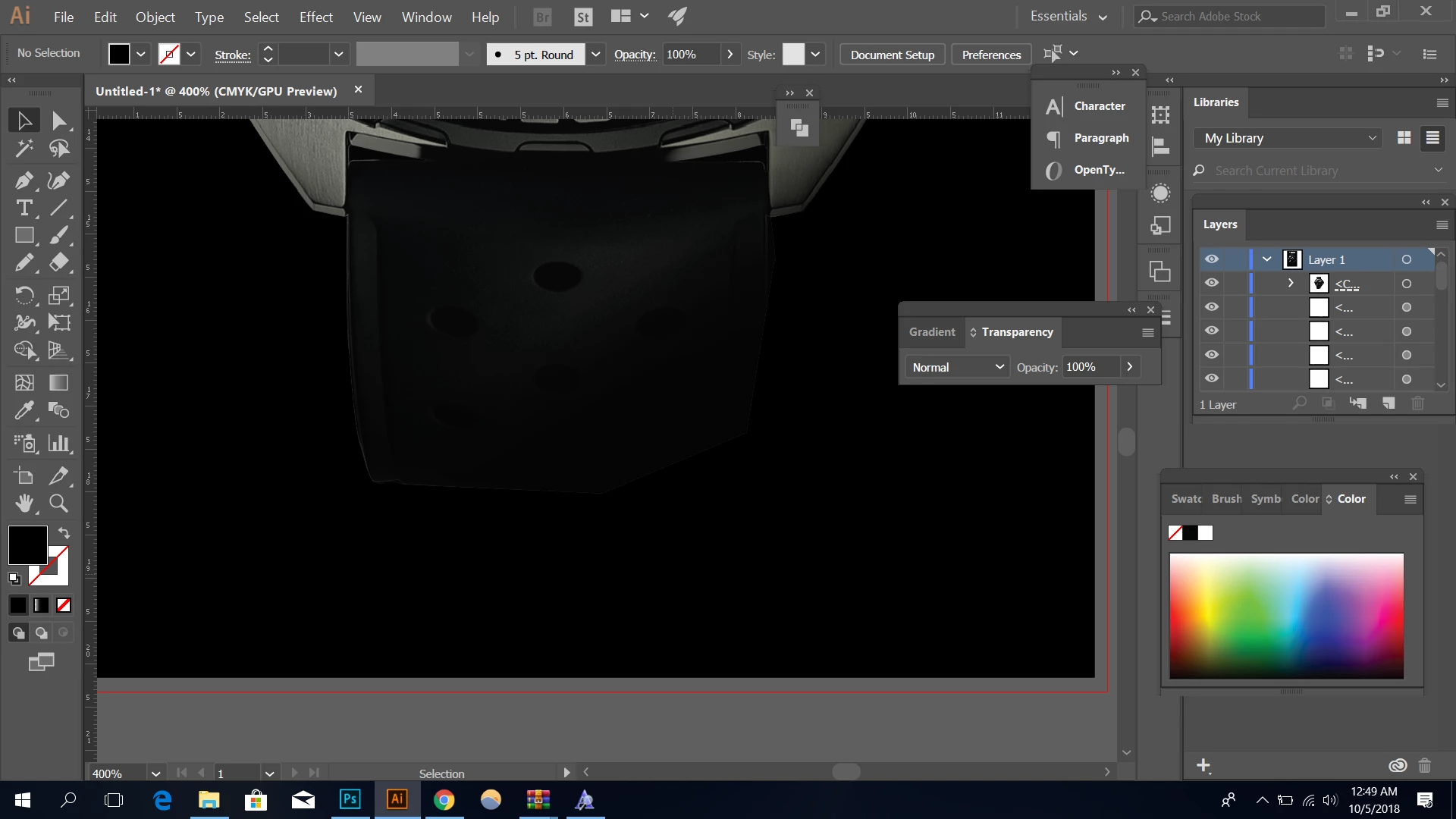
I want to make the portion of the lower watch band completely blend with the background color i.e. black. i tried erasing using a soft brush in photoshop as well asusing a gradient opacity mask. however ever time i got blurry grayish patches where the brush stroke wasnt hard enough to erase the image completely(in photoshop).How i make this particular portion blend into the background so that it doesnt look unnatural?
    This topic has been closed for replies.

    4 replies

    Inspiring
    October 6, 2018

    Another option is open the image file in Photoshop > use the Eyedropper tool to read the color info from the bottom of the watch band > In Illustrator, apply a background consisting of the same values you read in Photoshop.

    rcraighead
    Legend
    October 5, 2018

    Are you in RGB or CMYK mode? Transparency effects work better in RGB. Make sure black is 0r, 0g, 0b, if in RGB.

    __________________

    Corrected RGB values Anna Lander

    Jacob Bugge
    Community Expert
    Community Expert
    October 5, 2018

    Exquisite imagery, Ray.

    I believe you mean 0 for R, G, and B (100 being for CMYK).

    rcraighead
    Legend
    October 5, 2018

    Oops, you're right. Thanks. Would fix it but it won't let me.

    meganchi
    Legend
    October 4, 2018

    Could you use a soft blurry brush and instead of the eraser tool, use the paint tool to brush with a fill of black?

    October 5, 2018

    I did that and i got the same grayish blurry patches

    Jacob Bugge
    Community Expert
    Community Expert
    October 4, 2018

    doh,

    Is it about the band below the case protrusions where the pin is, or just below the rounded part of the rim (where there should be gaps in the sides because the top of the band is (must be) straight?

    In the former case, you may be able to use a rectangle on top with a vertical black to white gradient (either way), then select that and the band and apply an Opacity Mask with the right combination of ticking/unticking Invert Mask and Clip.

    October 5, 2018

    I did use opacity mask on it. I got the same problem