Exit
  • Global community
    • Language:
      • Deutsch
      • English
      • Español
      • Français
      • Português
  • 日本語コミュニティ
  • 한국 커뮤니티
0

making a continuous rectangle inner shadow

Guest
Oct 09, 2018 Oct 09, 2018

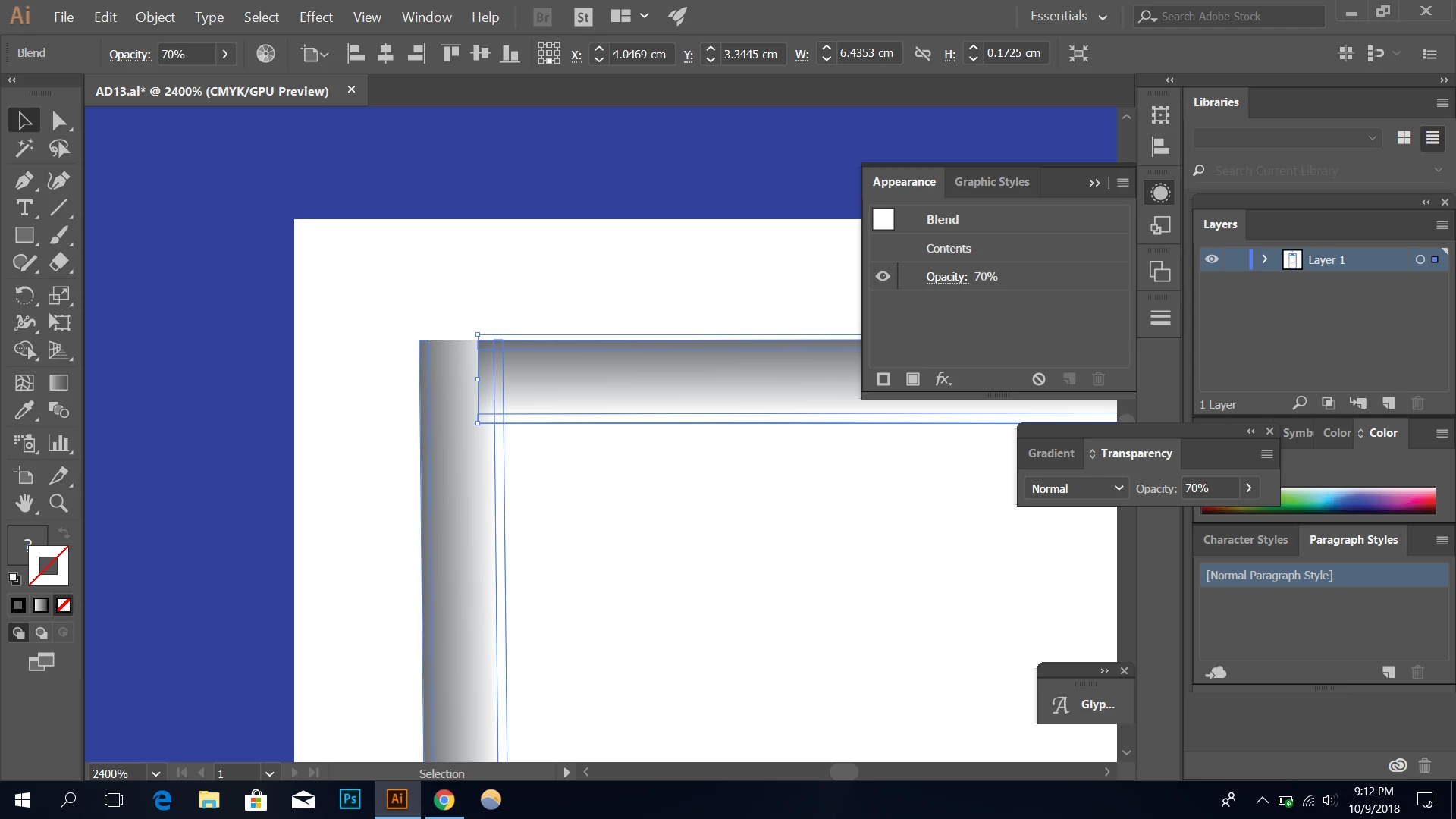
how do i make these two stroke objects appear like edges of a rectangle instead of two strokes overlapping?

(i used the blend option to blend a gray and transparent stroke object)
i want to achieve something like thisCapture00.JPG

489
Translate
Report
Community guidelines
Be kind and respectful, give credit to the original source of content, and search for duplicates before posting. Learn more
community guidelines

correct answers 1 Correct answer

Community Expert , Oct 09, 2018 Oct 09, 2018

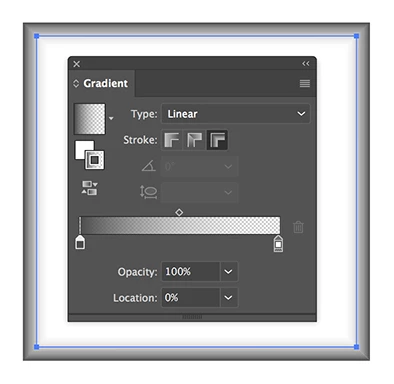
You can try a rectangle with a gradient as stroke.

Gradient rectangle.png

Translate
Adobe
Community Expert ,
Oct 09, 2018 Oct 09, 2018

doh,

You can create a fill/nostroke rectangle with full width and height (W and H) and the grey (gray) colour, then copy it to the front and reduce both W and H by twice the apparent stroke weight, then make the copy transparent (Opacity 0), and then select both and make the blend from those.

This will give an appearance like a frame for a painting.

Translate
Report
Community guidelines
Be kind and respectful, give credit to the original source of content, and search for duplicates before posting. Learn more
community guidelines
Community Expert ,
Oct 09, 2018 Oct 09, 2018

You can try a rectangle with a gradient as stroke.

Gradient rectangle.png

Translate
Report
Community guidelines
Be kind and respectful, give credit to the original source of content, and search for duplicates before posting. Learn more
community guidelines
Guide ,
Oct 09, 2018 Oct 09, 2018
LATEST

you can use 2 blended jbjects:

1. Gray rectangle, Opacity = 100%

2. White rectangle with rounded corners for more natural appearance, Opacity = 0%

Set Blend as Smooth Color

Make a copy of gray rectangle, fill it white and put under the grey one.

This will decrease the rough bright treshold which we have when just create the gray-white blend.

shadow.jpg

Translate
Report
Community guidelines
Be kind and respectful, give credit to the original source of content, and search for duplicates before posting. Learn more
community guidelines