Known Participant
June 18, 2025
Answered

Making a disco ball in Illustrator

  • June 18, 2025
  • 3 replies
  • 887 views


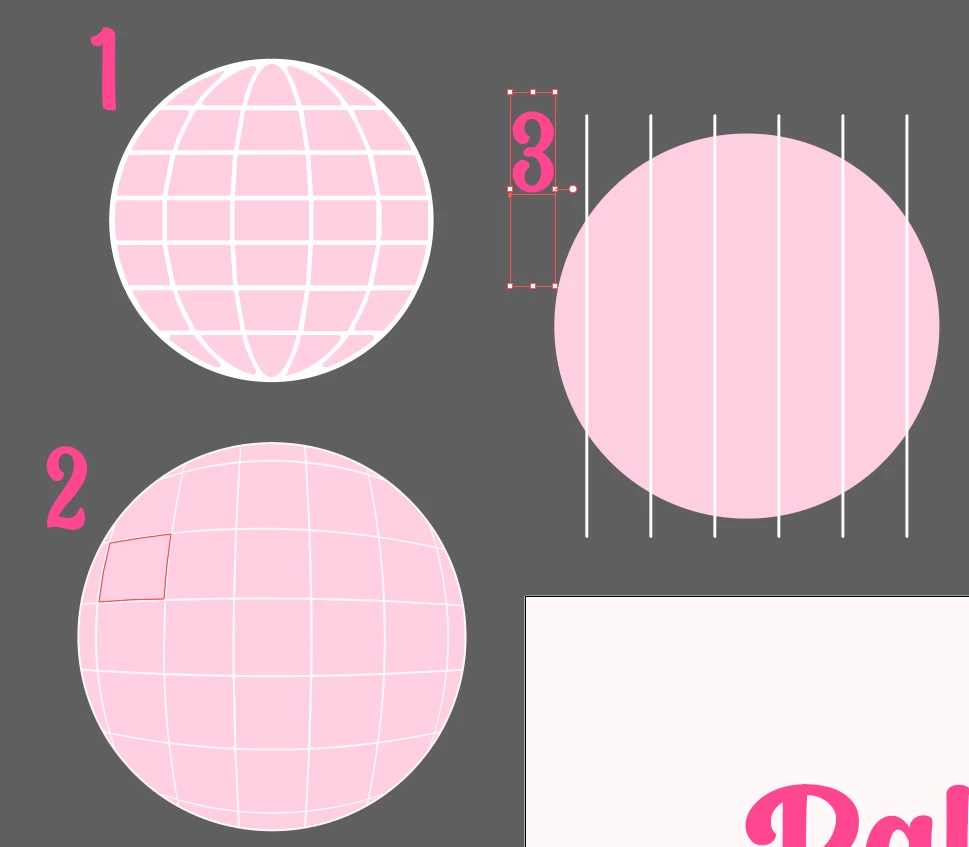
Wanting it to look like 1 (pulled from canva).  Tried by using evelope distort> make with top object (image 3) and it  resulted in #2.  So basically just wanting it to "gather" tighter at the top.

Thank you in advance!!


Correct answer Jacob Bugge

Kathryn,


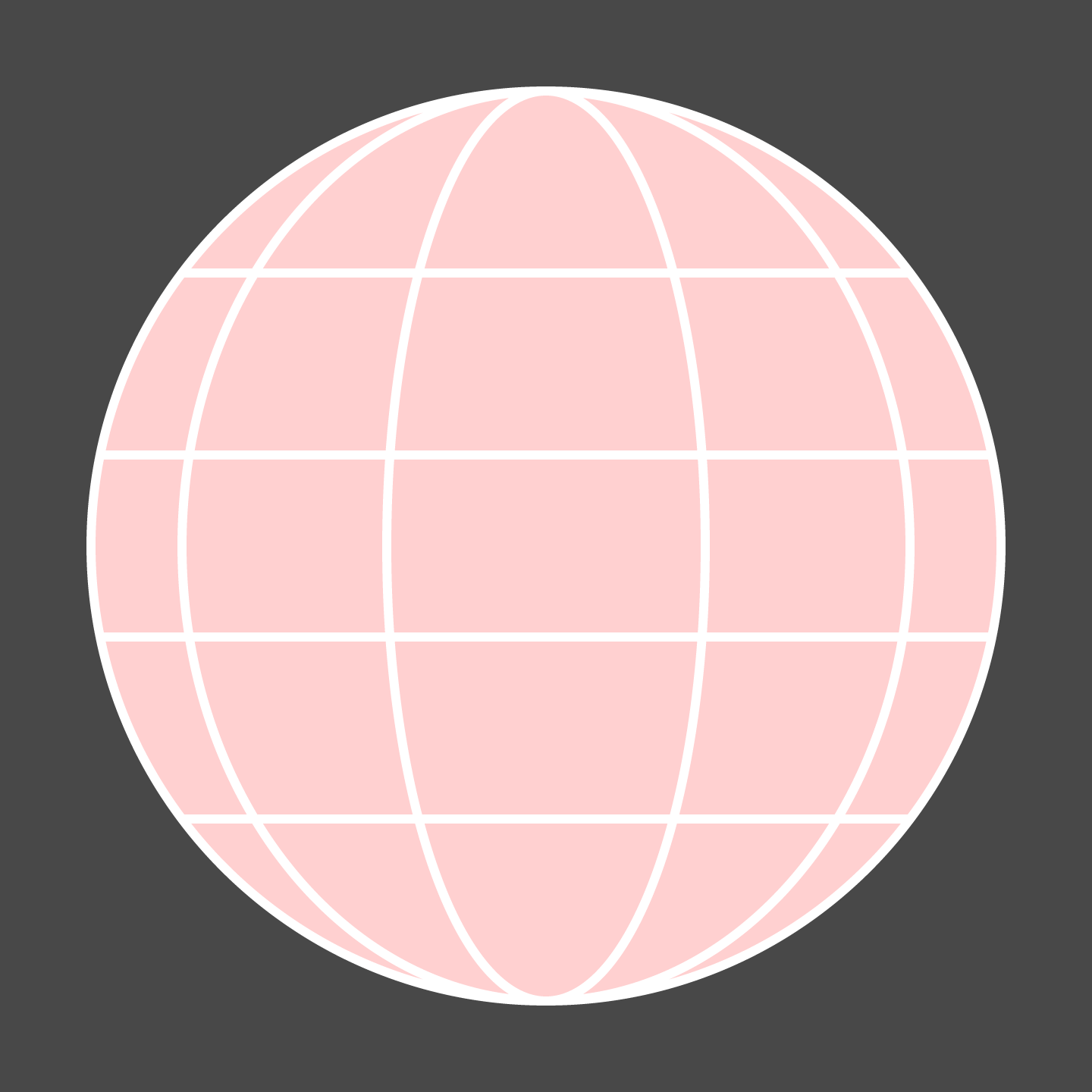
I would suggest something more realistic than 1, based on odd divisions so there is a wider central part and increasingly narrower parts towards the sides, maybe something like the image below, with 5 x 5 parts (better proportions than 5 x 7 with the wider central parts) and made in a very simple way.


The horizontal divisions were made from three ellipses with white stroke and pink fill at relative widths 100% (circle), 80%, and 35%, and the vertical divisions were made from four straight paths at 20%, 40%, 60%, and 80%, of the height and shortened to end on the circle by ShiftClickDragging each end to snap to the circle (Smart Guides being your friends).


Click to get closer

3 replies

Jacob Bugge
Community Expert
Jacob BuggeCommunity ExpertCorrect answer
Community Expert
June 18, 2025

Kathryn,


I would suggest something more realistic than 1, based on odd divisions so there is a wider central part and increasingly narrower parts towards the sides, maybe something like the image below, with 5 x 5 parts (better proportions than 5 x 7 with the wider central parts) and made in a very simple way.


The horizontal divisions were made from three ellipses with white stroke and pink fill at relative widths 100% (circle), 80%, and 35%, and the vertical divisions were made from four straight paths at 20%, 40%, 60%, and 80%, of the height and shortened to end on the circle by ShiftClickDragging each end to snap to the circle (Smart Guides being your friends).


Click to get closer
Known Participant
June 19, 2025

Oh this is amazing, thank you!!!


Jacob Bugge
Community Expert
Community Expert
June 19, 2025

For my part you are welcome, Kathryn.


Ton Frederiks
Community Expert
Community Expert
June 18, 2025

Or also with a blend, but slightly different from Monika's example:


Known Participant
June 19, 2025

oh wow thank you so so much for taking the time to explain this to me is such great detail!! So grateful!!

Ton Frederiks
Community Expert
Community Expert
June 19, 2025

Good to hear we could help.

Monika Gause
Community Expert
Community Expert
June 18, 2025

You could create a blend (Object > BLend > Make) like this:

https://youtube.com/shorts/_X1njjBul-U?feature=share


Then draw the horizontal lines.

Known Participant
June 19, 2025

thank you!!!