
Participant
September 29, 2022
Answered

Making a simple line art outline from a photo
  • September 29, 2022
  • 6 replies
  • 52833 views

Hello all,

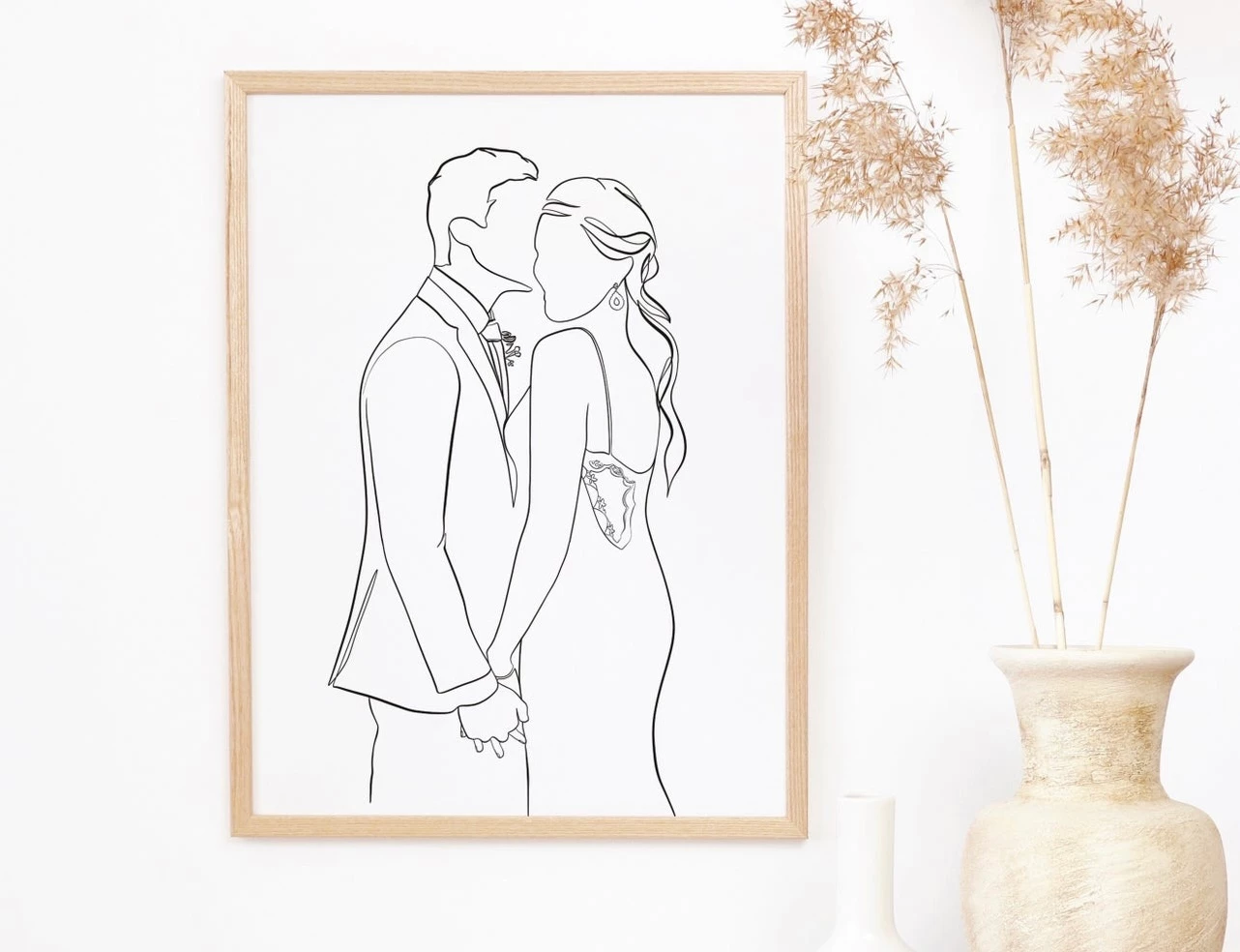
I am just getting back into designing and photo editing, does anyone know how to take a photo a make an vector outline image of it. I've attached a reference for what I'm trying to accomplish. I don't want to pay someone on Etsy to do it for me since I have all the software and tools to accomplish it myself but every time I use the content aware pen tool in PS the lines just look strange. I've tried to find tutorials on this that isn't procreate and I can't find anything so any advice is much appreciated! 

Correct answer Anubhav M

Hello @Alanna25713621dln6,


Thanks for reaching out. As suggested by Doug and Lukas, the best way to create this line art would be to do it manually.


Kindly try the suggestions shared in these quick tutorials to get started and check if it helps:
https://www.youtube.com/watch?v=hmF17cRLP9I

https://www.youtube.com/watch?v=9iAVMm60MHI


Looking forward to your response.


Thanks,

Anubhav

6 replies

Participant
February 6, 2024

I saw that on Etsy too,  ready in 6 hours, it's got to be ai generated maybe! 

Doug A Roberts
Community Expert
Community Expert
February 6, 2024

It wouldn't take long for a reasonably skilled vector artist to create that sort of thing from a photo. It's a very simple image.

barbara_a7746676
Community Expert
Community Expert
September 30, 2022

As suggested by others, drawing manually while using the photo as reference will give the best results. 

If you want to try to do it digitally, depending on the photo you might have more success using Photoshop.

This is one of many tutorials https://pathedits.com/blogs/tips/how-turn-photo-into-pencil-sketch-with-photoshop


Participant
September 29, 2022

Thank you all for your help!!! I never knew live trace did so well on color photos it wasn't something we covered much in school (which was 8 years ago). With all of  your advice it gave me what I was looking for! Going to keep practicing and playing around to get better at it! Seriously thank you all! 

Anubhav M
Community Manager
Anubhav MCommunity ManagerCorrect answer
Community Manager
September 29, 2022

Hello @Alanna25713621dln6,


Thanks for reaching out. As suggested by Doug and Lukas, the best way to create this line art would be to do it manually.


Kindly try the suggestions shared in these quick tutorials to get started and check if it helps:
https://www.youtube.com/watch?v=hmF17cRLP9I

https://www.youtube.com/watch?v=9iAVMm60MHI


Looking forward to your response.


Thanks,

Anubhav

Lukas Engqvist
Community Expert
Community Expert
September 29, 2022

The sofware does not convert from a photograph to a line drawing, but it has tools to create a line drawing, and you can use a photograph as a template over which you trace outlines and add dynamic stroke.

If you do have an image that is as you want it, Image trace  https://helpx.adobe.com/illustrator/using/image-trace.html has many options that can help you trace an image to vector. It does require an image to start of with, this can be a photo, scan, or image from a drawing app like procreate. 

It is also possible to draw directly in Illustrator using brush strokes with variable width, but this is a skill that can't be explained in a post. You would find links searching for how to draw with brush in illustrator or tips on inking artwork in illustrator.

You do mention using content aware in Photoshop, but not sure what you expect from that, content aware tools are for repairing or removing spots in photographs not for painting.

You will find that many will prefer the control they get by mastering the Pen Tool. The one does not exclude the other, and you can do a live trace that you clean up if you like.


Doug A Roberts
Community Expert
Community Expert
September 29, 2022

Do you want to know how to do this specifically in Illustrator, or how to draw this sort of thing in general?

Would you feel comfortable drawing this by hand?