
Participant
May 11, 2024
Answered

Making arrows in Adobe Illustrator

  • May 11, 2024
  • 1 reply
  • 3113 views

Hi!
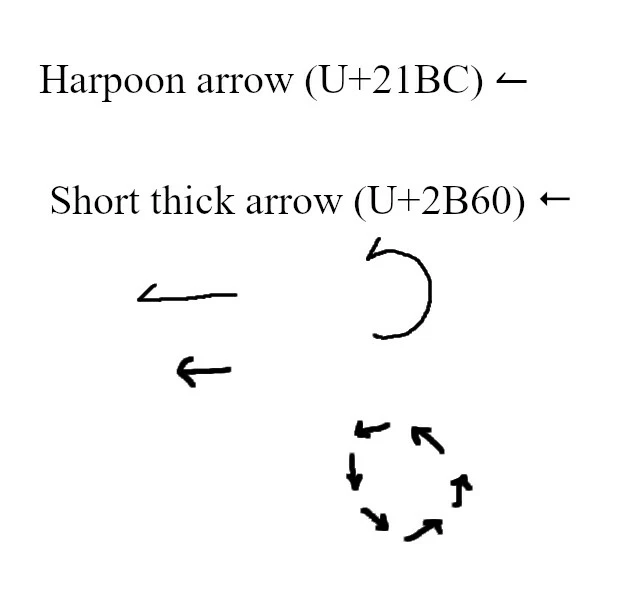
I would like to make different arrows in Adobe Illustrator. First arrow would be "Harpoon arrow" with extended tail (that I could also bend - like on picture). The second arrow would be "Short thick arrow" (that I could form a circle with them - like on picture).
Thanks for answering!


This topic has been closed for replies.
Correct answer Monika Gause

I made an arrowhead 40 (you can find it at Symbols tab in Arrowheads pdf.pdf file). When I use it with "Line Segment Tool", it looks like at picture from my previous post - they are pointed downwards.


Using your file I can reproduce that, but when I built one myself, it works. Maybe you just need to build a new one? Have attached my file

1 reply

Monika Gause
Community Expert
Community Expert
May 11, 2024

In the application folder in Support files > Ressources you can find a file called arrowheads.ai

In there you'll find an explanation of how to use it.

PompeljAuthor
Participant
May 16, 2024

Monika great anwser, helped me alot. Now i'm researching the ways of the arrows thorugh Youtube...


All the best 😃

Monika Gause
Community Expert
Community Expert
May 16, 2024

I'm glad you could get a step further. 

Please post to this thread if you can't find what you are searching on youtube.