
Participant
March 21, 2023
Answered

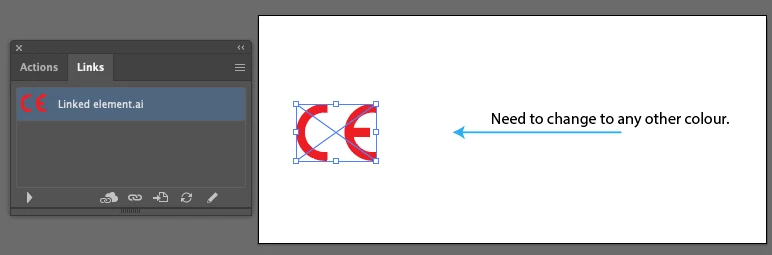
Mapping a colour on a linked element

  • March 21, 2023
  • 1 reply
  • 760 views

Hi everyone, I need some guidance here.

1. I need to link vector element in illustrator (could be a pdf or illustrator file, see attached)

2. Once the element place in the artwork, I need to recolor this element

3. Is there anyway to do this, without having to edit the original element?

Using Illustrator 2019 or 2020


Thanks in advance
This topic has been closed for replies.
Correct answer Kurt Gold

You don't have to repeat the entire procedure. Just relink the placed item.


When working with opacity masks this way, sometimes you need to refresh the actual view to see the change.


1 reply

Kurt Gold
Community Expert
Community Expert
March 21, 2023

One way would be using opacity masks.


For example, to colour it green:


  1. Copy the red linked file.
  2. Paste in front.
  3. Transparency palette: Set the topmost object to blending mode "Difference"
  4. Group the two linked files
  5. Draw a green filled rectangle behind the group
  6. Select both the group and the green rectangle
  7. Transparency palette: Make Opacity Mask
  8. Transparency palette: Enable "Invert Mask"


Participant
March 21, 2023

Thanks @Kurt Gold, it works. But the issue is that if i need to relink the element to another object, i need to redo the entire process. I'm looking for something very straight forward where we can link the element and update the colour without changing from the source.

Participant
March 29, 2023

You don't have to repeat the entire procedure. Just relink the placed item.


When working with opacity masks this way, sometimes you need to refresh the actual view to see the change.


Thanks @Kurt Gold Kurt, that helps.