
Inspiring
September 9, 2022
Answered

Mapping vector artwork on 3D object is not sharp - looks low res?

  • September 9, 2022
  • 1 reply
  • 2313 views

I've created a 3D cylinder and I'm mapping some vector artwork on it, but it looks super grainy/low res. Even when I render it at 600dpi it looks the same. It's outlined text, it should be super sharp. Am I missing something? See pic.

This topic has been closed for replies.
Correct answer lauragalora99

Not in the map art diaglog box. This is where I have it perfectly laid out:
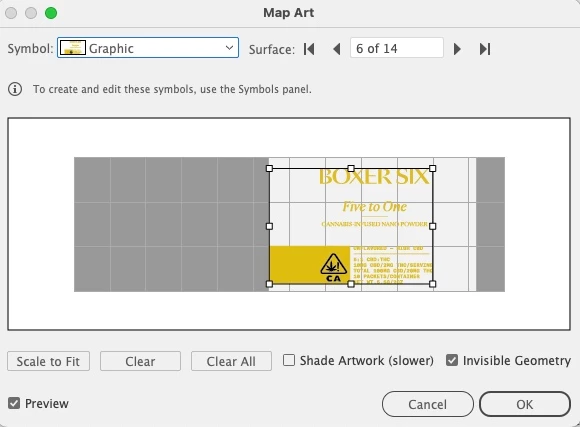
 

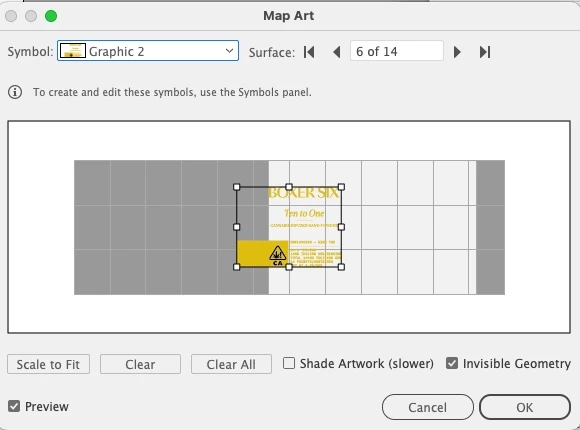
Then if I select the new symbol, this is what happens and I have to resize/rejig it and it's impossible to get it perfect

Figured it out! I've edited the symbol from the symbol palette and voila, replaced 🙂

1 reply

Ton Frederiks
Community Expert
Community Expert
September 9, 2022

Can you try the same with the Classic 3D Effect?

A gradient could be added later.

Inspiring
September 9, 2022

Just tried that and the graphic doesn't show up when I try to map it. It just bounces around in the mapping window.

Monika Gause
Community Expert
Community Expert
September 12, 2022

Ok, stuck again! I've managed to get the graphic mapped on perfectly but now I need to make 2 more with different labels. When I try to replace the mapped graphic it makes me resize and re-adjust it. Is there a way to simply replace that symbol on the 3D object and have it be the exact same size/placement?


So it doesn't work when you just edit the symbol?