Spirited_happiness5D41
Known Participant
August 10, 2019
Question

Marking Anchor Point Set Distance on a Curved Path?

  • August 10, 2019
  • 5 replies
  • 3421 views

Is there a way to mark a set distance on a curved path?

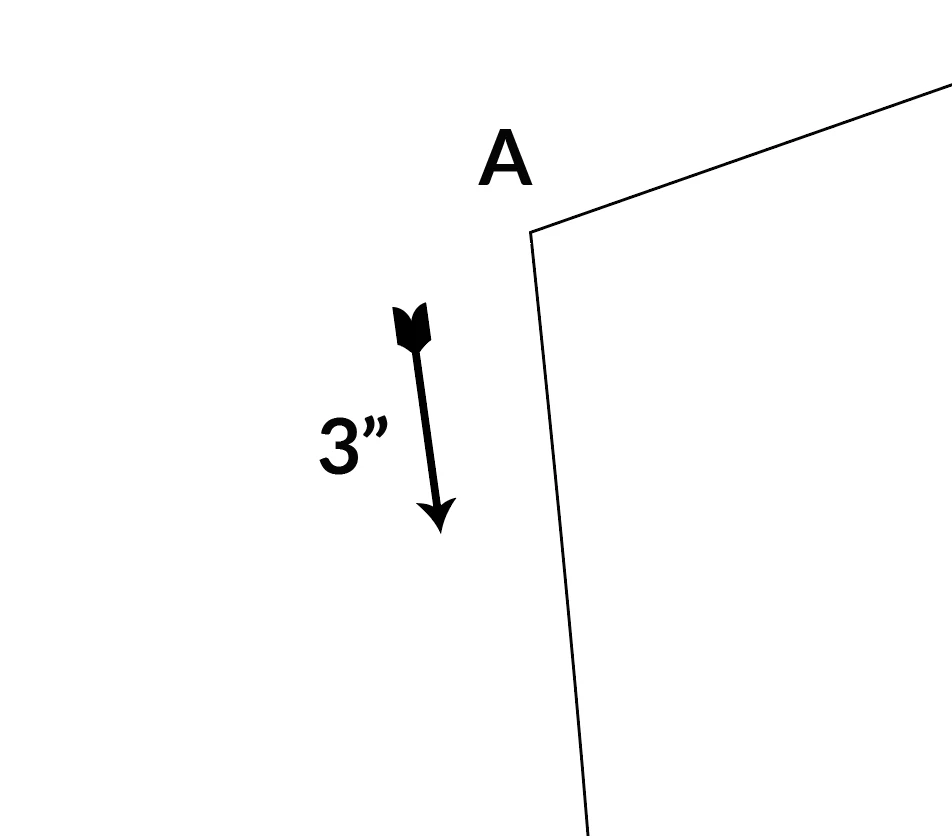
Example: I want to mark an anchor point  3" down on a curved line.
    5 replies

    CarlosCanto
    Community Expert
    Community Expert
    August 12, 2019

    are those fashion patterns?

    here's another way that yields accurate results

    make a copy of the segment you want to add the 3" notch to (or just make a cut the 3" starting anchor then re join when done)

    I made a copy of it and added an arrowhead just to note direction and where the segment ends

    We're going to use an Art brush, so create a 3.25" horizontal line and add a vertical notch 3" from from the start.

    Select both the 3.25" line and the vertical notch and created a new Art Brush. On the Scale Options, choose Stretch Between Guides and enter 3" Start and 3.25" end. Click OK.

    Select your segment and apply the newly created brush

    Go to Object->Expand Appearance Menu

    Notice the path got expanded into 3 objects, your original segment, the notch and the arrowhead

    the Notch is created at the 3" mark and an anchor point was added to the segment. I just cut it with the Scissors Tool to measure it.

    Spirited_happiness5D41
    Known Participant
    August 12, 2019

    Yeah these are fashion patterns, yeah I have to do this often, so the other solution with dashed line wasn't really feasible and slightly confusing.

    This is better, how would you set the brush in reverse direction of the curve?

    I ended up purchasing Astute Graphics Plugin Vectorscribe

    1) Add Anchor Point close to 3"

    2) Reposition Point Tool to 3"

    3) Keep Checking with Dynamic Measure Tool, no need to cut line.

    Although, your method seems faster in certain instances.

    CarlosCanto
    Community Expert
    Community Expert
    August 12, 2019

    I thought it could help.

    to reverse the direction of the brush, double click on it to bring up the settings dialog and check "Flip Along" option.

    barbara_a7746676
    Community Expert
    Community Expert
    August 10, 2019

    By the way, there is a Measure tool in Tools panel. You can drag it along a path to get an idea of the length. It's not perfectly accurate because you are dragging manually along a curved path,  but can reassure you that your measurements are not completely off.

    barbara_a7746676
    Community Expert
    Community Expert
    August 10, 2019

    Leveraging off of James Bugge's clever solution.

    Select the path. The line weight doesn't matter.

    Assuming that you want to add a new anchor point that is 3 inches from the upper left corner of the path, turn on Dashed Line in the Stroke panel. Make sure that Aligns Dashes to Corners is selected. Illustrator makes it easy to convert measurement systems. If you type 6 inches for the dash and 3 inches for the gap, and your units happen to be points, Illustrator will do the conversion for you once you hit the Tab key or click elsewhere to get your cursor out of the cell where the number is typed.

    If you enter the numbers shown below, the dash at the corner will be 3 inches (216 points), all other dashes will be 6 inches (432 points), and the gaps will be 3 inches.

    If you want the anchor point at a different position, change the dash and gap dimensions accordingly.

    Monika Gause
    Community Expert
    Community Expert
    August 10, 2019

    https://forums.adobe.com/people/Barbara+Ash  schrieb

    Make sure that Aligns Dashes to Corners is selected.

    It mustn't be selected, because the adjustment sacrifices accuracy (of dash length) for nice looking results.

    Monika Gause
    Community Expert
    Community Expert
    August 10, 2019

    Try the plugin VectorScribe. It has a measure tool that measures along a path.

    Or try the plugin Inkscribe. It allows you to move points and snap to increments.

    I'm not sure if the plugin CADtools allows you to set points at custom distances.

    Spirited_happiness5D41
    Known Participant
    August 10, 2019

    Will adobe ever make these functions part of Illustrator rather than having to purchase another tool?

    Monika Gause
    Community Expert
    Community Expert
    August 10, 2019

    If you think this function is crucial for your workflow, just tell them:

    http://illustrator.uservoice.com

    barbara_a7746676
    Community Expert
    Community Expert
    August 10, 2019

    You mention a "curved" path, but the illustration shows a path made of two angled straight lines. Please clarify if you want to add an anchor point on a curved path or a straight path.

    Spirited_happiness5D41
    Known Participant
    August 10, 2019

    Sorry, I cut it off the picture too early. Yes I want an anchor point on a curved path at a set distance. 3" in this case. An efficient way to mark an anchor point on a straight line would also be nice. I currently make a new line of set distance and compare it with the line I want to mark and make another line to cross at that distance.

    Jacob Bugge
    Community Expert
    Community Expert
    August 10, 2019

    Brah,

    If applicable, you can, if you wish the centre of the mark to be exactly at 3":

    1) Copy the curved part from A down (or just as far as relevant, past the 3" mark to come),

    2) With the new path selected, in the Stroke palette set the Stroke Weight to the desired mark width, then click Dashed Line and set as follows: 1st Dash = 0, 1st Gap = 216 pt minus half the desired mark width, 2nd Dash = the desired mark width, 2nd Gap = a large number so you get beyond the length of the new path to avoid the next Dashes that would otherwise be added.
