
Participant
December 21, 2023
Question

Marks and Bleeds

  • December 21, 2023
  • 1 reply
  • 230 views

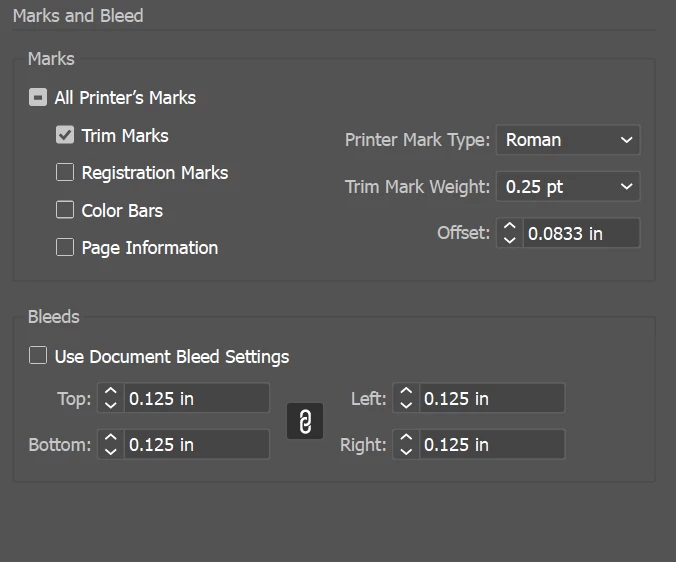
I have a 50ish page document with 8.5 x 11 in pages and I'm preparing to print them into a bound booklet but I want to keep my images that go to the edge and not have the .125 in white margin.  When I go to print as a pdf I have these settings but each time I try my page ends up being .46 in bigger in each direction rather than .125 in so then the entire document comes out to be 9.42 x 11.92 in when I view it in adobe acrobat.  Am I doing something wrong??
 

This topic has been closed for replies.

1 reply

Participant
December 21, 2023

I saw someone else had this exact same issue (Solved: Illustrator PDF WRONG Size - Adobe Community - 9506253) and someone said to unclick use document bleed settings so I tried setting the document bleed settings to be .125 in and it still exported as 9.42 x 11.92 in

Monika Gause
Community Expert
Community Expert
December 21, 2023

It's probably the printers marks that make the page size so large

Participant
December 21, 2023

this is what the page looks like when i view it as a pdf, how do I make the trim marks within the .125 in?