
Participant
October 8, 2018
Answered

Mask Loses Color?

  • October 8, 2018
  • 2 replies
  • 3997 views

Hi,

I was having a hard time formatting this question for Google, so I thought I would post here.

I've only been using Illustrator for about a year, and it's been mostly graphic design related. I'm starting to do some art in it, and I'm getting used to using a handful of texture brushes with masks. However, when I use the mask, I lose a lot of the color of the brush that I used. If I paint a yellowish color onto a green, then put it as a mask, the yellow basically just turns into green. Is there any way to adjust these settings?

Thank you for the help in advance,
This topic has been closed for replies.
Correct answer Jacob Bugge

Ah, okay.

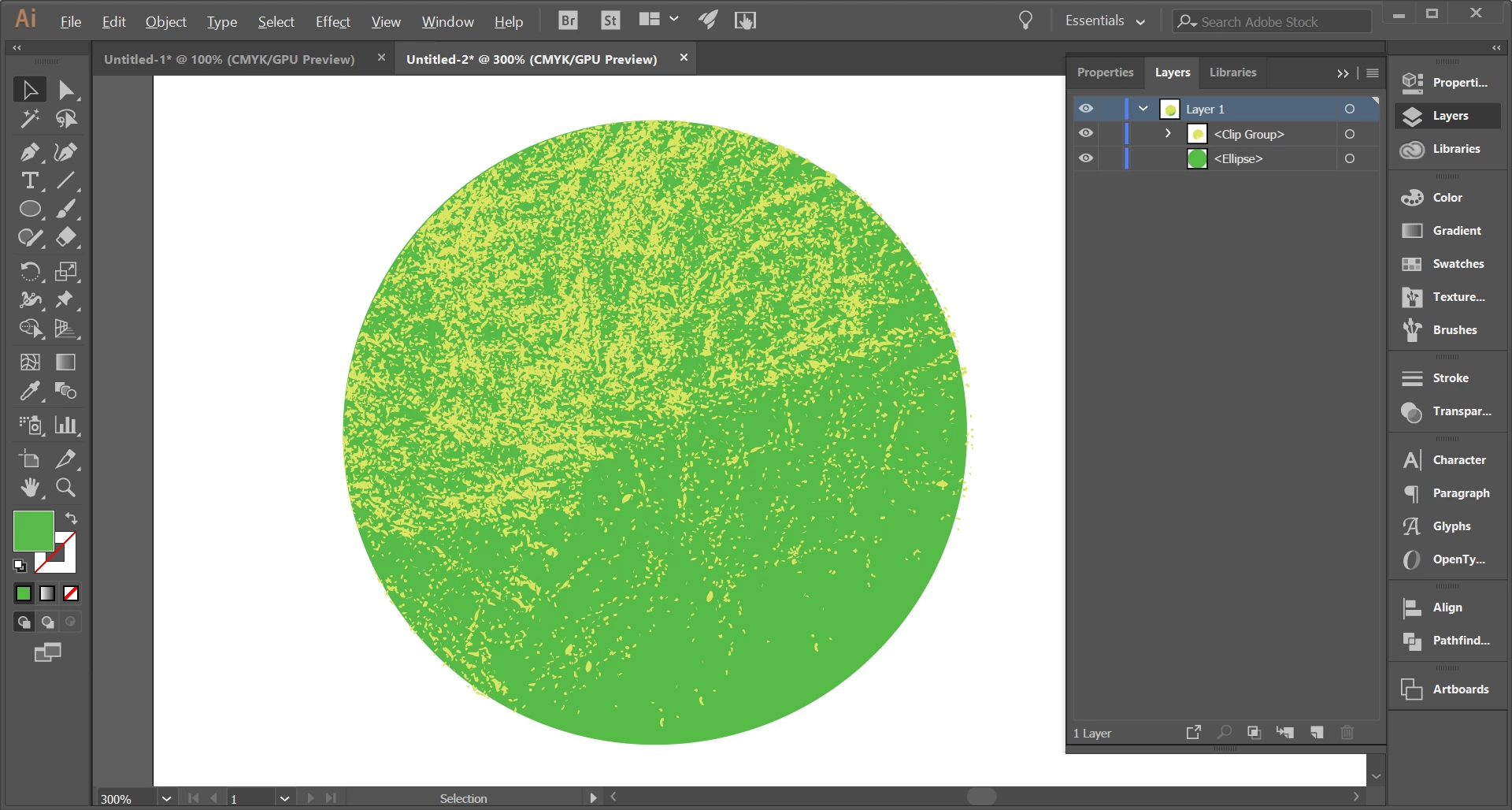
So to create something more along the lines of what I'm going for, I selected the circle and create a clipping mask with the yellow brushes, and it just created the yellow brush within the boundaries of the circle, but made the circle transparent. Then I copied the circle, arranged it behind the clipping mask, and that basically creates what I was looking for. I can then just group those together. Does this sound about right?


Daniel,

About right, but you can just keep the green circle and copy it to the top (above the yellow texture), then select the copy circle (no need to change its greenness) along with the yellow texture and create the Clipping Mask.

2 replies

Myra Ferguson
Community Expert
Community Expert
October 8, 2018

Try Effect > Texture > Grain to create the stippled look. Play around with the settings to get the type of texture you want..

Jacob Bugge
Community Expert
Community Expert
October 8, 2018

Daniel,

Fundamentally, a Mask is just a kind of window to wholly/partially show/hide what is inside/outside, so it has to lose its Fill colour; this applies to both Clipping and Opacity Masks; you can add a Stroke to a Clipping Mask.

Participant
October 8, 2018

Hmmm, okay.

So an artist who has a similar style to what I'm trying to do texture-wise is Brian Miller, whose projects I've found on Behance. I'm assuming that for a lot of his texturing, he is using masks. However, his color is extremely vibrant. Is there any way using a mask to imitate this effect? Or, do you think he is using a different technique alltogether?

Example of Brian Miller's Work:

Jacob Bugge
Community Expert
Community Expert
October 8, 2018

Okay, I think this will better illustrate my point.

I used a brush to draw a quick texture with a yellow colour on top of a green shape, and then when I make the mask, the yellow is significantly dulled. How do I prevent this?


Daniel,

As I (mis)understand it, you are using the yellow texture as an Opacity Mask, but in that case you just get the grayscale value to make the green partly transparent; I believe you are in for a surprise if you put a differently coloured object behind it all.

To limit the yellow texture to be within the boundaries of the green circle, you can copy the circle to the very top, then select that and the yellow texture and Ctrl/Cmd+7 for a Clipping Mask (avoid selecting the green circle at the bottom).