
Answered
Merge complex shapes

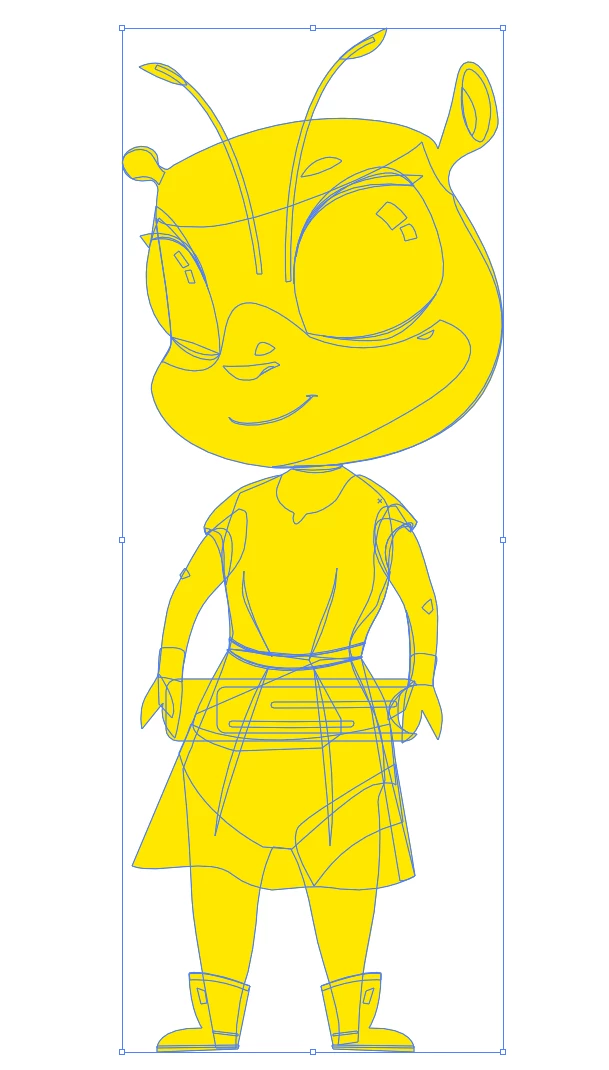
I want to merge all shapes/paths in this illustration to one shape (like the image in the left). How can I do it?

I want to merge all shapes/paths in this illustration to one shape (like the image in the left). How can I do it?
Thanks! I didn't actually make this file, it's from a guy who works with me. I need to merge everything into one shape and fill it with yellow. https://gofile.io/d/GNOfsR
You have to select those clipping masks one by one and use Pathfinder Crop on them.
When that is done, find out the elements that are now filled/stroked with None and fill them with something.
Then you can unite all this.
Maybe next time ask your coworker to do it?
https://shared-assets.adobe.com/link/40355673-9f65-4f1c-676b-fea9e78385d8
Already have an account? Login
Enter your E-mail address. We'll send you an e-mail with instructions to reset your password.
 AdChoices