
Exit
  • Global community
    • Language:
      • Deutsch
      • English
      • Español
      • Français
      • Português
  • 日本語コミュニティ
  • 한국 커뮤니티
0

Mesh Distortion Errors

Community Beginner ,
Jan 10, 2023 Jan 10, 2023

I recently upgraded to Adobe Illustrator 2023 and noticed something has changed to the mesh distortion. It seems very inancurate compared to older versions and gives these strange errors (see image)
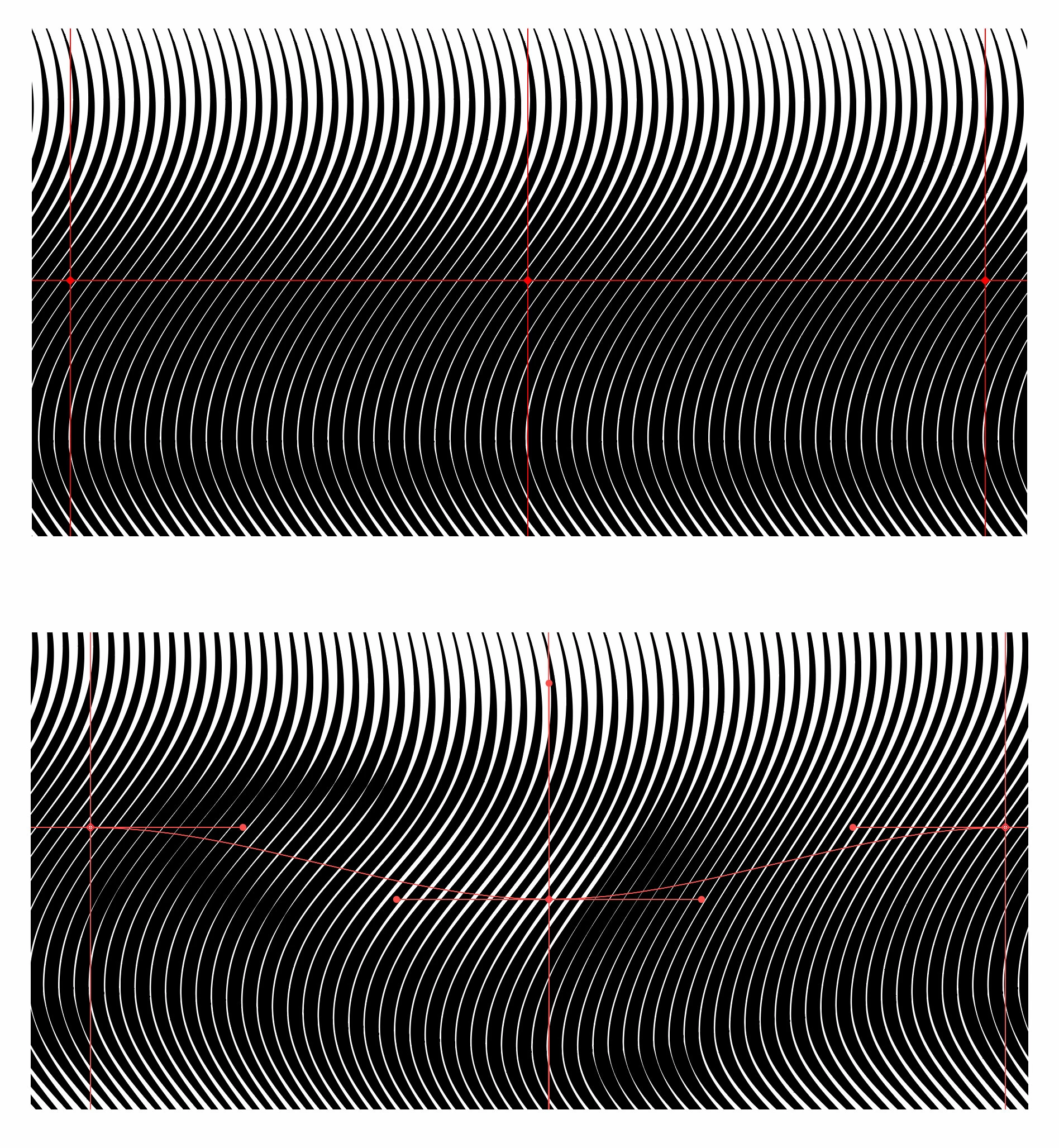
adobe-illustrator-problem.jpg

I've been doing these kind of distortions a lot and never had this problem in earlier versions of illustrator. Please tell me somehing can be done about this, or at least Adobe is aware of this and fixing it because this tool has become completly unusable and I need it a lot 😞

TOPICS
Draw and design , Tools
1.1K
Translate
Report
Community guidelines
Be kind and respectful, give credit to the original source of content, and search for duplicates before posting. Learn more
community guidelines

correct answers 1 Correct answer

Community Expert , Jan 10, 2023 Jan 10, 2023

Are you using the same Fidelity settings in the Envelope Options dialog?


Translate
Adobe
LEGEND ,
Jan 10, 2023 Jan 10, 2023

Switch to software preview. There are precision issues with the GPU-based preview.


Mylenium

Translate
Report
Community guidelines
Be kind and respectful, give credit to the original source of content, and search for duplicates before posting. Learn more
community guidelines
Community Beginner ,
Jan 10, 2023 Jan 10, 2023

Software preview? hmmm, switch to CPU instead of GPU you mean?

Doesn't change.

Translate
Report
Community guidelines
Be kind and respectful, give credit to the original source of content, and search for duplicates before posting. Learn more
community guidelines
Community Expert ,
Jan 10, 2023 Jan 10, 2023

So the very same distortion is not happening in older versions? The reason I'm asking is that specifically with this kind of artwork I always had issues in envelope meshes. They were rarely precise.

Translate
Report
Community guidelines
Be kind and respectful, give credit to the original source of content, and search for duplicates before posting. Learn more
community guidelines
Community Beginner ,
Jan 10, 2023 Jan 10, 2023

Trust me, i've been doing this for years, it never happened!

Translate
Report
Community guidelines
Be kind and respectful, give credit to the original source of content, and search for duplicates before posting. Learn more
community guidelines
Community Expert ,
Jan 10, 2023 Jan 10, 2023

Can you perhaps separate the artwork and the mesh in a demo file and save it as version CS6 - I have a couple of versions installed and would like to do a test run. I do believe you, but I just want to test them out and see what's happening and probably in which version it declined.

Translate
Report
Community guidelines
Be kind and respectful, give credit to the original source of content, and search for duplicates before posting. Learn more
community guidelines
Community Expert ,
Jan 10, 2023 Jan 10, 2023

Are you using the same Fidelity settings in the Envelope Options dialog?


Translate
Report
Community guidelines
Be kind and respectful, give credit to the original source of content, and search for duplicates before posting. Learn more
community guidelines
Community Beginner ,
Jan 10, 2023 Jan 10, 2023
LATEST

Fidelity was still at 50, at 100 it behaves like it should! Thanks Kurt you're a lifesaver! 


Translate
Report
Community guidelines
Be kind and respectful, give credit to the original source of content, and search for duplicates before posting. Learn more
community guidelines
Community Expert ,
Jan 10, 2023 Jan 10, 2023

Can you share an example file?

Translate
Report
Community guidelines
Be kind and respectful, give credit to the original source of content, and search for duplicates before posting. Learn more
community guidelines