
Participant
March 6, 2020
Question

Minus Front/Exclude Pathfinder Issue

  • March 6, 2020
  • 2 replies
  • 491 views

Hello!

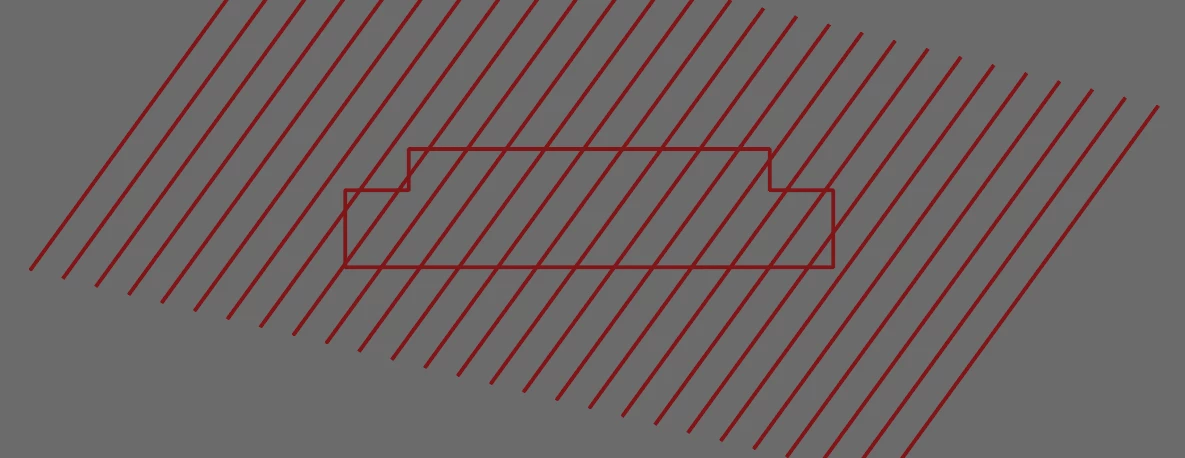
We are trying to cut out the shape at the center of these lines, but the Minus Front/Exclude Pathfinder tools give the response "The filter produced no results. Please select two intersecting paths." The lines were created with the Blend tool. The shape at the middle is just two rectangles united. We've tried expanding the lines and making them a compund path, but it still doesn't work.

How do we get this to work properly?

Thanks! 
 

    This topic has been closed for replies.

    2 replies

    Ton Frederiks
    Community Expert
    Community Expert
    March 6, 2020

    Shift Drag with the Shapebuilder Tool (Shift M) over the inside of the shape.

    Inspiring
    March 6, 2020

    Even better! 😉

    Inspiring
    March 6, 2020

    Did you try "divide objects below"? It's under the object>path menu. The individual lines below will need to be ungrouped and not compound. (but don't quote me on that).