
Participating Frequently
June 7, 2018
Answered

Minus front not working - Trying to create a half-circle line

  • June 7, 2018
  • 2 replies
  • 1577 views

I'm trying to take a circular path and cut it in half to create a half-circle line.

So, I drew a circular path, and then a straight line over it.  I selected both, and then selected Minus Front from the Pathfinder panel, but when I do that the line just disappears and the circular path remains intact.  It doesn't get split in half the way I was anticipating.  If anyone can please tell me what I'm doing wrong here, that would be much appreciated!
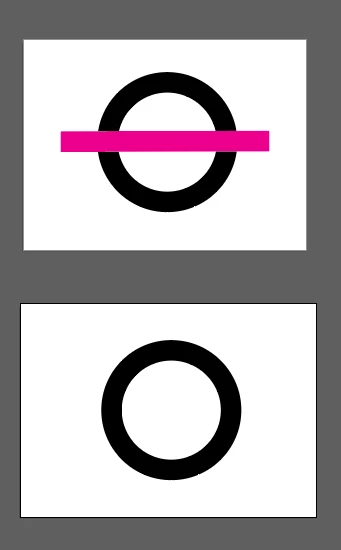
    This topic has been closed for replies.
    Correct answer Jacob Bugge

    FlexPackPRO,

    For an exact half circle, you can just cut at the side Anchor Points with the Scissors Tool and delete the unwanted half.

    2 replies

    Jacob Bugge
    Community Expert
    Community Expert
    June 7, 2018

    FlexPackPRO,

    You can just select the line and Object>Path>Divide Objects Below

    Participating Frequently
    June 7, 2018

    Just tried dividing the Path, but then I end up with two half-circles (shown below), but what I need is an open curved line.  Like a C turned on it's side, rather than two closed half-circles.

    Jacob Bugge
    Community Expert
    Jacob BuggeCommunity ExpertCorrect answer
    Community Expert
    June 7, 2018

    FlexPackPRO,

    For an exact half circle, you can just cut at the side Anchor Points with the Scissors Tool and delete the unwanted half.

    Myra Ferguson
    Community Expert
    Community Expert
    June 7, 2018

    For this kind of operation, it's usually more intuitive to use the Shape Builder Tool (Shift+M). Select both the circle and the line, and select the Shape Builder Tool. Hold down Alt and drag over the area you want to remove.

    Participating Frequently
    June 7, 2018

    Thank you for the suggestion but the shape builder is not letting me delete the necessary portions of the shape either.