
Participant
May 28, 2024
Question

Mirror and Reflect Issues

  • May 28, 2024
  • 2 replies
  • 334 views

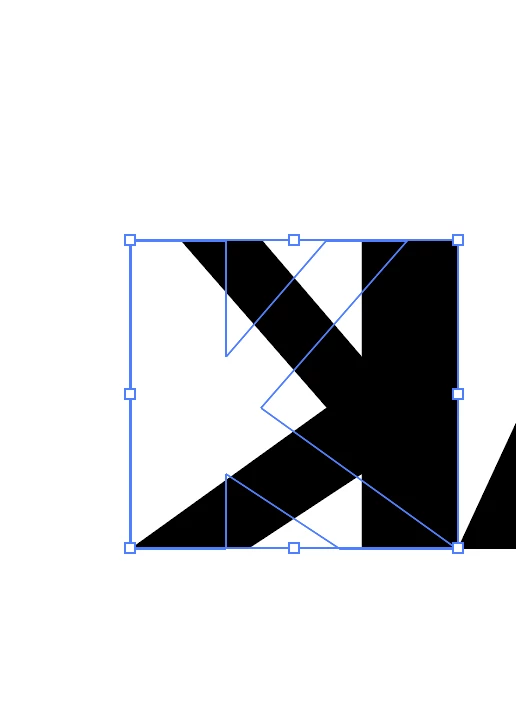
Hey everyone! I first created an outline of my text to manipulate it, then I decided I wanted to reflect the "K" character in my deisgn. So when I mirror it and reflect it, it still shows an outline of the original K and lets me manipulate it, but as if I hadn't reflected it . But I can still see the mirrored K, I am just having to manipulate it backwards... not sure if this makes sense but here's what it looks like 
This topic has been closed for replies.

2 replies

Ton Frederiks
Community Expert
Community Expert
May 28, 2024

That looks like the Transform effect, mirrored from the center and without creating a copy.

Have a look at the Appearance Panel.

Monika Gause
Community Expert
Community Expert
May 28, 2024

Exactly what did you do step by step? Apply the transform effect?

Participant
May 28, 2024

1. Created text 

2. used command, shift, O to create an outline of the text. 

3. Manioulated shape using direct selection tool

4. Applied transform , reflect effect

Monika Gause
Community Expert
Community Expert
May 28, 2024

The effect needs to be expanded with "Expand appearance". You could do that or do the mirroring differently. In the transform panel's menu you can reflect (Flip)