
Inspiring
December 7, 2022
Question

Missing anchor points

  • December 7, 2022
  • 1 reply
  • 440 views

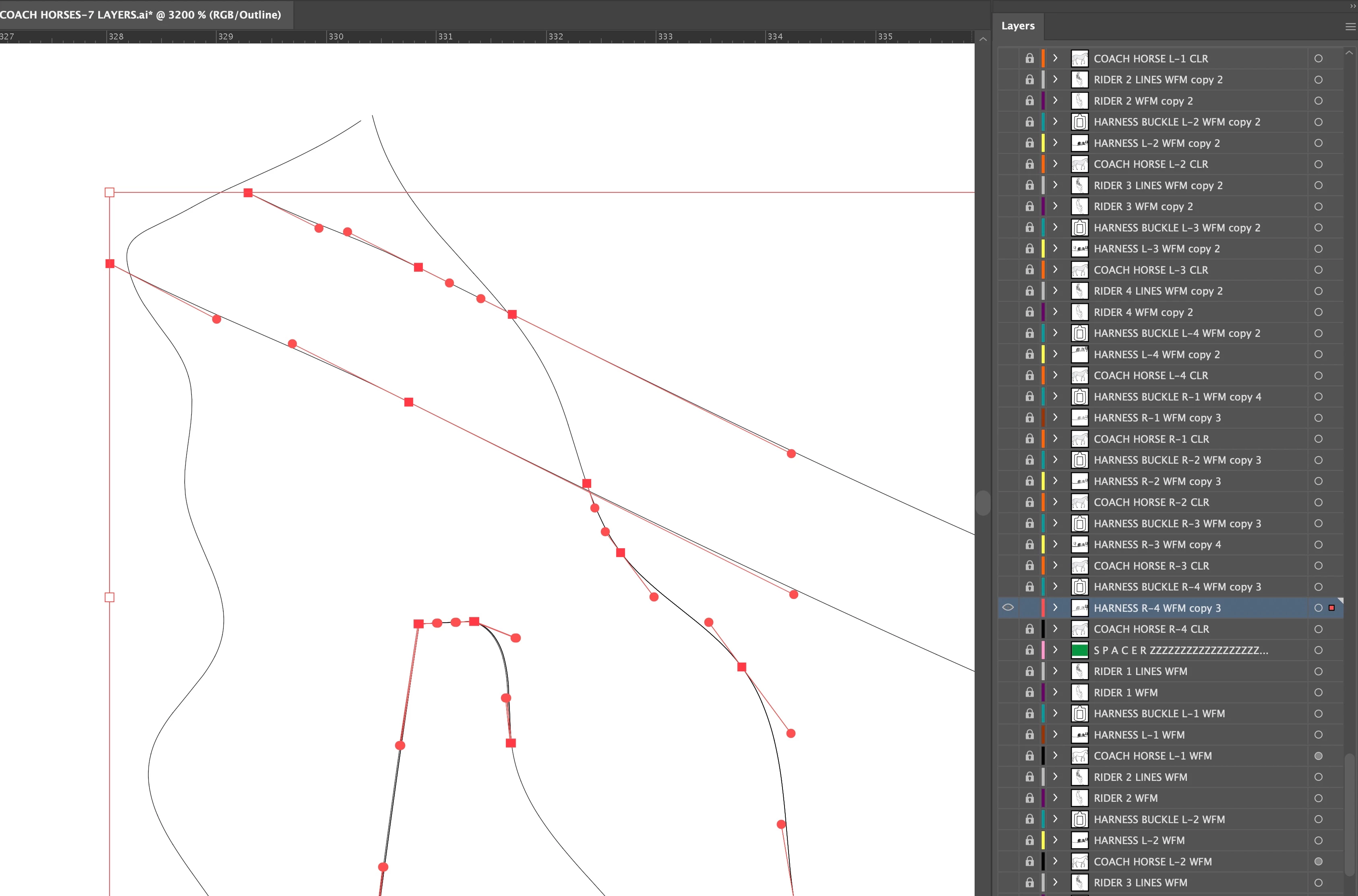
When I select a layer to show the anchor points, some anchor points are not showing, even though there is a stroke there. I cannot edit that part of the stroke which is not showing anchor points. I have attached a screen shot showing where there are anchor points, and where there are no anchor point showing, even though you can see a stroke. This is the only visible and unlocked layer. Grateful for anby advice.
This topic has been closed for replies.

1 reply

Monika Gause
Community Expert
Community Expert
December 7, 2022

The little square to the right is very small which indicates that not everything on that layer has been selected. Can you click on the little arrow to the left of the layer to see what's inside and if it maybe locked. Also: to select everything on a layer, click the the very right where the colored squares are supposed to be.

toymaker1Author
Inspiring
December 7, 2022

Thanks for solving my problem.