
paulmi11er
Participating Frequently
January 1, 2017
Question

Moving the Path on A Blend

  • January 1, 2017
  • 4 replies
  • 427 views

Im fairly new to Illustrator so forgive me if this is an obvious question.

I want to make this pattern run in an oval shape.
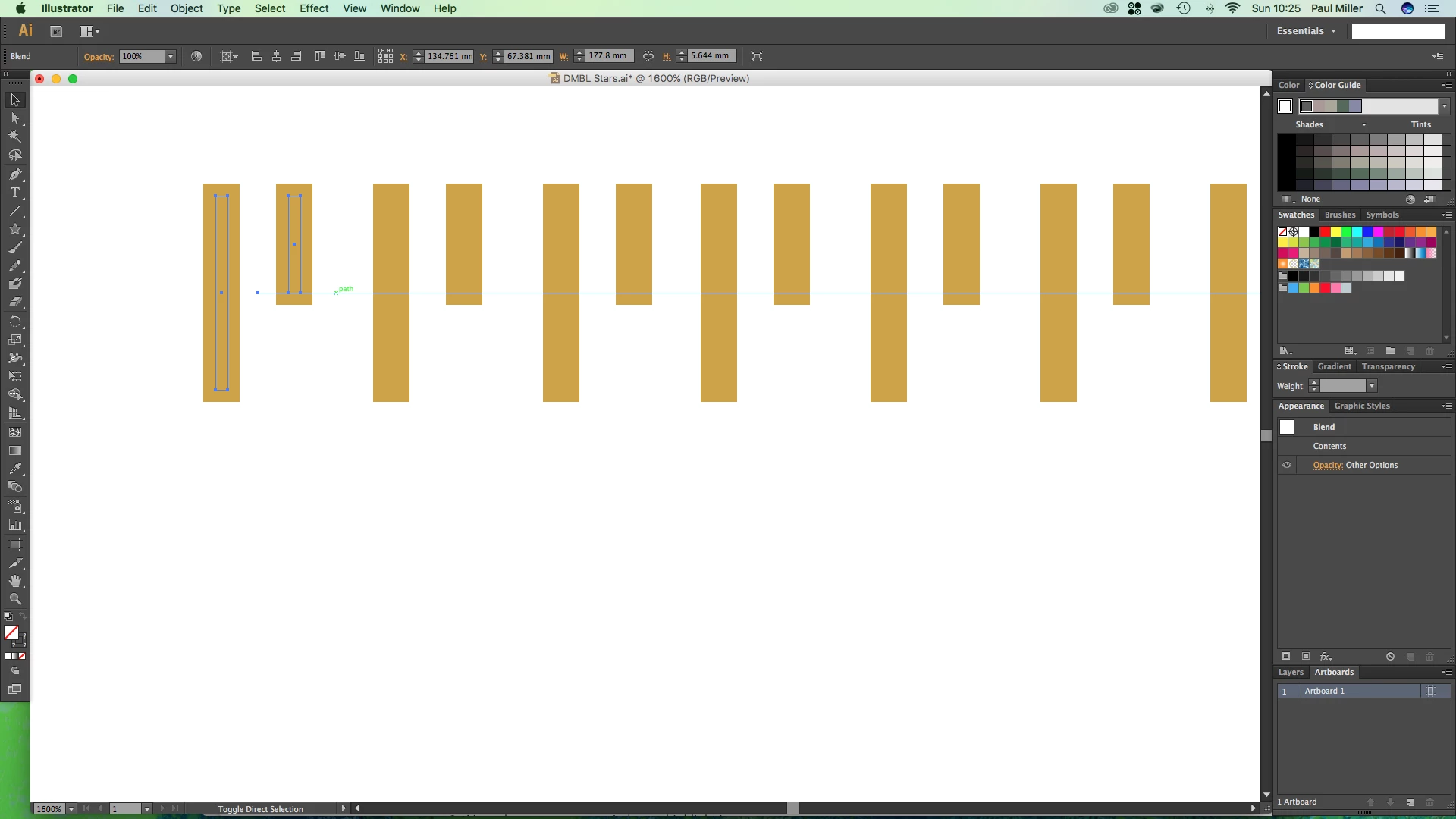
As you can see the path line runs through the middle of the blend and when I 'replace spine' with the oval the lines become unequal.

Is there a way of moving the path line to the top of the pattern (blend) I've created?

Thanks

    This topic has been closed for replies.

    4 replies

    Jeff Witchel, ACI
    Community Expert
    Community Expert
    January 1, 2017

    Here's an old video tutorial that might help. http://www.jeffwitchel.net/2011/11/blend-tips/

    jane-e
    Community Expert
    Community Expert
    January 1, 2017

    When you put the blend onto the oval, you will see that it starts on an anchor point and ends on a different anchor point. As Ray said, cut it anywhere with the scissors tool "C".

    Double click to enter isolation mode. Open your Layers panel. You will see the path and each actual object and can edit them easily. Press Escape to exit isolation mode.

    Ray Yorkshire
    Participating Frequently
    January 1, 2017

    Click once on the oval path with the scissors tool ?

    Monika Gause
    Community Expert
    Community Expert
    January 1, 2017

    There might be ways (all of them workarounds) depending on what exactly you want to build. For this simple arrangement you could just use the transform effect, but when working with an oval it might not work at all.

    So: you need to show what the end result should look like and then maybe there is a way.