
Participating Frequently
July 17, 2022
Question

Multiple cut lines when making a EPS FIKE

  • July 17, 2022
  • 3 replies
  • 4802 views

whenever I either create a design or import a template for graphics, when I go to save as an (EPS) for cutting for versaworks I get a warning
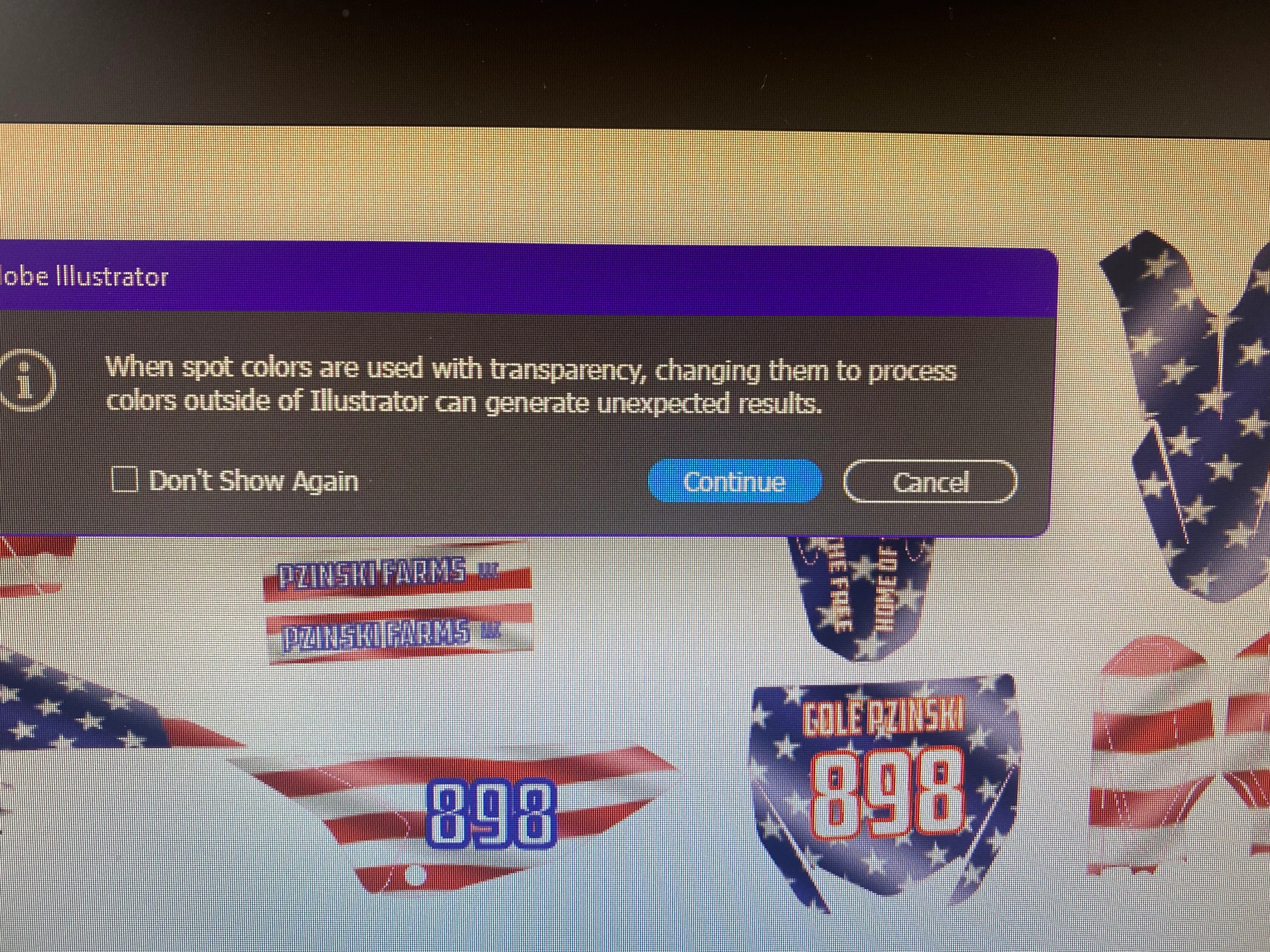
 how can I fix this issue?

I've tried putting images or colors behind the image I'm creating, this warning gives me multiple cut lines ? And it sucks, thanks for any advice

This topic has been closed for replies.

3 replies

Inspiring
July 26, 2022

My workflow for versaworks is to deal with PDFs. I reserve the spot for cuts, and my artwork is flattened/rasterized. No EPS at all.

The one!Author
Participating Frequently
July 26, 2022

How do you get cut lines without EPS?

Ton Frederiks
Community Expert
Community Expert
July 17, 2022

Try to keep your cut lines as vector on a layer above your artwork.

If your artwork is mostly images, you can try to select it and choose Object > Rasterize... and choose a high resolution without transparency (white background).

The one!Author
Participating Frequently
July 17, 2022

I will try that!! hopefully it will work, I deal with this daily. Thank you

Ton Frederiks
Community Expert
Community Expert
July 25, 2022

i use fill strokes to fill in so when i make a cut line there is no white on my pattern? In flattner strokes to outlines is not checked? should it be? thank you 


Your cutline strokes are not a single outline but outlined strokes that are stroked again.

This is the upper left cutline from your file:

Monika Gause
Community Expert
Community Expert
July 17, 2022

The spot colors are in the cut lines?


That is just a warning that you shouldn't change the spot color to process outside of Illustrator. Do you plan to do that? If not, just go ahead.


What happens when you print it?

The one!Author
Participating Frequently
July 17, 2022

If I change the spot color to process color my cut line goes away , so I can't do it that way, can I do something about the tranparecy?

Monika Gause
Community Expert
Community Expert
July 17, 2022

EPS can't handle transparency.

Only thing you can do is convert the transparent illustration parts to pixels.