
Participant
October 25, 2022
Question

My Illustrator has a problem with the color?

  • October 25, 2022
  • 3 replies
  • 2325 views

I just updated MacOS Ventura this morning, then when I was working with Illustrator 2023, the color kinds of downtone. As you can see in the picture between Ps and Ai, the problem is not happening with Ps. Still, I don't know what the problem is, despite I have checked my color profile (same thing with 2 apps above), and I have reinstalled the older version of Illustrator, the problem is still there, anyone in the community can help me? Please give me some advice
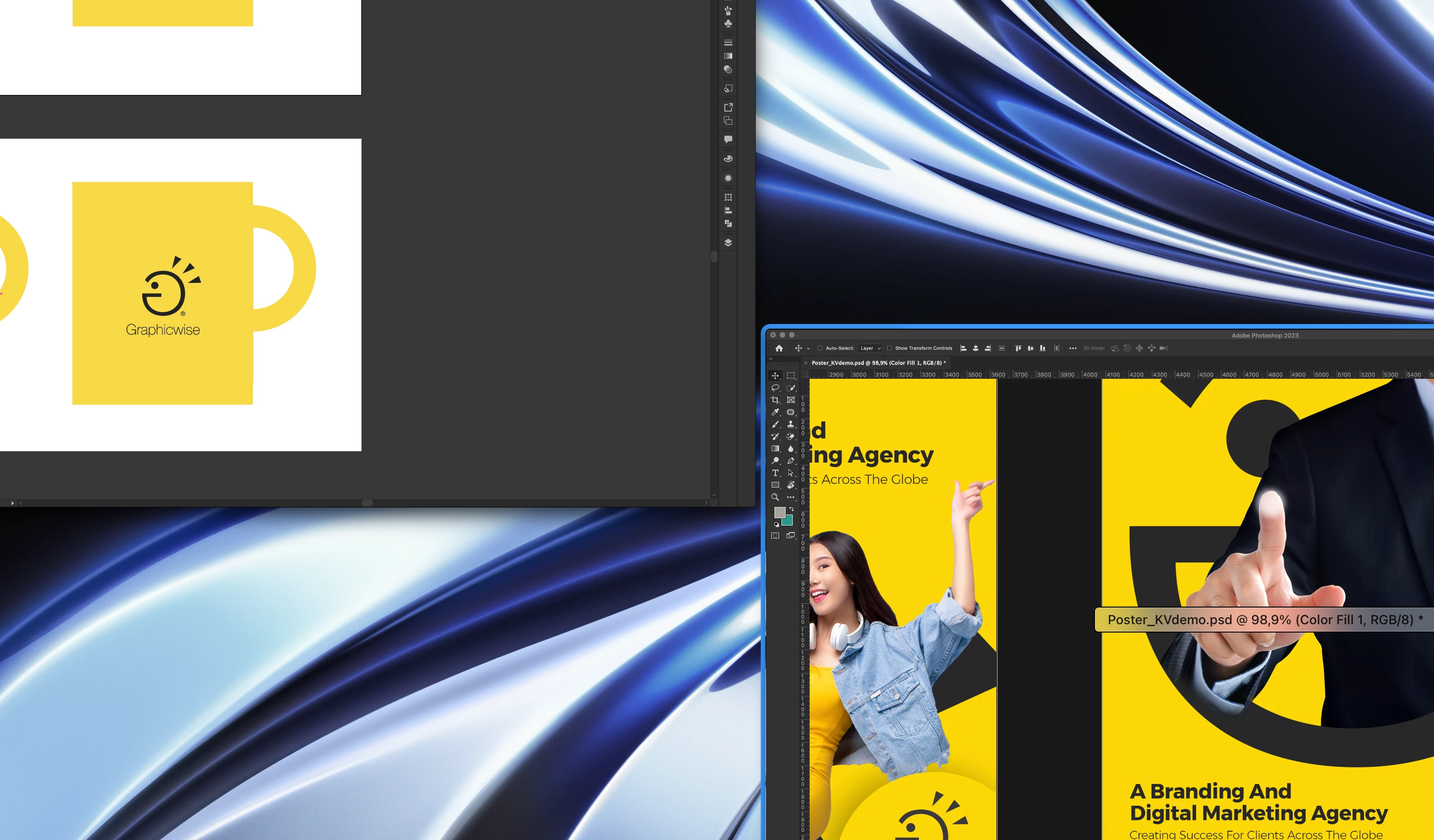
 

This topic has been closed for replies.

3 replies

Participant
January 6, 2023

I get this problem on external monitors. I updated my system to Ventuıra 13.1 but nothing change.


I have two HP X32 monitors and i connected one of them to Macbook Pro M1 Pro via HDMI, and other via Type-C to HDMI connector.


When i turn view mode to GPU then i get dull colors still.

Anshul_Saini
Community Manager
Community Manager
January 6, 2023

Hi @Kürşad Çakır ,


Thanks for reaching out. I agree with you. The colors are still dull on external monitors after updating to macOS v13.1, but on the inbuilt screen of the Macbook Pro, colors look the same on both CPU & GPU modes. Many users have confirmed this. Would you mind checking on the Macbook Pro display and confirming this behavior?


I will be looking forward to your response.


Thanks,

Anshul Saini

Anshul_Saini
Community Manager
Community Manager
January 6, 2023

Hi Anshul,


No problem with inbuilt monitor. Problem exist only external monitors.


Thanks for confirming this quickly @Kürşad Çakır @nare27830837bluq. I have already shared this info with the product team, and they are still investigating the issue. We appreciate your time & patience.


Thanks again!

- Anshul

Anshul_Saini
Community Manager
Community Manager
November 2, 2022

Hi @Phu25199874sseh @shemeckk,


We have investigated the issue, and it has been found reproducible on our end too, on Apple Silicon running on macOS Ventura only. This is acknowledged and will be worked on by developers in future updates.


Currently, workarounds to this are to use CPU preview or run the app under rosetta/ Intel with GPU or CPU preview.


Please check this UserVoice and upvote it: https://illustrator.uservoice.com/forums/601447-illustrator-desktop-bugs/suggestions/45876907-macos-...


Thanks,

Anshul Saini

Participant
November 3, 2022

I had the same problem too, and the color so awful now....  please to fix it quickly.... thanks.

Ton Frederiks
Community Expert
Community Expert
October 25, 2022

Do you have Proof Colors on in both apps?

Participant
October 25, 2022

I have connected with an Adobe agent and the problem is solved. The problem is that macOS Ventura just released today, and it is not fully compatible with the Illustrator application, Mac's GPU is the issue, but if anyone has the same issue as I am, just quick fix this way: Preferences -> Performance -> Uncheck GPU Performance. If you want GPU Performance checked, please connect to Adobe agent to support, they helped me by running through Rossetta (I have no idea about it) 😄 
Thank all!

Participating Frequently
October 26, 2022

Thank you for saving my sanity! I had the same problem on Mac Mini M1 + Ventura + Illustrator 2023 (27.0) and 2022 (26.5). Unchecking GPU Performance helped.