
matthewp33322593
Participating Frequently
November 27, 2018
Question

my pixel perfect pattern swatches don't display accurately.

  • November 27, 2018
  • 1 reply
  • 458 views

Over the last couple of years, I have developed a lot of pixel perfect pattern swatches for various reasons. halftoning in screen printing being the primary one. Since the most recent update, 23.0.1, I have not been able to find a way to get them to display properly.

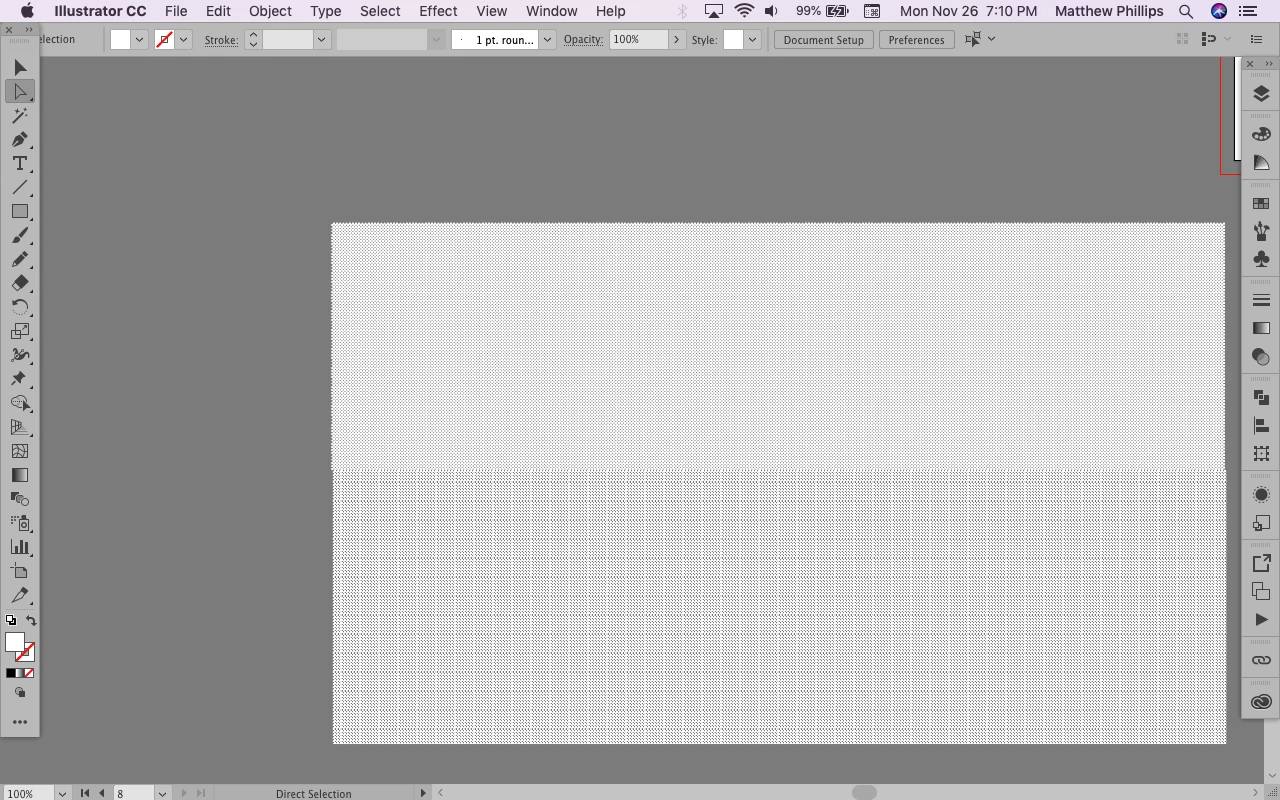
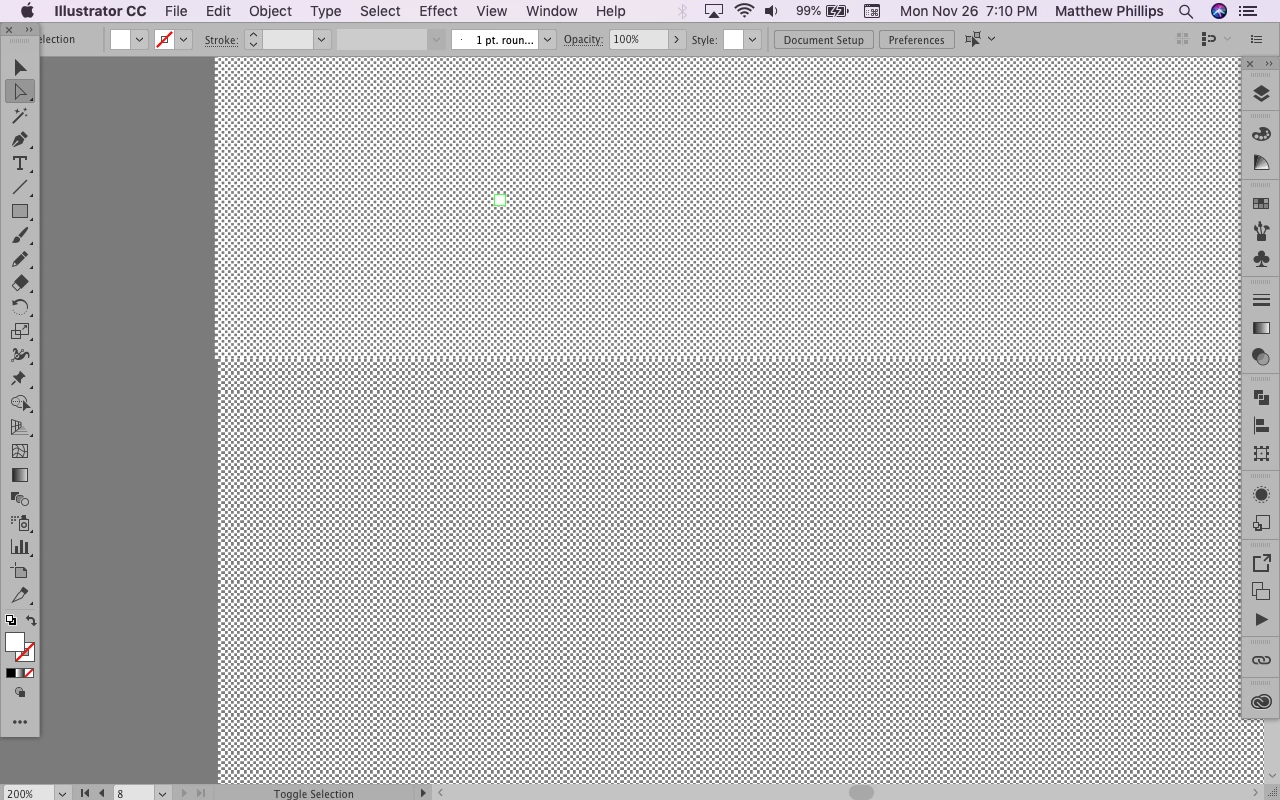
my units are pixels, my grid is 1 pixel, I make a rectangle which is aligned to the grid, the pixels of the pattern swatch are aligned to the grid, but when I zoom out to less than 400%, I get that plaid effect. this is an extremely simple pattern swatch, a 2x2 pixel checkerboard. as you can see on the last picture, they are both completely aligned with the grid, and I assure you, the grid is 25 pixels, with 25 subdivisions. The difference between the top and the bottom is that on the top, I took the swatch definition and tiled it manually by copying and pasting it, and the bottom is just a rectangle with the pattern swatch as the fill.

Even at 100%, the top has a noticeable pattern, which is very annoying when dealing with subtle gradations of halftones going from 36/36 to 1/36 pixels. I really have no idea what happened, except that I updated to the most recent version. Which I guess is my fault.
This topic has been closed for replies.

1 reply

Monika Gause
Community Expert
Community Expert
November 27, 2018

Does it get better when you go to View > Preview on CPU?

matthewp33322593
Participating Frequently
November 27, 2018

preview on CPU, and preview on GPU just make it do the wrong thing slightly differently.

GPU preview:

CPU preview

overprint preview

pixel preview

as you can see, the pixel preview is a different level of zoom than 100% is in the other previews. using placed menus, I've determined that the zoom level in pixel preview is close to 63% in the other previews.

I have to say that working in pixel preview for something that is going to be on a screen print or another form of physical printing is not an acceptable work around, seeing as people will be viewing the finished product at a much closer viewpoint, and in some instances it is important to be able to accurately see how the different pattern swatches work together.

matthewp33322593
Participating Frequently
November 28, 2018

As you can see, again, neither GPU or CPU preview give me a good idea if what I'm doing is working, due to the lines and unnecessarily blurred pixels. Yes, I know that the lines won't be there on the finished product, but I can't just assume that the pattern swatch I pick will work. I have to be able to see it at various zoom levels to evaluate if it works well from up close and far away.

I think the problem might have something to do with AI not having the correct idea about how many pixels my computer screen has, since 100% in Pixel Preview is about equivalent to 63.13% in non-pixel preview.

As you can imagine, I've gone to some lengths to make sure that these pattern swatches work accurately in the screen printing process, that they are layerable, going from 1 pixel for every 6x6 to 35 pixel for every 6x6 without creating distractingly large spaces of either color, and that layering the lighter pattern on top of the darker pattern will never result in a pattern darker than the darker pattern.

CPU Preview

GPU preview

Pixel Preview