FreDiabetics
Inspiring
June 2, 2020
Answered

[NEED HELP] how to create these 2 medical devices?

  • June 2, 2020
  • 1 reply
  • 619 views

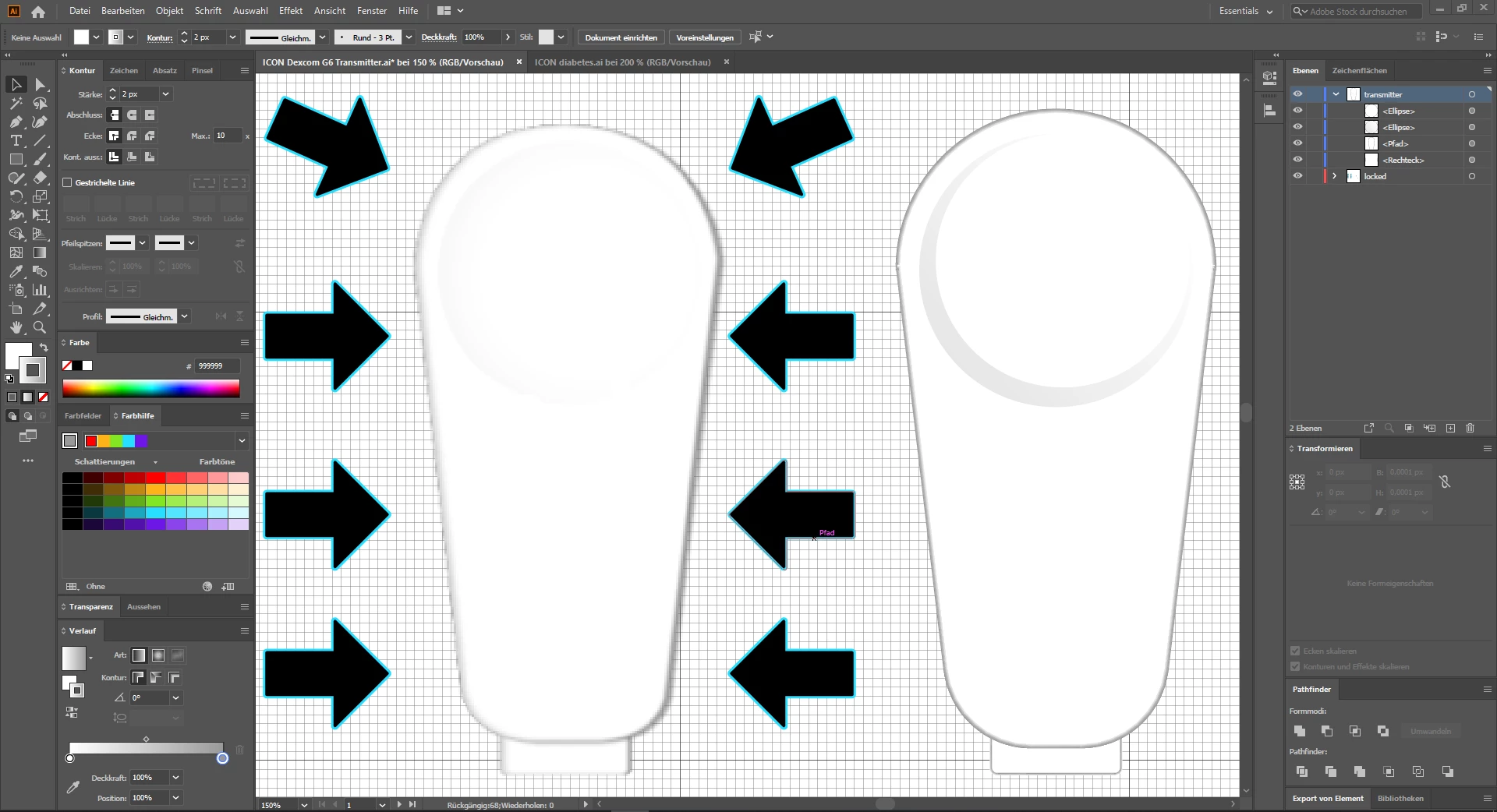
This is my Dexcom G6-CGM-Transmitter for tracking my blood glucose data 24hours. I have already created the baisc shape, but I have some trouble with the shadows around for a real 3D look. can anoybody point me in the right direction? 

Also the upper round shape shadow should look more real than now. 


Any Ideas how to build the light purple sensor housing on the first image?



This topic has been closed for replies.
Correct answer FreDiabetics

Those images were visible in your post. But I don't understand what you want to know.


Also those look like parts of the device. So what is it that you want to draw?


okay I want to create the same shadow around the transmitter, thats why I put the arrows around. I could have explained that better.


I want to create the same shadow around the transmitter my one is too flat, the left transmitter looks much more "plasticaly" It has a better 3D look. I think thats only made by the shadows for the depth. 

the round depression above. should also look more "plasticaly"


and I wanna create the purple sensor housing which is around the transmitter (image transmitter with sensorhousing) But I guess this could be done with the pathfinder 


thanks for your help 🙂 


1 reply

Monika Gause
Community Expert
Community Expert
June 2, 2020

To build shading there are acouple of methods:


1. gradients

2. effects (glow, blur)

3. blend modes and stacked objects

4. gradient meshes

5. freeform gradients

6. blends

7. gradients on strokes


Most of the time a couple of these methods need to be combined using different objects in order to achieve the look you're after.


I'm not sure how exactly you want this to look like and I don't know how that object looks. So maybe you want to take a photo of it and then just draw it according to that photo?

FreDiabetics
Inspiring
June 2, 2020

I have uploaded 3 Images I thought this would be enugh. the illustrator screenshot shows the transmiter and rightside is my already done work. 


wait I upload them again in this comment. sorry I dont know what goes wrong with the image upload in the mainpost 😞 

I also atteached the images in the main post 


Monika Gause
Community Expert
Community Expert
June 2, 2020

Those images were visible in your post. But I don't understand what you want to know.


Also those look like parts of the device. So what is it that you want to draw?