
Known Participant
July 25, 2021
Question

Need Help Preparing an AI image for my Laser Cutter

  • July 25, 2021
  • 2 replies
  • 464 views

I would be most grateful if someone could help me on this small but annoying problem.


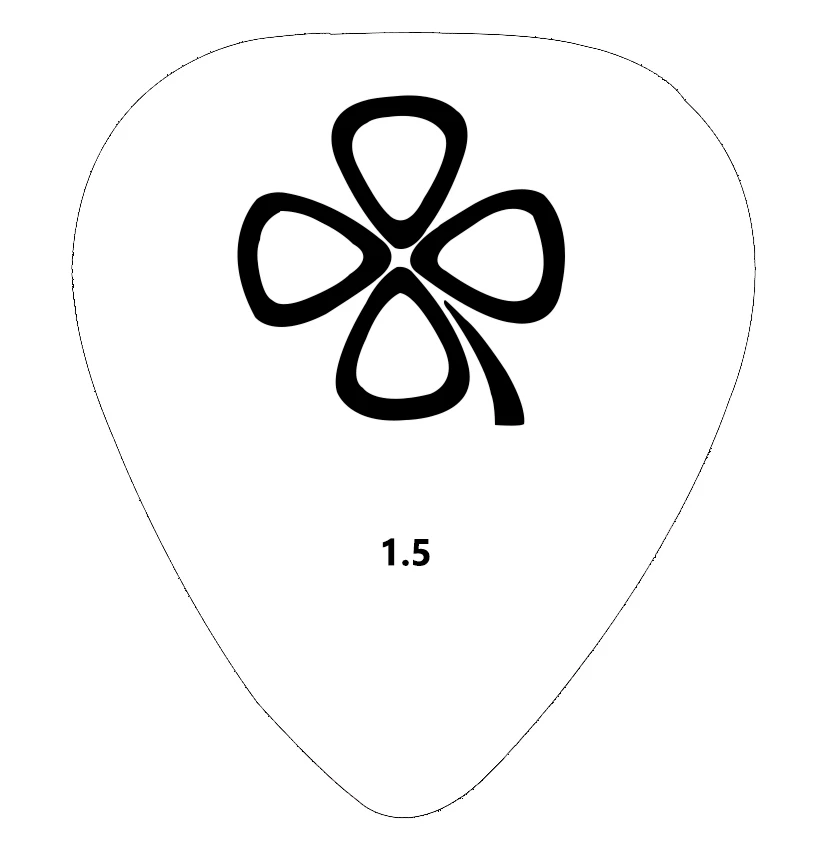
I am attaching an image of a guitar pick that my company manufactures. These are cut with my Epilog laser cutter, and I use AI instead of Corel, which does a great job. The attached photo shows the image I use. The outside shape is where I cut clear through the mail; the Shamrock and number are for laser etching.


Here's the problem. I paid a guy to fix the isse, and he didn't. I have the image in both JPG and PNG format, and both look great in PS. However, when I open this image in AI, the outer edge becomes very faint and thin and broken. The laser cutter doesn't see it and won't cut it.


Is there some easy way to fix this? Again, I appreciate your help. 


This topic has been closed for replies.

2 replies

Lukas Engqvist
Community Expert
Community Expert
July 25, 2021

If you are cutting the edge you may need a thicker stroke. How thick it needs to be I don't know. Normally you would need a different power for cutting as oposed to engraving, And I am guessing you want the clover and the number to be engraved and the contour to be cut. Power or depth is usually set by the colour of the fill/stroke so you will want to thicken the stroke so that it stays black even if resolution is changed. You may want to change the colour fo your engraving to grey so that the power/depth of the laser can be increased to cut the contour deeper while only engraving the graphics.

You may also need to see if there is a thread on the support forum for your laser software/hardware.

I use a CNC to mill and where I export to SVG which is a vector format and gives mre control over the paths that are cut. See if your laser software supports SVG.

Scott5F8FAuthor
Known Participant
July 25, 2021

Hello, I made a typo in the OP above and don't see an Edit button to fix it. Please advise.