

MrUnaiMillan
Participant
June 12, 2017
Answered

¡No se como quitar las "sobras" de la pluma!
  • June 12, 2017
  • 1 reply
  • 681 views

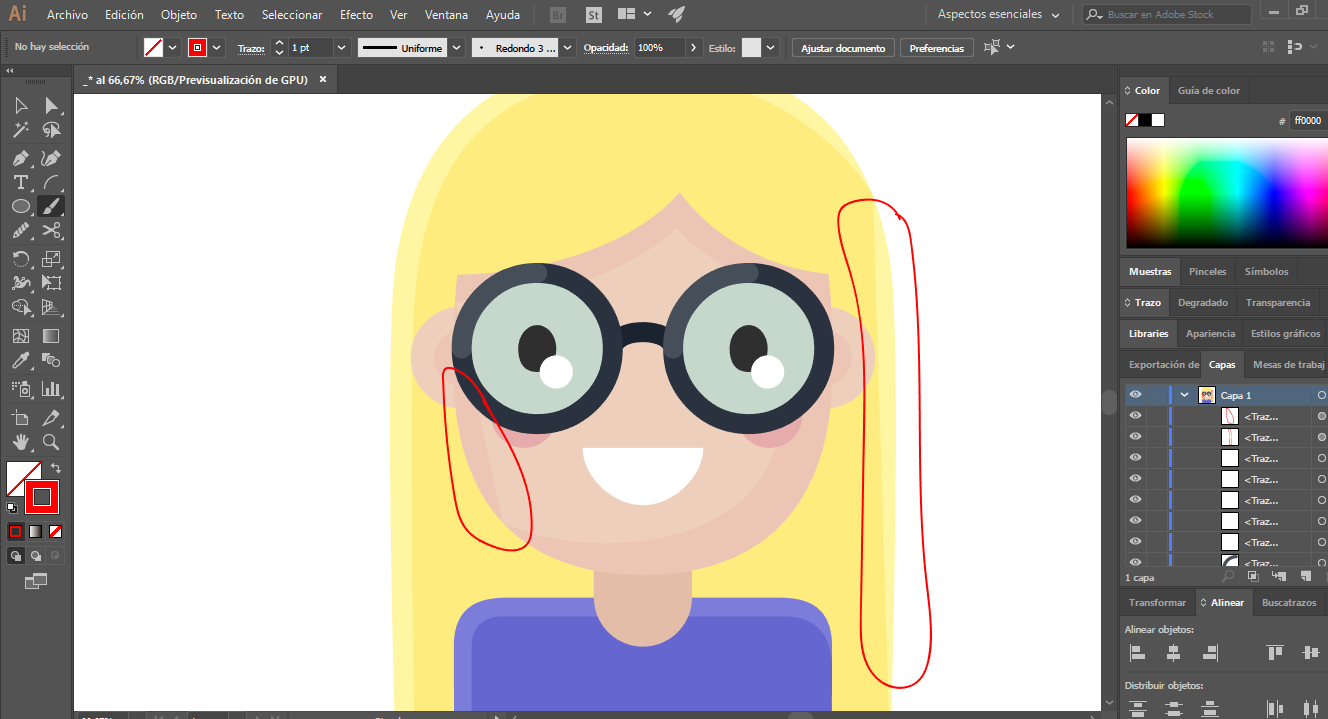
5c769d69ac6b18282d7209f5248ca53e.pngQuiero quitar esa especie de sombra pero no sé como, alguien me podría decir como se quita, el color claro esta mas en el fondo, y el mas oscuro esta mas adelantado pero con la pluma no se puede hacer el borde igual al claro para que no se vea en las partes marcadas (Con rojo). ¡Gracias!
    This topic has been closed for replies.
    Correct answer Monika Gause

    1cf9c0b0b7eee626a9aa9d5c4b381d5e.png


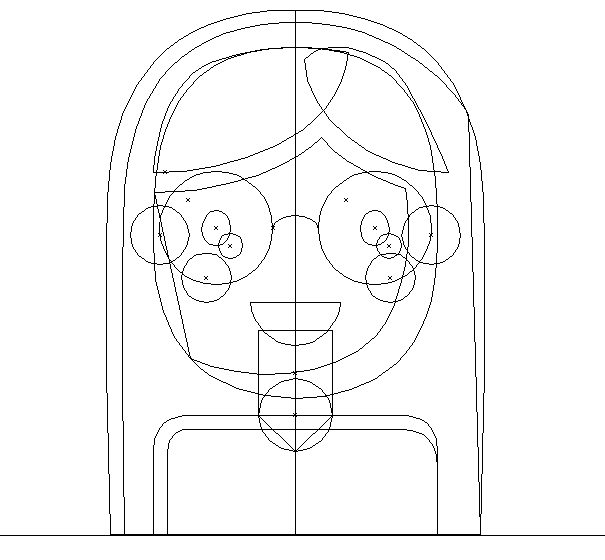
    There are paths overlapping and you can use either live paint or the shapebuilder tool on them.

    1 reply

    Monika Gause
    Community Expert
    Community Expert
    June 12, 2017

    Looks like you have some overlayoing paths there.

    You might check if you can solve this with the shapebulder tool or live paint.

    How to create and work with Live Paint groups in Illustrator

    How to create shapes using the Shape Builder tool in Illustrator

    Also: check the layer panel and check outline view.

    MrUnaiMillan
    Participant
    June 12, 2017

    I don't get it

    Monika Gause
    Community Expert
    Community Expert
    June 12, 2017

    You will need to show the outline view of your file.

    Also: in the layers panel scroll to those objects and show them

    And: show screenshots with each of those objects selected.

    And: what exactly did you try? Please read that link thoroughly.