Participant
September 28, 2019
Question

Non Linear blend- Like telegraph poles in perspective

  • September 28, 2019
  • 4 replies
  • 782 views

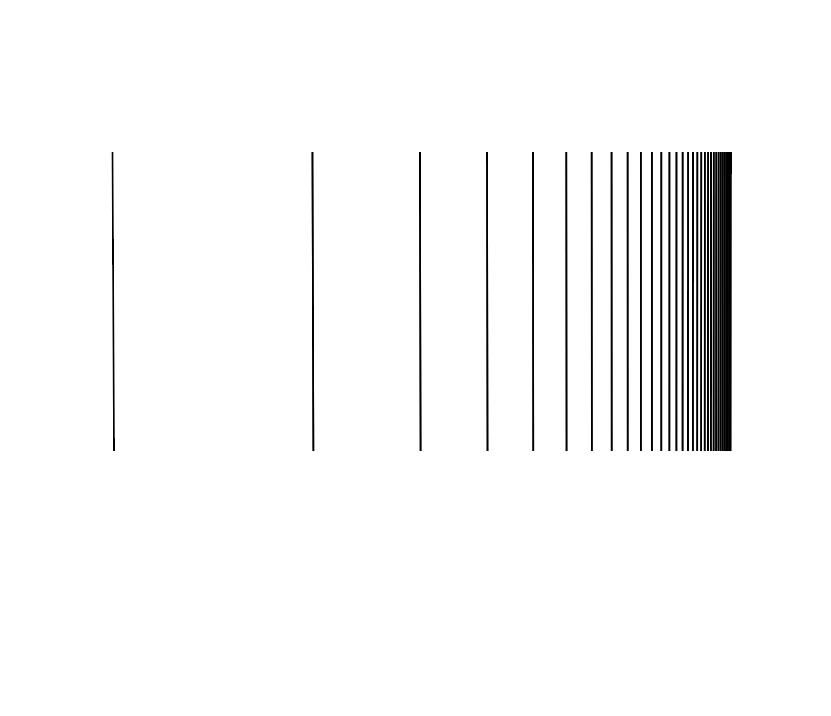
Is it posible to do a non linear blend a bit like telegraph poles disappearing into the distance?



This topic has been closed for replies.

4 replies

Ares Hovhannesyan
Community Expert
Community Expert
September 29, 2019

You can try to use Retangular Grid Tool to create such a object. Set settings as in capture then draw object. You can control number of vertical deviders and skew value.. Than select horizontal path with Direct selectionTool and delete them


Participant
October 3, 2019
Thanks to all above!
Ton Frederiks
Community Expert
Community Expert
September 28, 2019

You could use a Transform Effect with a single line.

If you want them the same size, expand Appearance and align the bottom anchor points and then the top ones.


barbara_a7746676
Community Expert
Community Expert
September 28, 2019

You could start with a standard blend/

Draw a curve.

Select the blend and the curve and choose Object > Blend > Replace Spine.

Object > Blend > Expand.

Then Object > Blend > Ungroup.

Select half of the lines and delete them.

Select all of the lines. In the Align panel, align tops or bottoms or vertical centers.


Monika Gause
Community Expert
Community Expert
September 28, 2019

Drag the handles on the blend spine: one longer, the other one shorter.