
Participant
August 24, 2023
Question

Not sure how to edit text and about the .ai file I just received.

  • August 24, 2023
  • 1 reply
  • 362 views

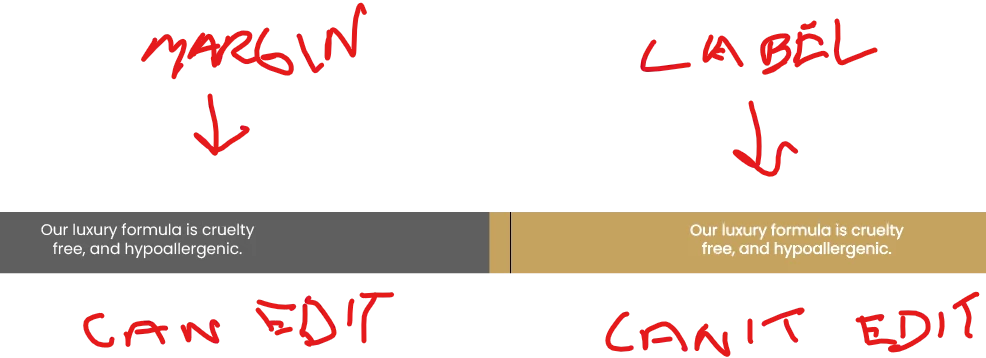
I just received an Illustrator file from my graphic artist for a packaging label design, and I'm more familiar with Photoshop than I am with illustrator, but I'm not sure how they setup the file.   I wanted to tweak a bit of the text and enlarge the font size, but when I click on the text layer with the text icon inside the label area itself, it doesn't go into edit mode and instead creates a new text layer, and I'm not sure what I'm doing wrong.   The text and graphics are also duplicated in the margins which is odd.   That text I can edit, but when I do edit it, the changes don't get applied to the text on the actual label itself.    I am using Adobe Illustrator CC.   I'm also unclear why they were using the margins to duplicate the text and graphics on the label.   


Any help would be appreciated.   
 

This topic has been closed for replies.

1 reply

CarlosCanto
Community Expert
Community Expert
August 24, 2023

can you select it with the Selection Tool (V)?


can you show a screen shot of it selected and showing the layers panel expanded?

Participant
August 24, 2023

I can select the non-editable label text which is duplicate copy from what's in the margins.   It highlights the whole text copy in that column on the label.    In looking at the layer tree, the label text on the beige background doesn't have text layers on it, it just has compoud paths.   The area in the margins has the editable text and text layers on it.   I'm not quite sure why they did it this way and what the point was in putting duplicate text copy in the margins, but I assume there's a reason for it.   

CarlosCanto
Community Expert
Community Expert
August 24, 2023

it seems the non editable text was expanded (Type->Create Outlines). Once expanded it can not be edited.


It's easier to retype it or grab the editable copy on the margins