
Participating Frequently
May 2, 2024
Answered

Not understanding Fill or Live Paint

  • May 2, 2024
  • 2 replies
  • 1568 views

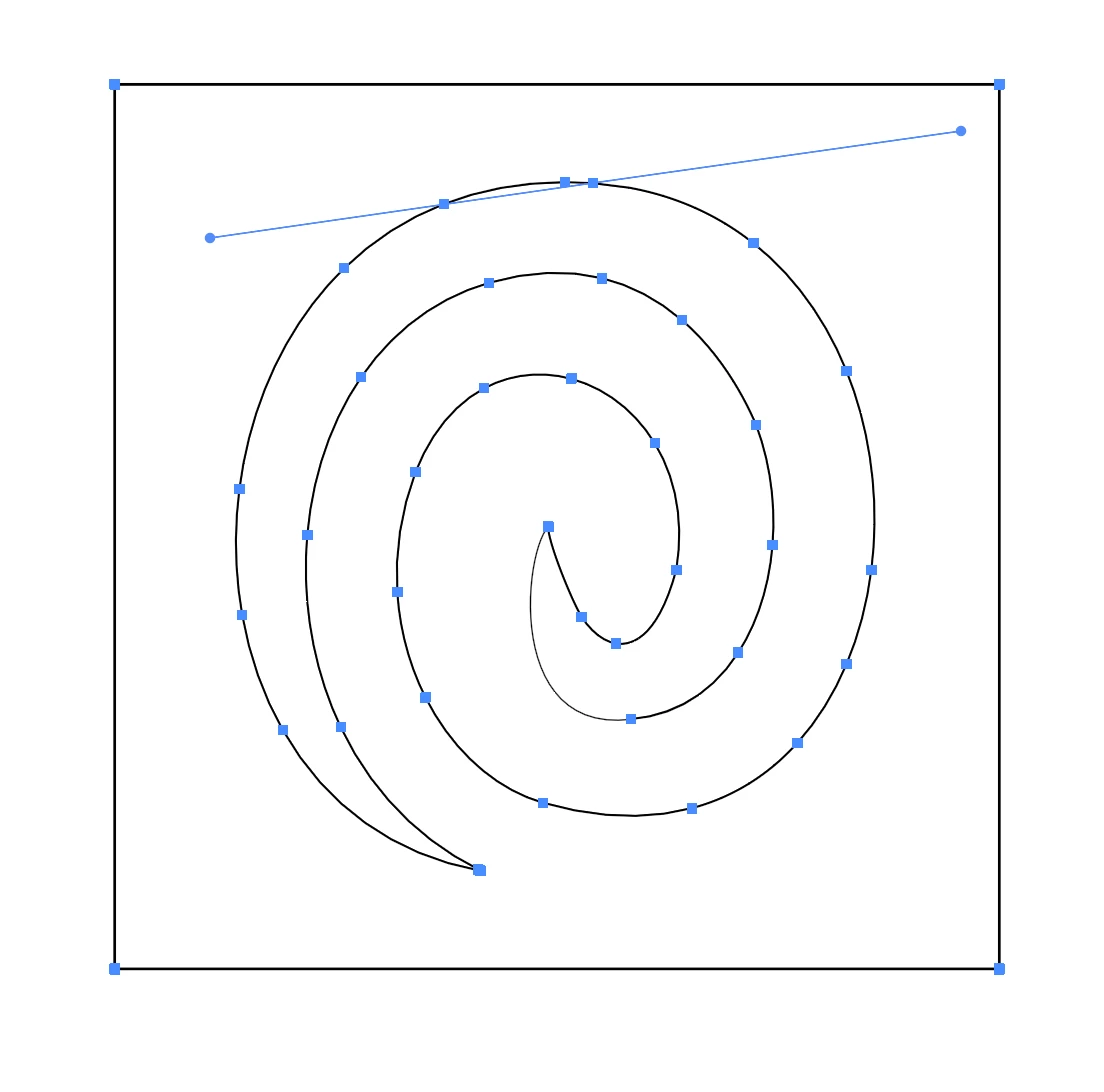
Hi, I'm trying to Fill in the space between the object and the box (if you look carfully, both "tails" don't lead to each other, should be a cool effect.) But nothing I do seems to fill things like I expect.


It might be that I just don't understand Illustrator enough, but would you have any clues as to what I'm doing wrong?
This topic has been closed for replies.
Correct answer Ares Hovhannesyan

Not shure. But may be you are in "Outline Mode"? Please check it in View Menu and turn on "Preview on GPU"... or Ctrl+Y

2 replies

Doug A Roberts
Community Expert
Community Expert
May 2, 2024

There's no need for live paint here -- it should be a single closed shape if created correctly:

What happens when you give it a fill?

Participating Frequently
May 2, 2024

That's the outcome I want except the reverse, with the colour filling until the surrouding box, and the section you made red still white.
When I select it all then try to choose a Fill colour, nothing happens.

Ares Hovhannesyan
Community Expert
Ares HovhannesyanCommunity ExpertCorrect answer
Community Expert
May 2, 2024

Not shure. But may be you are in "Outline Mode"? Please check it in View Menu and turn on "Preview on GPU"... or Ctrl+Y

Monika Gause
Community Expert
Community Expert
May 2, 2024

What happens when you do?


If you want us to try that out, please provide the file. You can change the file extension to PDF and then you can upload it.

Participating Frequently
May 2, 2024

If I select the section I want to fill, then choose a fill, nothing happens. Really not sure what I'm doing here! I think my Photoshop brain is messing me up. (Though I'm really an audio guy!)

Here's the file attached.

Participating Frequently
May 2, 2024

Eight. You hover over it. The area that is going to be filled gets highlighted. You choose a color with the arrow keys and then you click.


There is an issue with your drawing. That is not just one path, but 2. You have outlined the path, no?


There were 3 paths I guess? Two spirals that were then connected at their tips, and then the square around them. How do I make them one? Is that what you mean by outline them? Is it just that my anchors aren't joined?

Is there a simpler way of doing this without the Live Paint Bucket? Was hoping to just make my shapes then fill them with a regular paintbucket.