
resourceful_Crystal98A2
Participant
April 30, 2018
Answered

Object becomes pixelated when I apply grain texture

  • April 30, 2018
  • 4 replies
  • 26900 views

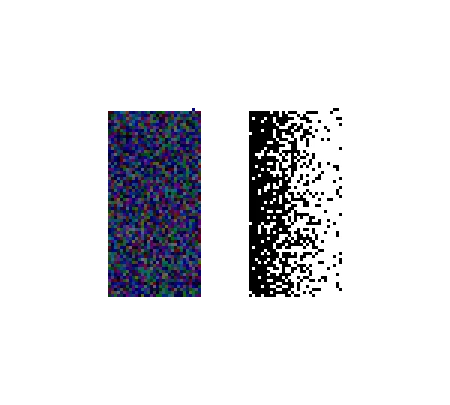
When I apply the grain texture effect, the objects are super pixelated. Whether it be a gradient mask or a regular object, they always turn out pixely and not that stippled look it should be.  Below is an example...the left image was originally a blue rectangle before the texture was applied, and the right is a gradient with the texture applied.

What am I doing wrong? These aren't zoomed in really far or anything either.
Correct answer Mohammad.Harb

check the resolustion if it is set to High from

Effect-> Document Raster effects settings

4 replies

Participant
February 13, 2024

Hello, I have no idea if people are still having this problem, but none of the solutions below worked entirely for me. What did work: still go to Effects > Document Raster Effects Settings and under Resolution, even if its already 300 ppi and you're still having the pixilation issue, change it to anything on the Other setting (bottom of drop down), like say type in 600 ppi, and now it will load correctly. Not sure if this is a graphics card issue on my computer, but I'm sure someone else will have the same problem. Hope this helps!

Monika Gause
Community Expert
Community Expert
February 13, 2024

@stephenb12860235  schrieb:

Hello, I have no idea if people are still having this problem, but none of the solutions below worked entirely for me. 


Everyone wrote the same as you did.

Participating Frequently
May 2, 2024

@Keller34138219fcoj  schrieb:

Same here.


Please show a screenshot that includes the grain settings, the document raster effects settings, the appearance panel and of course the object itself.


Hello! 

I am having this problem too and tried all of the above and nothing is working! 


Been on going problem for a few months was hoping it was a bug that would get fixed but now I've come back to it again and it's still not working. 


I did an illustration at the beginning of the year when it worked fine, now im trying to do another and it seems to go pixulated when I move the gradient. It also seems to have a strange line through it with no grain and then the grain is all over rather than being in one spot.... sorry explained that badly but have included pictures so hopefully you can see what I mean!


Green one is the first illustration i did which is what i want it to look like!


Thanks 🙂 

Participating Frequently
April 22, 2020

Thank you! It was driving me nuts until I found your post.

resourceful_Crystal98A2
Participant
April 30, 2018

thanks! the resolution was not set to high. when i changed to high, it fixed the problem.

Mohammad.Harb
Community Expert
Mohammad.HarbCommunity ExpertCorrect answer
Community Expert
April 30, 2018

check the resolustion if it is set to High from

Effect-> Document Raster effects settings

Ares Hovhannesyan
Community Expert
Community Expert
April 30, 2018

Any effects in AI from Effects Panel in below section are raster effects. Did you add that texture from Effects Panel?

resourceful_Crystal98A2
Participant
April 30, 2018

Yes I applied from textures panel